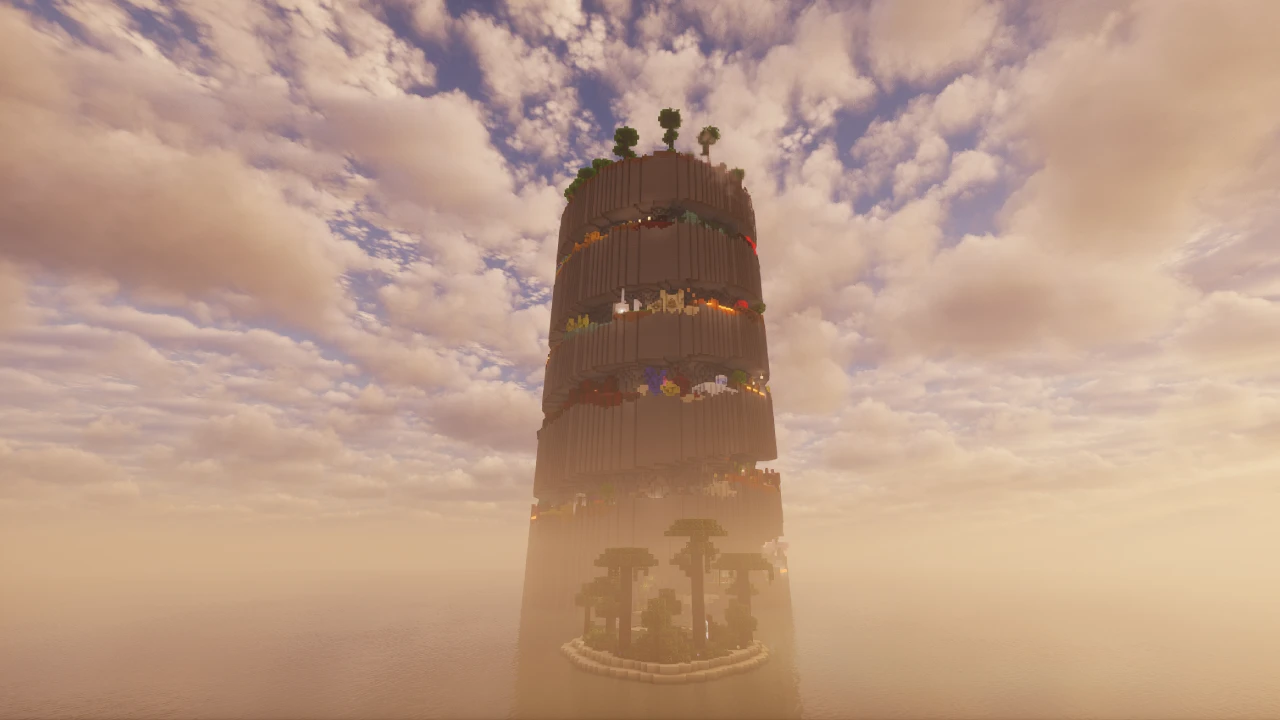
About SkyBlock
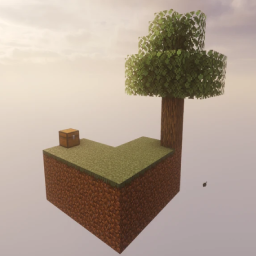
A small square of dirt and grass. One oak tree. One chest. Below that, a very long fall into nothing.
That's SkyBlock, and it's been that since September 2011, when a Minecraft Forum user called Noobcrew posted it. It went on to become the most copied idea in Minecraft custom content: every floating-island survival map, every skyblock server, every "start with nothing" challenge traces back to this one.
What makes it hard isn't monsters. It's arithmetic. You get a fixed number of items and no way to get more of most of them, so the early game is a careful puzzle about which resources can be made renewable before the finite ones run out. Drop your lava bucket into the void and you may have ended the run.
What you start with
The island itself is small: a patch of dirt and grass with a single oak tree growing out of it. There's a chest, and what's inside varies slightly between versions of the map, but the essentials are consistent:
- A lava bucket: the single most valuable item you own
- Ice: your only source of water
- Assorted seeds and crops: sugar cane, a melon slice, a pumpkin seed, mushrooms, cactus
- Odds and ends such as string and a bone, which have specific uses rather than being filler
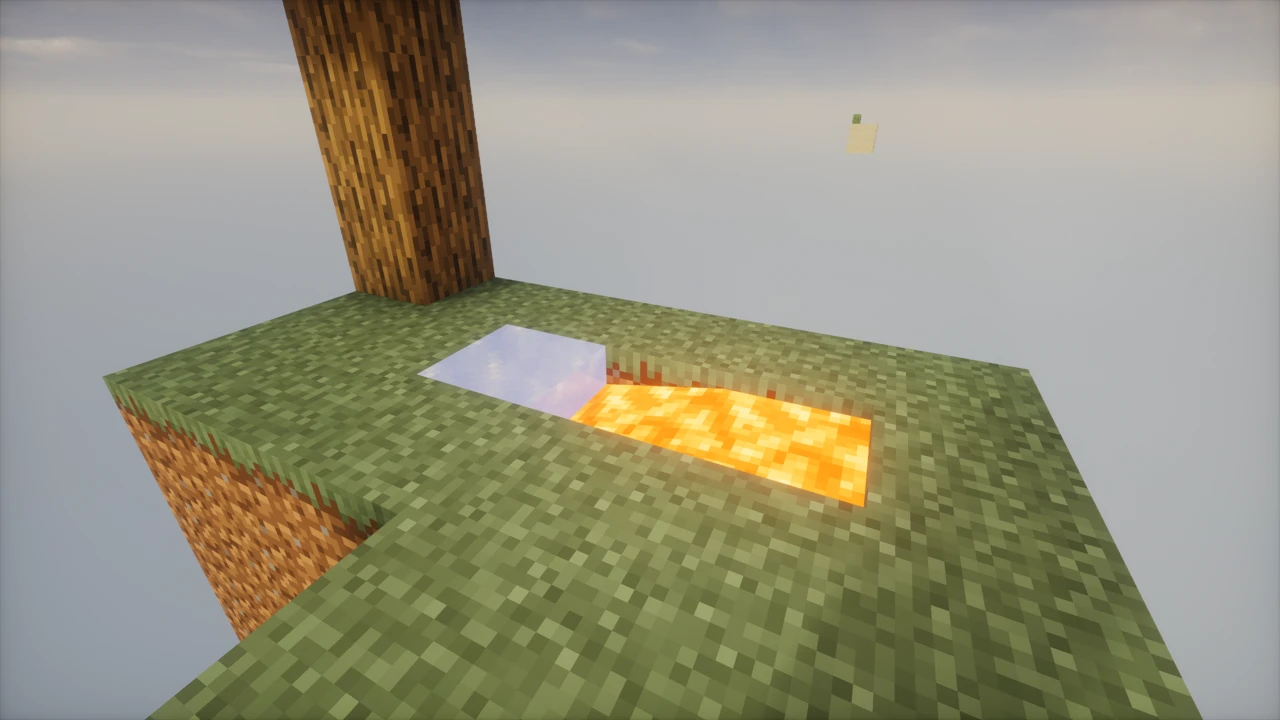
In the version 2 maps there's a second island made of sand a short distance away, holding a cactus and another chest with obsidian inside. That obsidian is your route to the Nether, which is why the sand island matters more than it first appears.
Every one of those items has a purpose. The bone becomes bonemeal. The string becomes wool via a specific route, or fishing rods. The mushrooms can be farmed in the dark. Nothing in the chest is decorative.
The three rules
SkyBlock ships with rules rather than enforcement. The map doesn't stop you breaking them, but the challenge falls apart if you do:
- Don't deliberately jump off the island to regenerate health. Dying is a free heal and a free respawn, which trivialises hunger management.
- Don't bridge to the mainland. The world beyond the island isn't meant to be reachable.
- Play on Easy difficulty or higher. Peaceful removes hostile mobs, and with them the mob drops several challenges depend on.
The cobblestone generator
Everything hinges on one trick, and the original forum post gave it away as a hint: lava plus water makes cobblestone.
Dig a small channel, place your lava at one end and a water source at the other, and where they meet you get a cobblestone block that reforms every time you mine it. That single arrangement converts your finite lava bucket into infinite stone: building material, furnaces, tools, and the platform space to do everything else.
This is why the lava bucket is treated with such care. Used correctly it becomes permanent infrastructure. Spilled into the void, it's gone, and with it most routes forward.
Your water comes from the ice. Melt or place it, and you have a source block you can duplicate into infinity once you've got a couple of them. One quirk worth knowing on the classic maps: the island sits in a cold biome, so exposed water can freeze back into ice, which is dangerous when it's the water half of a lava generator. Build under cover or light the area.
Making things renewable
After stone, the job is turning every other finite thing into a loop.
- Wood: chop the tree, but catch the saplings first. Replant, and keep dirt underneath so saplings that drop don't fall into the void. Losing every sapling is one of the classic ways a run ends.
- Food: melons and pumpkins from the starting seeds, sugar cane by water, mushrooms in the dark. Wheat comes from seeds gathered by breaking grass, if your version has any.
- Dirt: genuinely precious. Leave at least one grass block intact so grass can spread to nearby dirt, which keeps saplings and crops viable.
- Mob drops: with the difficulty rule in place, hostile mobs spawn on dark platforms, giving you string, bones, gunpowder and, from zombies, occasional iron.
Iron is the usual bottleneck. On the classic maps there's no ore to mine, so iron comes from zombie drops or, later, from villager and golem setups if you can get that far. It's slow, and that slowness is the point.
The challenges
The map ships with a challenge list, around fifty of them for the version 2 maps, published alongside the download. They're optional. Nothing in the world enforces them and there's no reward system. They exist to give the sandbox a shape.
The list starts where you'd expect:
- Build a cobblestone generator
- Build a house
- Expand the island
- Make a melon farm
- Make a pumpkin farm
From there they escalate into things like glass production, mob grinders, and setups that require resources you can only get by solving earlier problems first. Working down the list in order is a reasonable way to play, since later entries tend to assume the infrastructure from earlier ones.
Expanding the island
Once the generator runs, the island grows outward in cobblestone. Most people build a platform first, then a walled area for farms, then dark rooms for mob spawning.
Two practical constraints shape how everyone builds here. First, anything that falls is gone, so people build out rather than up, and put floors under work areas before mining above them. Second, mob spawning needs space and darkness, and on a small island there isn't much of either, so mob farms usually mean building a dedicated dark platform far enough from your lit areas to actually spawn things.
The Nether and the End
The version 2 maps include a Nether realm, and reaching it is a genuine mid-game goal rather than a side trip. The obsidian in the sand island chest is enough for a portal frame, and your lava lights it.
The Nether opens up resources the Overworld island can't provide, and the classic maps place a chest there with additional supplies. It's also where SkyBlock's difficulty spikes: a void-adjacent Nether with limited ground is unforgiving.
The End is harder to speak about definitively on the classic maps. Reaching it requires blaze rods and ender pearls, and on a void world with no naturally generated fortress the usual routes to blaze rods are unreliable. Players have historically worked around this with spawning platforms built at the coordinates where a fortress would generate, which is advanced and version-dependent. If beating the Ender Dragon is your goal, expect that to be the hardest part of the map by a wide margin, and check the specifics for the version you're playing.
Which version should you download?
There are four official SkyBlock maps, and they differ mainly in how much you start with:
- V2.1: the most played version, and the one most people mean by "SkyBlock." Larger L-shaped island, plus the sand island and the Nether realm. Start here unless you have a reason not to.
- V2.0: the same content on a smaller island with roughly three times fewer blocks. Noticeably harder.
- V1.1: described on the official site as the original version. No sand island, no Nether realm, but a fuller starting chest.
- V1.0: the smallest and most punishing, with about three times fewer blocks than V1.1.
Hardcore variants of the version 2 maps have also circulated historically, for players who want a single life on top of everything else.
The practical advice: V2.1 for a first playthrough, V1.1 if you want the historical original, and the .0 versions when you've done it once and want it to hurt.
Playing with friends
The downloadable map is a single world with a single island, so co-op means sharing it. Put the world on a server and everyone plays the same island, pooling the same finite starting resources, which works well, though it means one person's mistake with the lava bucket is everyone's mistake.
This is worth distinguishing from how skyblock works on public servers, where each player typically gets their own generated island. That's server software doing the work, not this map. The classic map was designed as a solo challenge and adapts to co-op rather than being built for it.
Minecraft version compatibility
Be aware of what you're downloading: these are world saves from 2011 and 2012. The official download page doesn't publish a supported-version list, and the maps aren't actively rebuilt for each new Minecraft release, which is why this page records no version compatibility of its own.
Modern Minecraft can generally open and convert older worlds, and people do play the classic maps on current versions. But converted worlds can behave in unexpected ways: biome data, world generation boundaries and structure placement were all defined by a much older game. If you want the classic map specifically, it's worth backing up the download before you first open it, and being ready to try a different Minecraft version if something behaves oddly.
If guaranteed compatibility with the newest Minecraft release matters more to you than historical authenticity, a modern skyblock-style map or datapack will serve you better than the 2011 original.
SkyBlock vs One Block
These two get compared constantly, and the difference is fundamental rather than cosmetic.
SkyBlock is about scarcity. You're handed a fixed set of resources at the start and given nothing else, ever. Progress means engineering renewable loops out of finite inputs: the cobblestone generator, the sapling cycle, the crop farms. The map can be soft-locked: lose your lava bucket or your last sapling and you may genuinely be unable to continue.
One Block is about progression. You stand on a single block that regenerates forever, so resources arrive continuously whether you plan well or not. Its structure comes from ten themed phases that hand you progressively better materials, mobs and chests. You can't really soft-lock it, because the block keeps giving.
So SkyBlock rewards careful play and punishes carelessness, while One Block rewards persistence and paces itself. SkyBlock's challenge list is optional flavour on a sandbox, while One Block's phases are the spine of the experience. If you want a resource-management puzzle, SkyBlock. If you want a steady climb with a defined arc, One Block.
Other things called SkyBlock
Worth clearing up, because the name now covers several very different things.
This page covers the original downloadable map by Noobcrew. It is not the same as skyblock servers, which use plugins to give each player a generated island and often add economies and shops. It's also not Hypixel SkyBlock, which launched in 2019 and is an entirely separate large-scale game with skills, collections and minions that happens to share the name and starting premise.
There are also many fan-made skyblock maps and datapacks, some closely modelled on the original and some quite different. If a guide you're reading mentions mechanics that don't exist in your world, that's usually why.
Where to download SkyBlock
The official home is skyblock.net, which hosts all four versions of the map and describes itself as the official home of the original SkyBlock experience. The map was first published on the Minecraft Forum in 2011, and that original thread is still the historical record of its release.
SkyBlock is a trademark and copyright of Mineverse LLC. The downloads are free.
How to Download SkyBlock for Minecraft
All four official versions are on skyblock.net's downloads page, which the SkyBlock Downloads section on this page links to: click Download on its row to get there. Pick one before you start:
- V2.1: most played, includes the sand island and Nether realm. The default choice.
- V2.0: same content, roughly three times fewer starting blocks.
- V1.1: the original version, no sand island.
- V1.0: smallest and hardest of the four.
The download is a world save, packaged as an archive. Unlike resource packs, map archives do need extracting.
One thing worth doing before you play: keep a copy of the downloaded archive somewhere safe. These are old worlds, and if a conversion to a newer Minecraft version goes badly you'll want the untouched original to try again with a different version.
How to Install SkyBlock in Minecraft
Installing the map
- Download your chosen version through the Downloads section on this page.
- Extract the archive. You want the folder that directly contains
level.dat.
- Open your Minecraft saves folder:
- Windows: press Windows + R, type
%AppData%\.minecraft\saves, press Enter
- macOS: ~/Library/Application Support/minecraft/saves
- Linux: ~/.minecraft/saves
- Move the extracted world folder into
saves.
- Launch Minecraft, click Singleplayer, and select SkyBlock from the list.
The nesting problem: extracting often produces a folder containing another folder. If you copy the outer one, Minecraft won't see the world. Open it up and check: the folder you move into saves must have level.dat sitting directly inside it, not one level deeper.
Choosing a Minecraft version
Because these are legacy worlds, the Minecraft version you launch with matters more than it would for a modern map.
To pick a version in the official launcher, go to Installations, click New installation, choose a version from the dropdown, save it, and launch that installation. Creating a dedicated installation for SkyBlock keeps it separate from your normal profile.
If the world behaves strangely on a current release (odd biome behaviour, missing terrain boundaries), trying an older Minecraft version is a reasonable next step. Copy your backup of the original archive rather than reusing an already-converted world, since conversion is one-directional.
Playing on a server
Extract the world folder and use it as your server's world, matching the folder name to the level-name value in server.properties. Everyone shares the one island and the one starting chest, so it's worth deciding upfront who handles the lava.
Before you start playing
Two things that will save you a restart:
- Check your difficulty. The map's rules call for Easy or higher. On Peaceful, hostile mobs don't spawn and several challenges become impossible.
- Don't open the chest next to the void edge. Sounds obvious. It isn't, once you're rushing.
If something goes wrong
- World doesn't appear in the list. Almost always the nesting problem. Check where
level.dat actually sits.
- The world looks broken or terrain is missing. Likely a conversion issue from the age of the save. Try a different Minecraft version using a fresh copy of the download.
- Water keeps freezing. Not a bug: the classic island sits in a cold biome. Cover the area or add light near your generator.
- Mechanics don't match a guide you're following. Check whether the guide covers this map or a different skyblock map, and which of the four versions it assumes.