
Working out how to install mods in Minecraft is mostly a matter of getting four things to agree: your Minecraft version, your mod loader, the mod file, and anything that mod depends on. Moving the file into place takes seconds. Nearly every problem people hit is a mismatch somewhere in that list, so most of this guide is about the checks.
This is a guide for Minecraft Java Edition. Bedrock Edition (sold as Minecraft for Windows, and the version on consoles and mobile) uses add-ons instead, and Java .jar mods will not run there.
Before you start
Answer these five before downloading anything. They head off the most common beginner mistake: fetching a mod first, then finding it cannot run on your setup.
Check these five things first
- Which edition you play. Java Edition takes mods, Bedrock takes add-ons, and the two are not interchangeable.
- Which Minecraft version. Mods are normally built for a specific version, so this decides which file you need.
- Which loader the mod needs. Its project page names it, and nothing else is authoritative.
- Whether it has dependencies. Some mods need a separate library mod alongside them and will not load without it.
- Where you are downloading from. The project's own page, not a search result reposting the file.
Choose the right mod loader
Minecraft has no built-in support for mods. A mod loader sits underneath the game and gives them a supported way to change it. Install it once per Minecraft version and any mod written for it can run.
Three come up in practice. Fabric is lightweight and reaches new Minecraft versions quickly, which makes it common for performance and quality-of-life mods such as Sodium. NeoForge is a major modern loader, common among content-heavy and technical mods. Forge has been around longest and is still required by many mods and modpacks people play today, DeceasedCraft among them. Quilt is largely Fabric-compatible but a beginner is unlikely to need it.
Fabric, NeoForge and Forge mods are built against one loader each and are not interchangeable: a Fabric mod dropped into a Forge setup will not load. Install whichever loader the mod's page names, and if you want several mods, pick ones that share it.
Install the mod loader
Each loader ships an official installer that adds a profile to your launcher and leaves vanilla Minecraft alone.
Download the official installer
From the loader's own site, choosing the build for the Minecraft version you intend to play. Fabric lives at fabricmc.net, and our Fabric download list takes you straight to it. NeoForge is at neoforged.net, Forge at files.minecraftforge.net.
Run it and install the client
It writes a new profile rather than replacing anything, so vanilla stays available.
Launch it once before adding mods
Reaching the title screen proves the loader works alone, so if something breaks later you know a mod caused it.
The CurseForge and Modrinth apps and Prism Launcher can create loader instances and automate parts of this for you. Installing a complete pack that way is covered in how to install modpacks.
Download the mod safely
CurseForge and Modrinth are the two established platforms where most authors publish. Neither can promise every file is safe, so the habit that protects you is checking you are on the real project page (expected name, expected author) and not a site reposting someone else's work.
A project page usually offers many files, since the same mod is maintained for several Minecraft versions and sometimes more than one loader. Filter by your version and loader, then note whatever the dependency list marks as required. For the mods covered here on Bravith, the Download section on each page already lists the builds against the versions and loaders they fit, which saves doing that sorting on the project page yourself.
A .jar is an archive, so your system may offer to unzip it. Don't. The loader expects the packaged file exactly as downloaded, and a folder of loose files is ignored, a very common reason a mod never appears.
Find the Minecraft mods folder
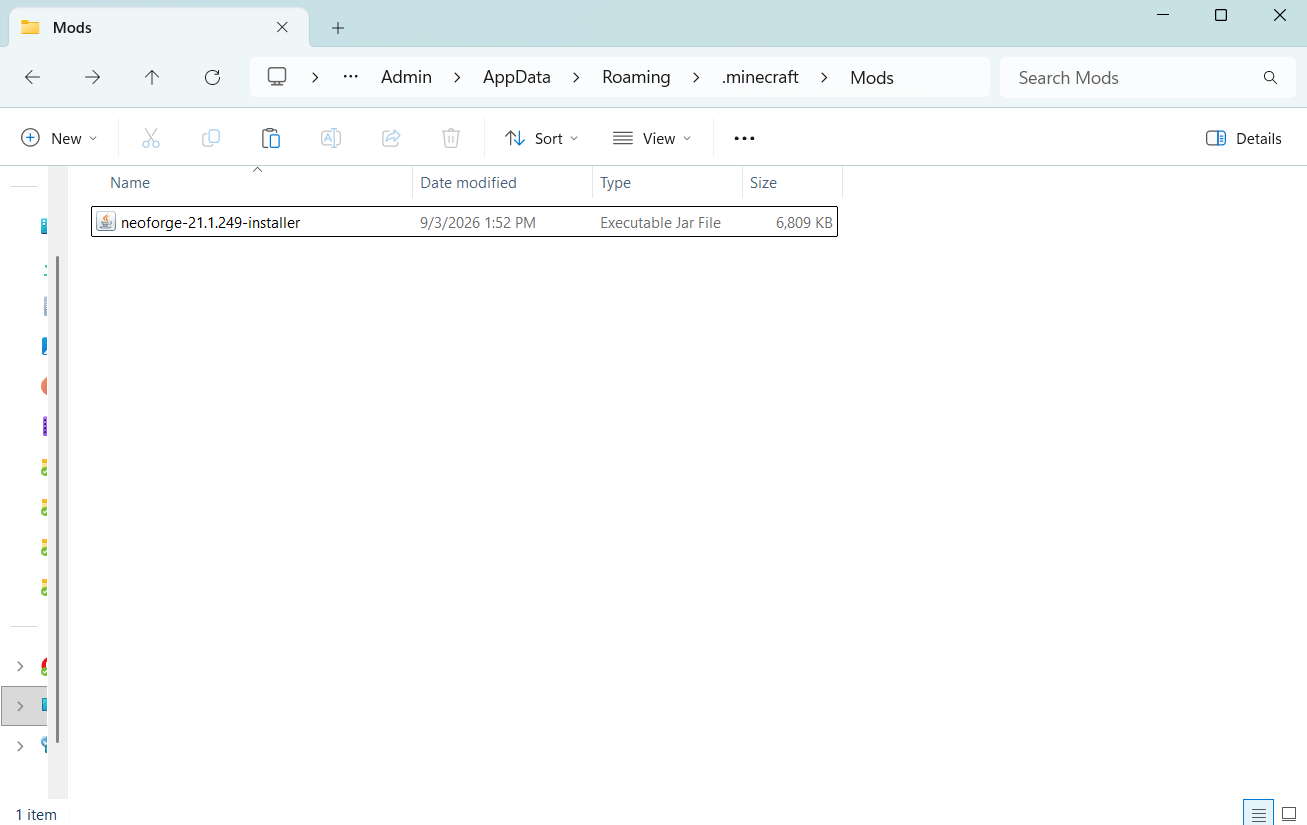
The loader's installer normally creates a mods folder. If it is missing, create it with exactly that name in the Minecraft directory:
- Windows: press Win + R and enter
%appdata%\.minecraft\mods - macOS:
~/Library/Application Support/minecraft/mods - Linux:
~/.minecraft/mods
Those are the default paths. Third-party launchers give each instance its own folder elsewhere, so open the mods folder from inside the launcher rather than guessing. A mod in the wrong instance looks exactly like one installed correctly, until it fails to appear.
Install the mod
Download the matching .jar
The file listing your Minecraft version and your loader. Leave it as a .jar.
Open the mods folder for the instance you will play
The default directory above, or your launcher's instance folder.
Move the file in
Drag or copy it across. There is no installer to run and nothing to configure.
Add any required dependencies
Into the same folder, built for the same Minecraft version and loader.
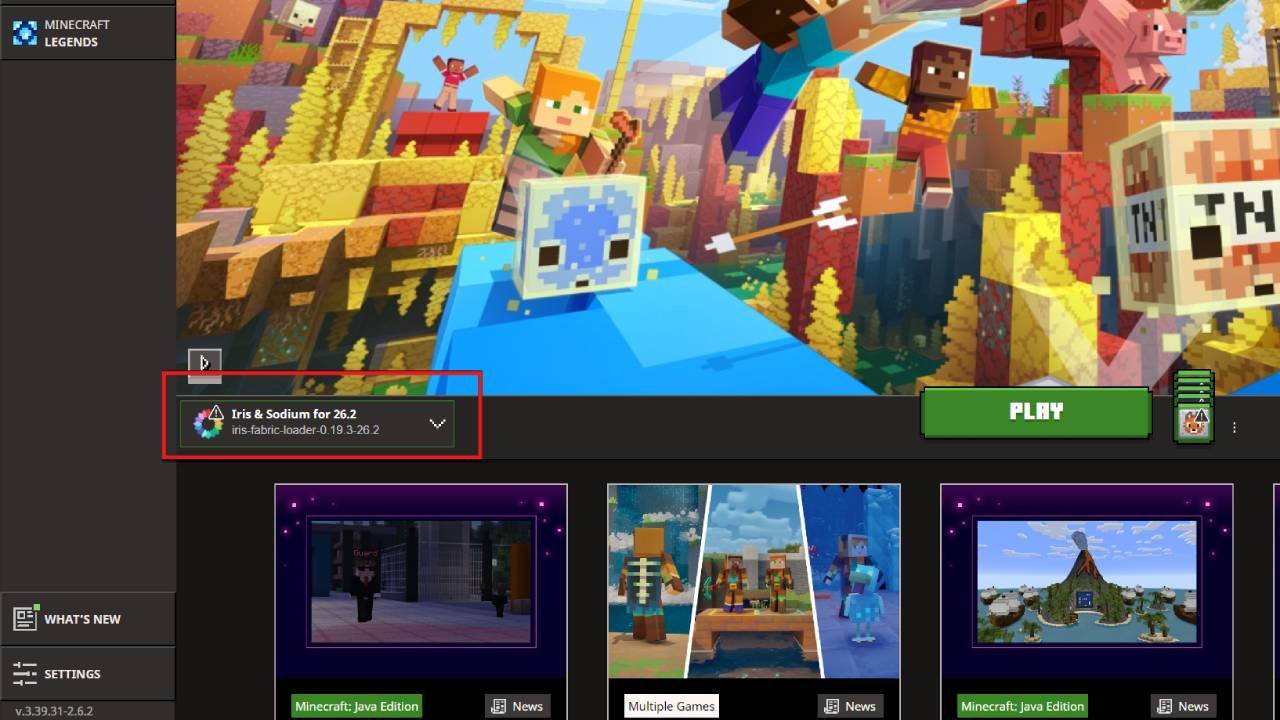
Launch the loader profile
Not the vanilla one: mods load only when the game starts through the loader.
Launch and check that it works
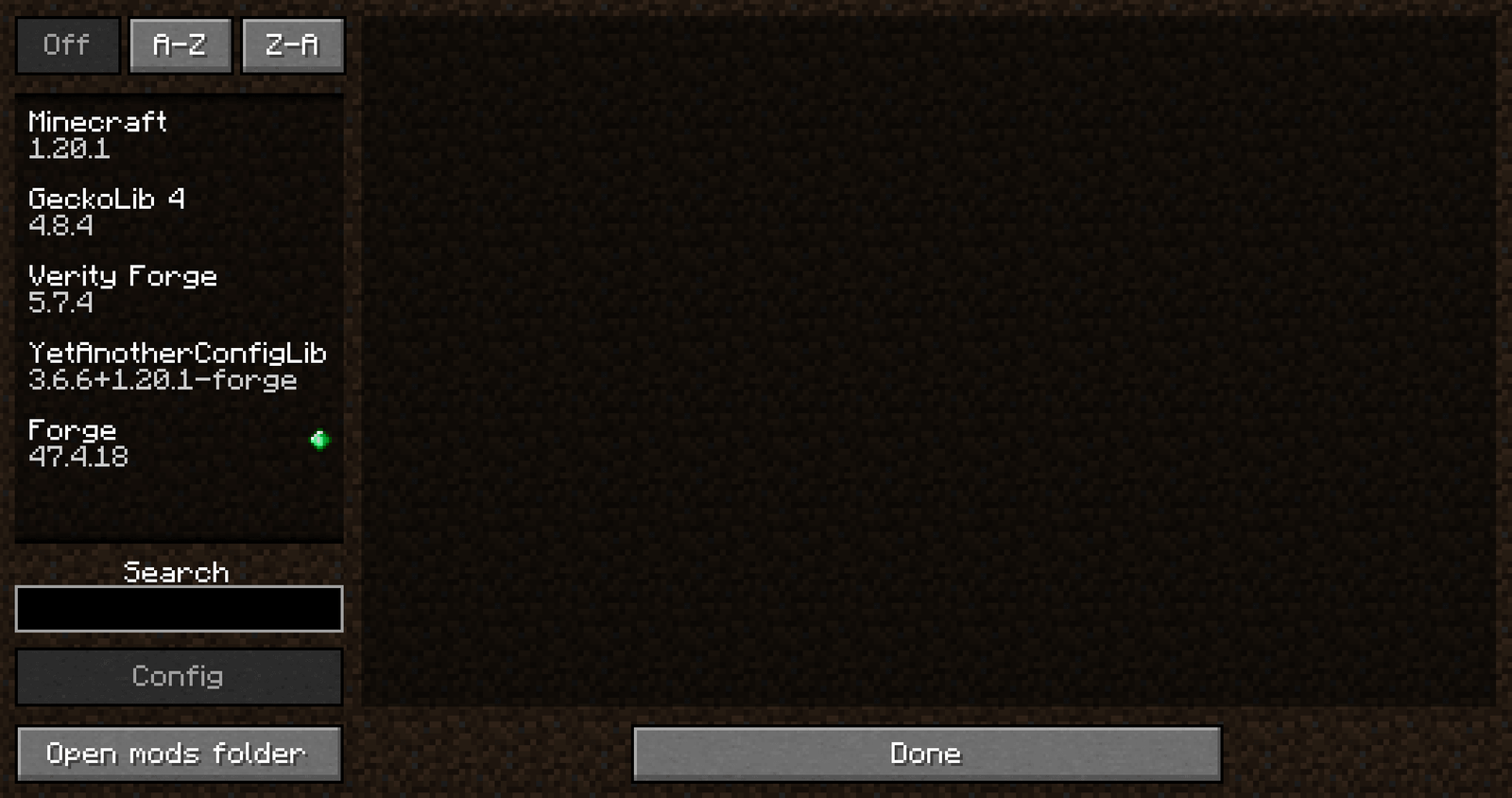
Select the loader profile and start the game. Most loaders add a mods list to the title screen, though its wording and placement vary. Open it and look for the mod by name. If it is absent but the game started normally, nothing is broken. The file simply was not picked up.
Mods not working? Common issues
The game crashes on launch
Usually a mismatch: the mod targets a different Minecraft version or loader, or a dependency is missing. Two mods changing the same part of the game can also conflict. Remove them all, add them back a few at a time, and the crash points at a culprit.
The mod does not appear
Four usual causes, in order: the .jar is in the wrong folder or instance; it was extracted rather than left packaged; it targets a different loader; or a different Minecraft version.
A dependency is missing
A dependency is a shared library mod that others build on, so each author need not rewrite the same groundwork. Without it the mod cannot start, and the loader usually names the one it wanted.
You are disconnected from a server
Almost always a mismatch between what you have installed and what the server runs (see the next section).
Reading the log
When the cause is not obvious, the game has written it down: .minecraft/logs/latest.log for the failed run, .minecraft/crash-reports/ for a crash. Searching for "missing", or for a mod's name near the first error, usually identifies the culprit.
When the cause is still not obvious, our guide to mods that are not working works through version mismatches, dependencies and narrowing down a conflict.
Installing mods for multiplayer
Mods fall into three groups, and the difference decides what you install. Client-side mods change only what happens on your machine, and most performance and interface mods work this way. Server-side mods run on the server. Many gameplay mods, the ones adding blocks, items or mobs, must be on both sides so client and server agree about what exists.
A mod's project page states which it is, so this is not one to guess at. When joining a modded server, follow that server's mod list and versions rather than your own approximation.
Frequently asked questions
Can I install Minecraft mods on Bedrock Edition?
No. Java mods are .jar files that need a loader, while Bedrock has no equivalent and uses add-ons instead.
Do I need to install Java to install Minecraft mods?
Usually not: the official Minecraft Launcher manages the right Java runtime for the version you play. Dedicated servers and launchers without a bundled runtime are the exceptions.
Where is the Minecraft mods folder?
Inside the Minecraft directory. On Windows that is %appdata%\.minecraft\mods, with the macOS and Linux paths above. Third-party launchers keep each instance separately.
Which mod loader should I use?
The one your mod supports. The loader follows from the mod, not from preference.
Can Fabric mods work with Forge?
No, they are built separately and are not interchangeable. Some authors publish a build for more than one loader.
Do I need Fabric API?
Many Fabric mods require it, but not every Fabric mod does. The dependency list settles it. Where required, install the build matching your Minecraft version.
Why is my Minecraft mod not showing up?
Most often it was extracted, sits in another instance's mods folder, or targets a different loader or Minecraft version.
Can I use Minecraft mods in multiplayer?
Yes, within limits. Client-side mods are fine alone, but gameplay mods usually must be on the server too, so match its list and versions.