
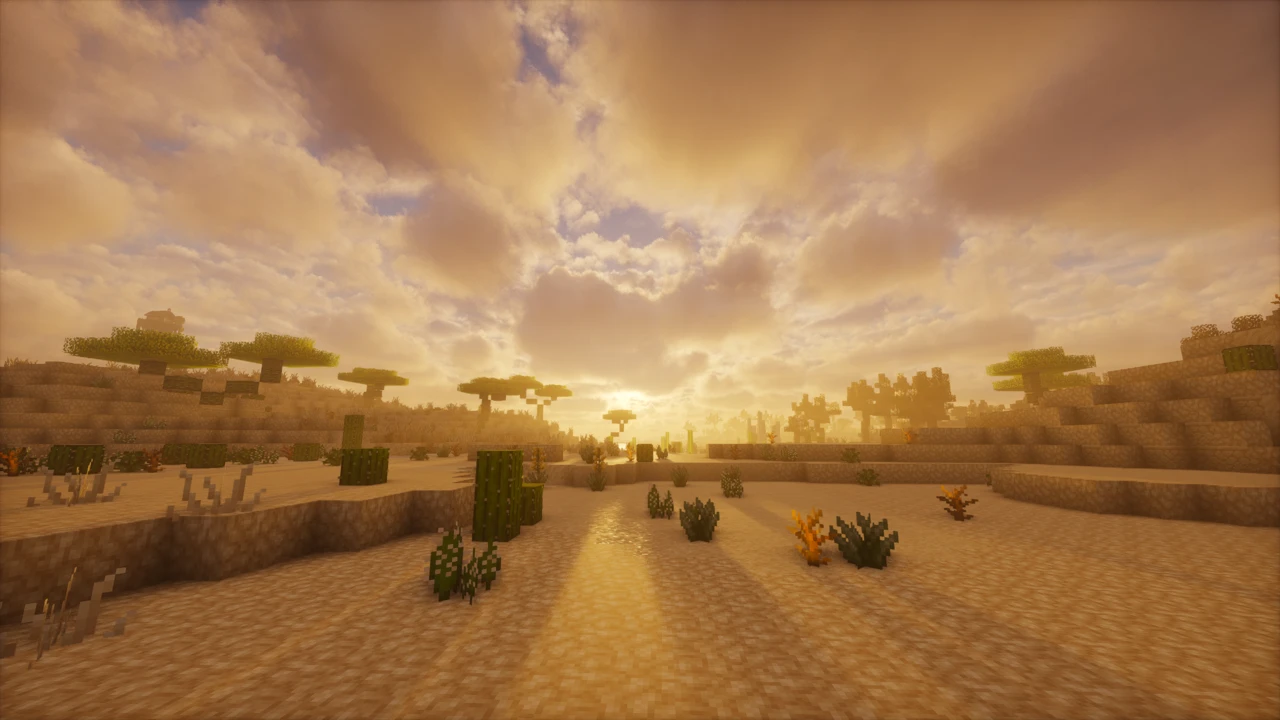
Working out how to install shaders in Minecraft comes down to two separate pieces: a shader mod that teaches the game to read shaderpacks, and the shaderpack itself, which is the look you want. Confusing the two is the most common reason a first attempt fails.
This guide covers Minecraft Java Edition and uses Iris, the standard modern option, in place of the older OptiFine route.
Before you start
You will need
- Minecraft Java Edition. Shaderpacks in this format are a Java Edition feature.
- A version Iris supports. Iris covers Minecraft 1.16.5 and newer.
- The official Iris Installer, or an existing Fabric or NeoForge setup if you already run mods.
- A shaderpack. One
.zipfile, downloaded separately from Iris. - A launcher where you can pick a profile. Shaders load only on the Iris profile.
What you need to install
Three things are involved, and it helps to keep them straight.
Iris is the shader mod. It adds the Shader Packs menu and knows how to run shaderpacks. Sodium is a rendering optimisation mod that Iris requires in order to work. A shaderpack is the visual pack itself, a .zip holding the lighting, shadow and water effects.
The official Iris Installer handles the first two: it downloads Iris and Sodium together and sets up a launcher profile, so you never match versions by hand. The shaderpack is not part of that. You download it yourself, and it goes somewhere entirely different from the mod files.
Install Iris
Download the official Iris Installer
From the project's own site at irisshaders.dev, as a Windows build or a universal .jar.
Run the installer
The universal .jar needs Java already present, while the Windows build does not.
Choose your Minecraft version
Iris builds are tied to specific versions, so pick the one you intend to play.
Install
It fetches Iris and Sodium and creates a launcher profile, leaving vanilla alone.
Select the Iris profile in your launcher
The step people skip. The vanilla profile has no shader menu at all.
Launch Minecraft once
Reaching the title screen confirms Iris works before you add a pack.
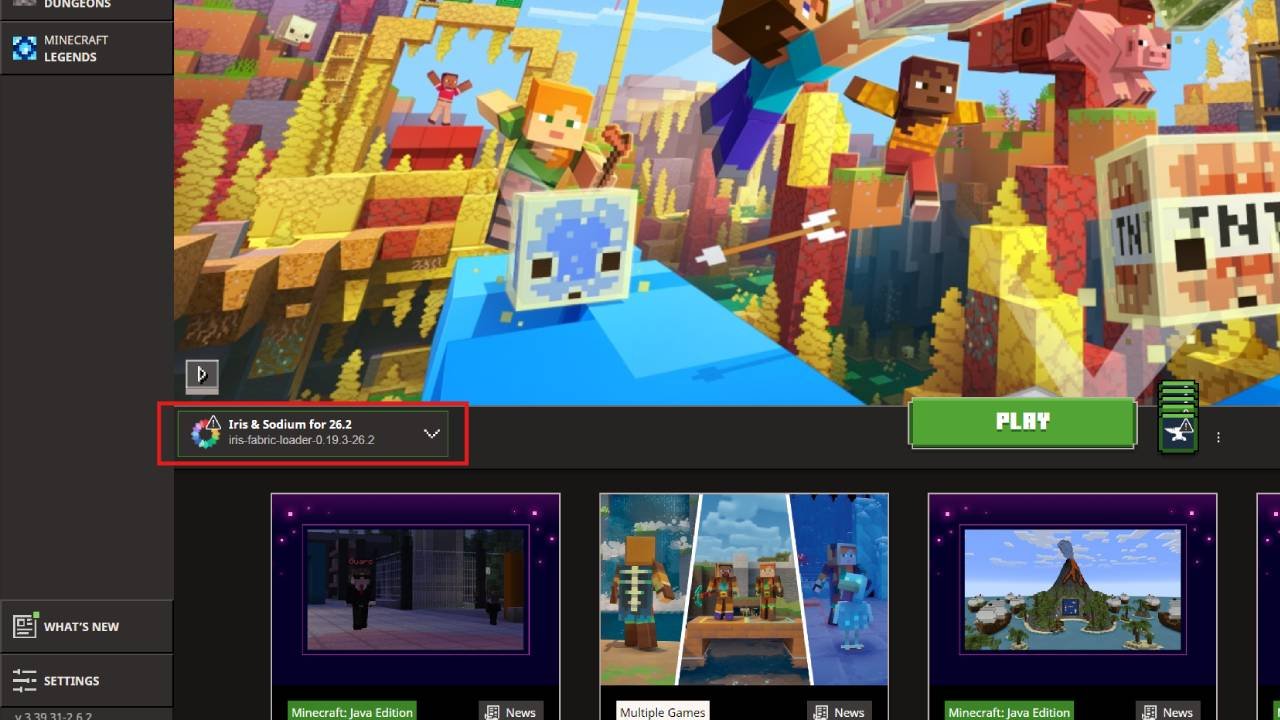
Already running mods? Install Iris and Sodium as ordinary .jar files in your instance's mods folder instead, as covered in our mod installation guide. Iris runs on Fabric and Quilt, and on NeoForge from Minecraft 1.21.1 onward, so NeoForge support depends on your version. Forge is not supported.
OptiFine is the older route, still reasonable on legacy versions Iris does not cover. Do not install both: they each rewrite how the game renders, and together they crash.
Download a shaderpack
Start with the shaderpacks covered here. Each one's Download section lists its releases against the Minecraft versions they cover and links through to the developer's own file, so compatibility is settled before you download anything. For a pack we do not cover, stick to established sources, meaning Modrinth, CurseForge or the developer's own site, and check the listing names your Minecraft version.
Shaderpacks need no installer, because they are archives you drop into a folder. If a download hands you an .exe, or a site insists you run a program to "install" a shaderpack, close the page and get the pack from Modrinth, CurseForge or the developer's own site.
Add the shaderpack
Launch Minecraft on the Iris profile
The folder does not exist until Iris has run once.
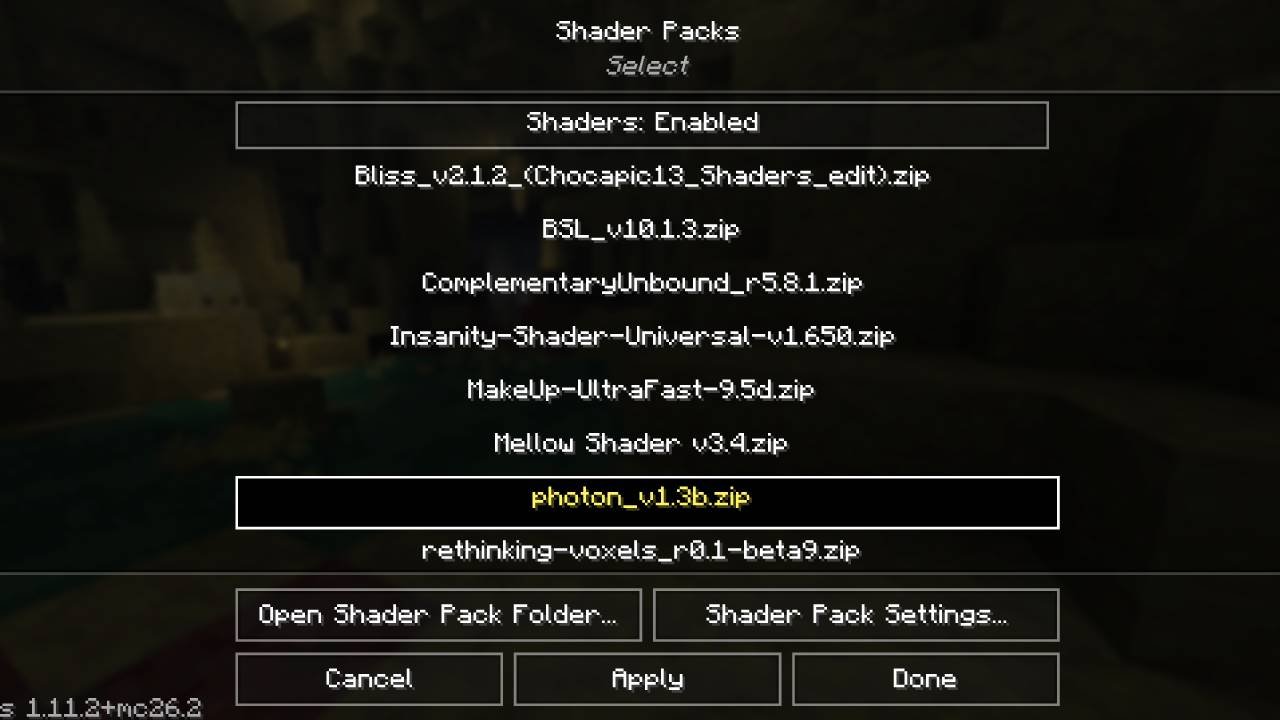
Open Options, then Video Settings, then Shader Packs
No Shader Packs entry means you are not on the Iris profile.
Click Open Shader Pack Folder
Better than hunting for it yourself: this opens the exact folder your installation reads, which matters if your launcher keeps instances separate.
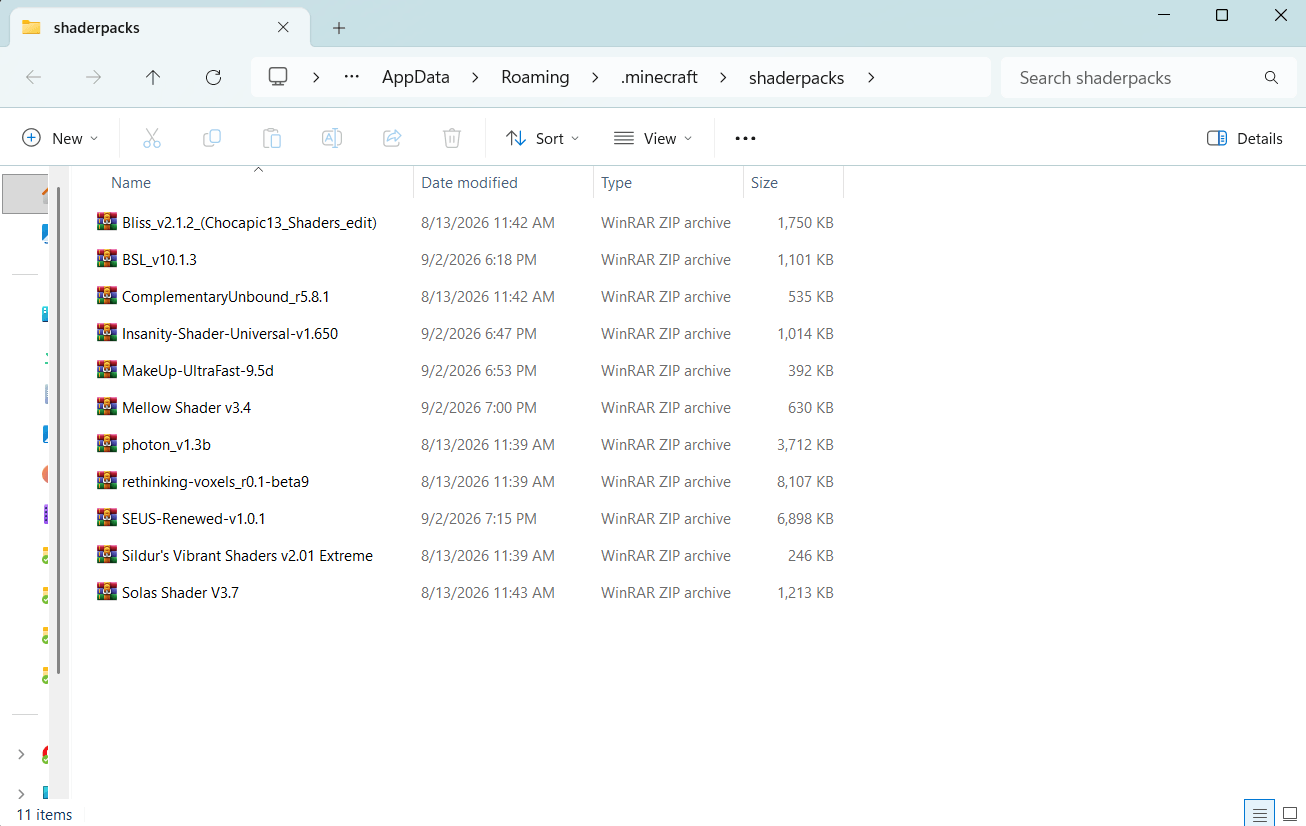
Drop the .zip straight in
Directly into that folder. Packs inside subfolders are not detected.
Return to Minecraft
The pack should appear in the list. If not, close and reopen the game.
Two mistakes to avoid, since both look like the pack simply vanished. Do not put it in the mods folder, which is for mod .jar files like Iris and Sodium. And do not extract the .zip, unless the pack's own instructions say otherwise.
Activate the shaderpack
Back in Options, then Video Settings, then Shader Packs, click the pack's name and confirm with Apply or Done. It takes effect immediately, with no restart.
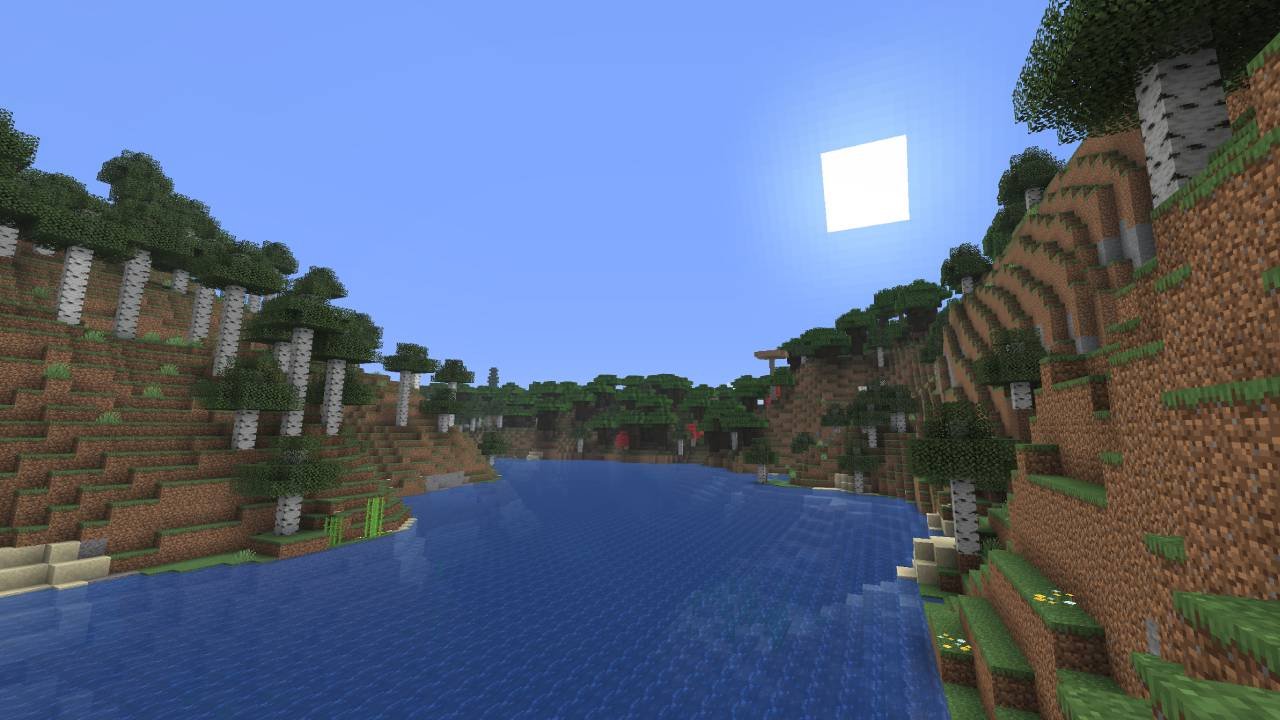
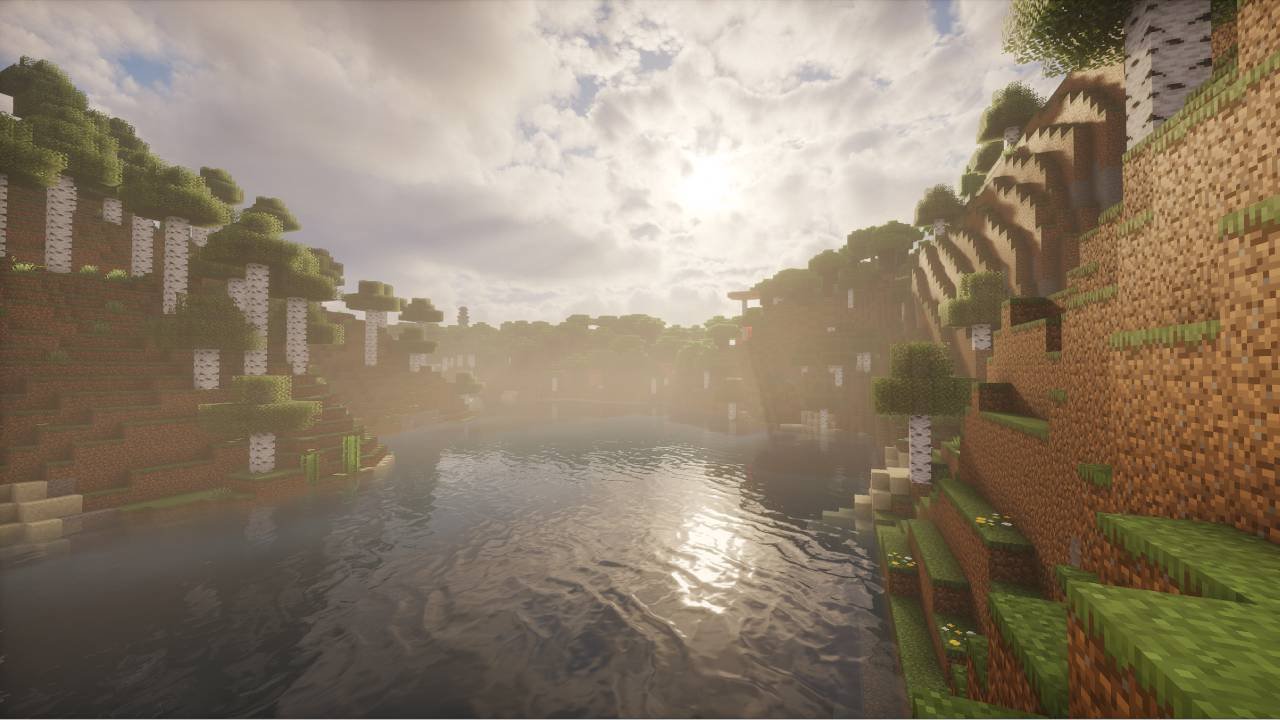
Iris uses the K key by default to toggle shaders on and off, handy for comparing the look or dropping back to vanilla lighting when things get laggy. Wording and layout shift slightly between versions, but the route through the menus is the same.
Adjust performance
Shaders lean on your graphics card above all else, replacing flat vanilla lighting with shadows, reflections and fog recalculated every frame. Some drop in frame rate is normal, not a sign something is broken.
If it is too slow, change these in roughly this order:
- Shadow resolution and distance. Usually the most expensive setting, and the first worth cutting.
- Render distance. Shaders multiply the cost of every chunk drawn, so a high setting hurts far more here.
- Volumetric lighting and clouds. Expensive for how subtle they often are.
- Reflections and post-processing. Water reflections, ambient occlusion, anti-aliasing.
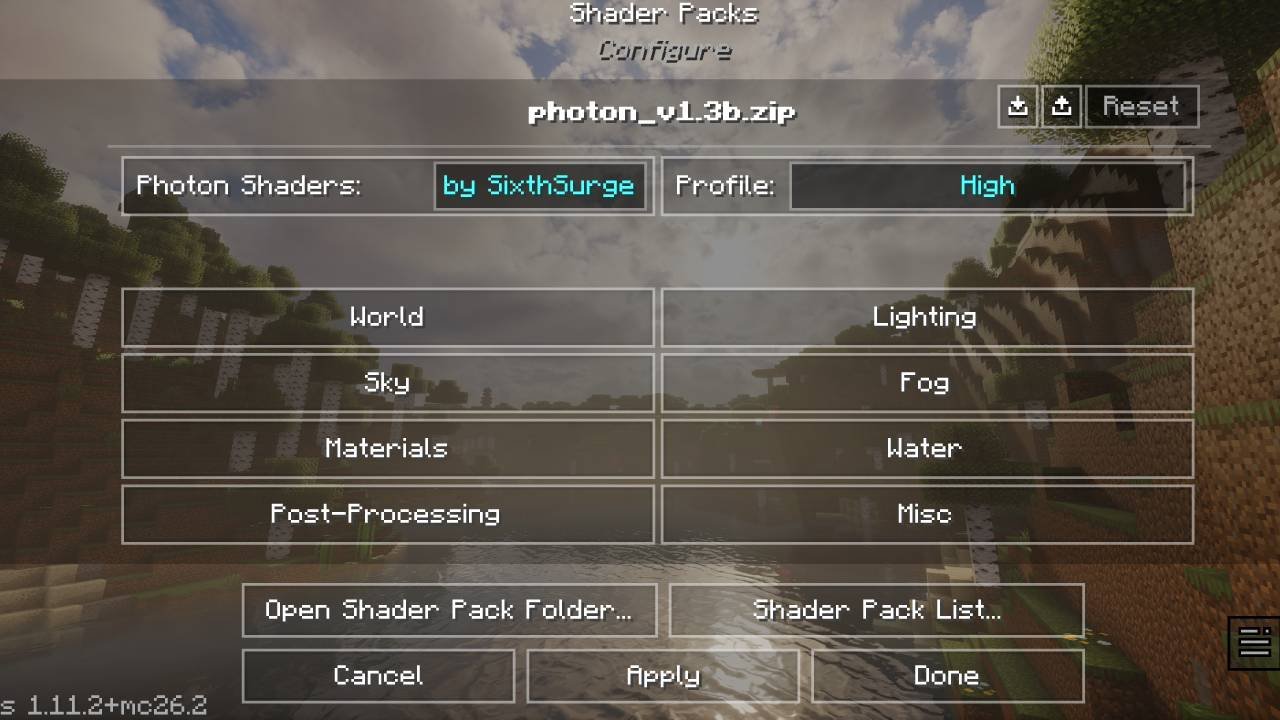
Raising Minecraft's memory allocation is the usual first instinct and rarely helps here. The limit is your graphics card, so lowering shadow and render distance settings, or picking a lighter preset, does far more. Allocating too much can make stuttering worse.
Many packs ship low, medium and high presets. Starting on the lowest and working up beats tuning options one at a time.
Shaders not working? Common problems
The shaderpack does not appear
Almost always one of four things: the .zip is in the wrong folder, it was extracted, it sits in a subfolder, or it went to a different instance. Open Shader Pack Folder from inside the game rules out all four at once.
There is no Shader Packs menu
You are launching vanilla Minecraft rather than the Iris profile, or the install did not complete. Check the selected profile first. If it is correct, reinstall with the official installer, and remember Iris cannot run without Sodium.
Minecraft crashes after installing Iris
Look for a mod conflict: OptiFine cannot coexist with Iris, and neither can Canvas or Vulkan-based rendering mods. Check that your Iris and Sodium builds match your Minecraft version and loader, since a Fabric build will not run on NeoForge. Outdated graphics drivers are worth ruling out too.
The frame rate is very low
Work down the performance list above, starting with shadow settings and render distance. If a pack is still heavy, it may be aimed at stronger hardware, and a lighter pack beats a heavy one on minimum settings.
Still stuck after those? Our dedicated guide to shaders not working goes further, covering black screens, GPU selection and conflicts with other mods.
Can you use shaders on multiplayer servers?
Yes. Shaders are entirely client-side, so they change how the world looks on your machine and nothing else. The server does not need Iris or your shaderpack and has no way to use them. Other players do not need the pack either, and will not see what you see.
Shaders therefore work on vanilla and modded servers alike. Watch only for a server resource pack that overrides the game's core shaders, which will not work while a shaderpack is enabled.
FAQ
Do I need OptiFine to use shaders?
No. Iris is recommended on modern versions, while OptiFine is mainly for legacy setups. Never install both, since they conflict.
Where do I put shaderpacks?
In the shaderpacks folder, not mods. The reliable way to find it is Open Shader Pack Folder in Video Settings.
Do I need to extract the shaderpack zip?
No, leave it as a .zip. Extracting is the usual reason a pack stops appearing. A few packs ask otherwise, so follow their instructions where they do.
Do I need to install Java for Iris?
Usually not, since launchers normally supply the Java runtime for the version you play. The universal .jar installer is the exception.
Can I use shaders with Fabric or NeoForge?
Yes. Iris runs on Fabric and Quilt, and on NeoForge from Minecraft 1.21.1 onward, so NeoForge support depends on your version. Forge is not supported.
Why don't my shaders appear?
No Shader Packs menu means you are not on the Iris profile. An empty menu usually means the pack is extracted or in the wrong folder.
How do I turn shaders off?
Press K to toggle them, or open Shader Packs and select the no-shaders option. Deleting the .zip removes the pack.