
Learning how to install Minecraft maps comes down to two questions: which edition you play, and which folder in the download is actually the world. A map is a saved world someone else built, so installing it means putting that world where your game keeps its own saves. Java Edition has you copy a folder by hand, while Bedrock Edition imports a single file for you. Both are covered below, along with what to check when a map refuses to appear.
Java or Bedrock: check before you download
Every map is built for one edition. A Java map usually arrives as a .zip (occasionally a .rar) with a world folder inside. A Bedrock map is normally one .mcworld file. Neither opens in the other edition without a converter, so take the download that matches your game. The Java title screen says Java Edition under the logo. Consoles, phones and tablets only run Bedrock.
Installing a map on Java Edition
Extract the download
Right-click the archive and choose Extract All on Windows, or double-click it on macOS. Minecraft cannot read a world that is still zipped.
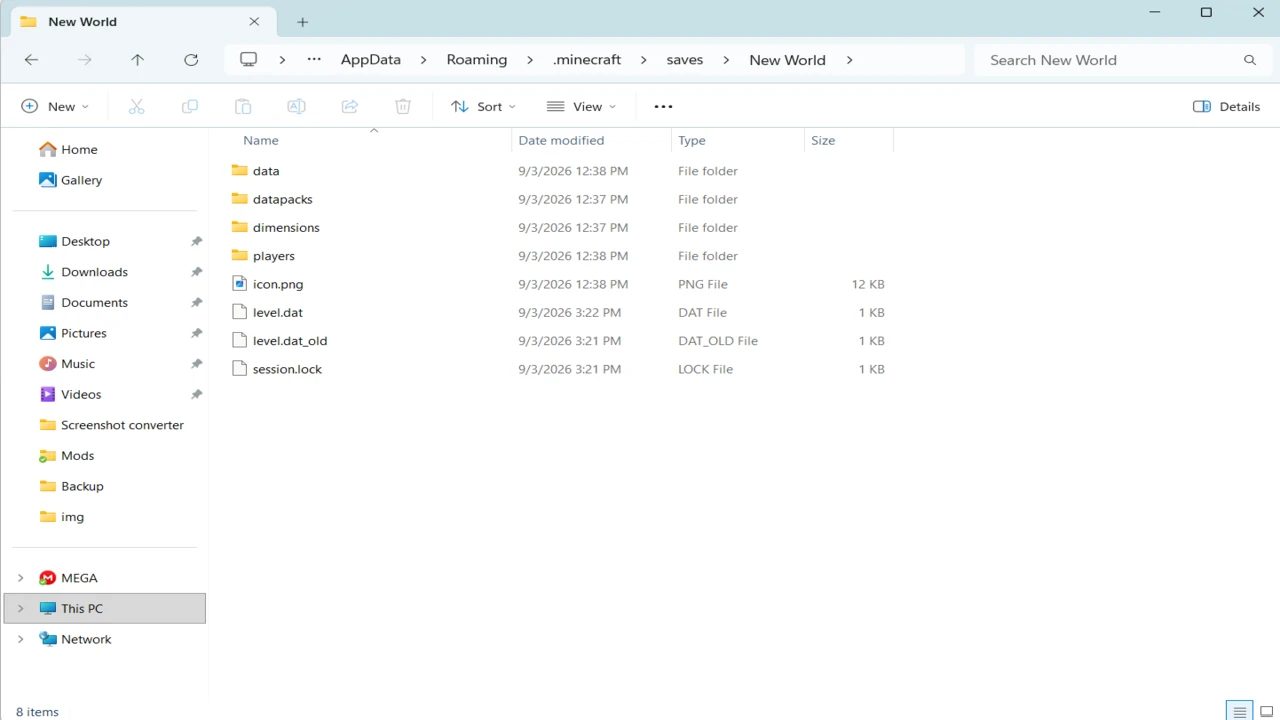
Find the folder that holds level.dat
Open the extracted folders until you see a file named level.dat. The folder containing level.dat is the world folder, and anything above it is packaging. The files and subfolders inside a world can vary, so you do not need to identify every one.
Open your saves folder
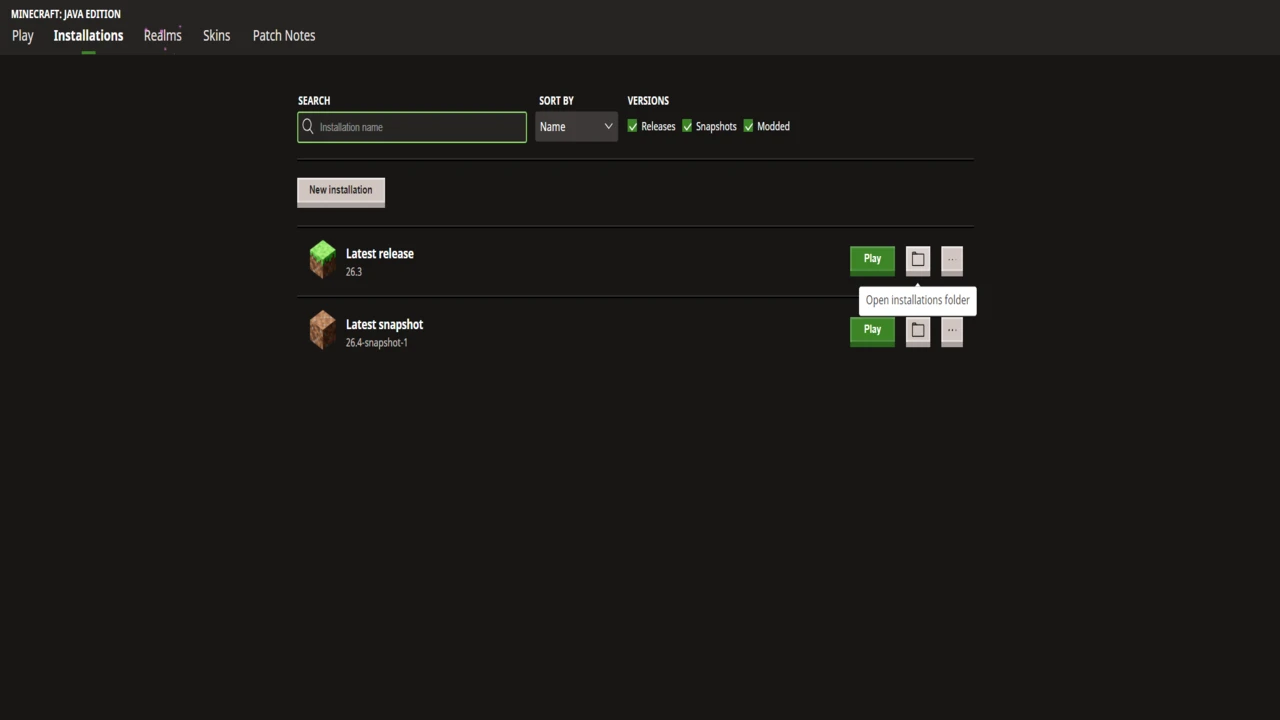
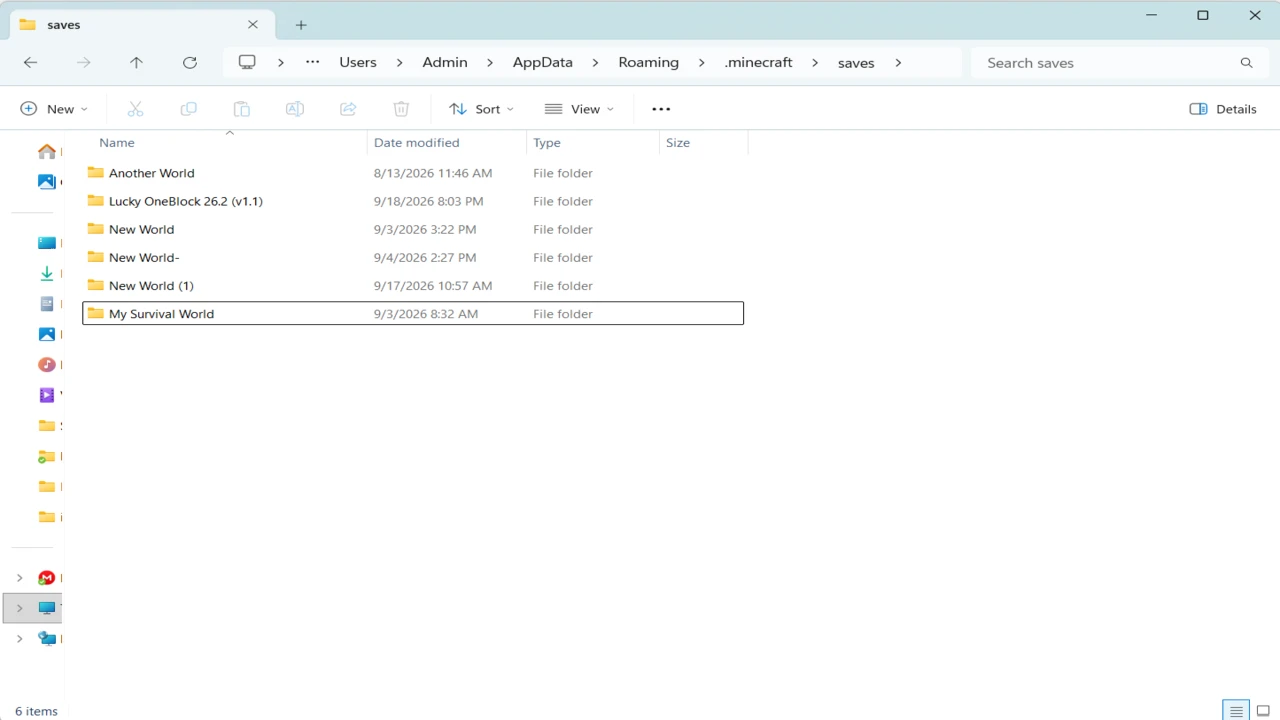
In the Minecraft Launcher, go to Installations, hover over the installation you play and click its folder icon, and saves is inside. You can also go there directly: %APPDATA%\.minecraft\saves in the Windows Run box (Win + R), ~/Library/Application Support/minecraft/saves on macOS, or ~/.minecraft/saves on Linux.
Copy the world folder into saves
Put the folder from step 2 straight into saves, next to your own worlds, not inside one of them.
Open Singleplayer
The map should be in the world list. If it is missing, close Minecraft and launch it again before checking a second time.
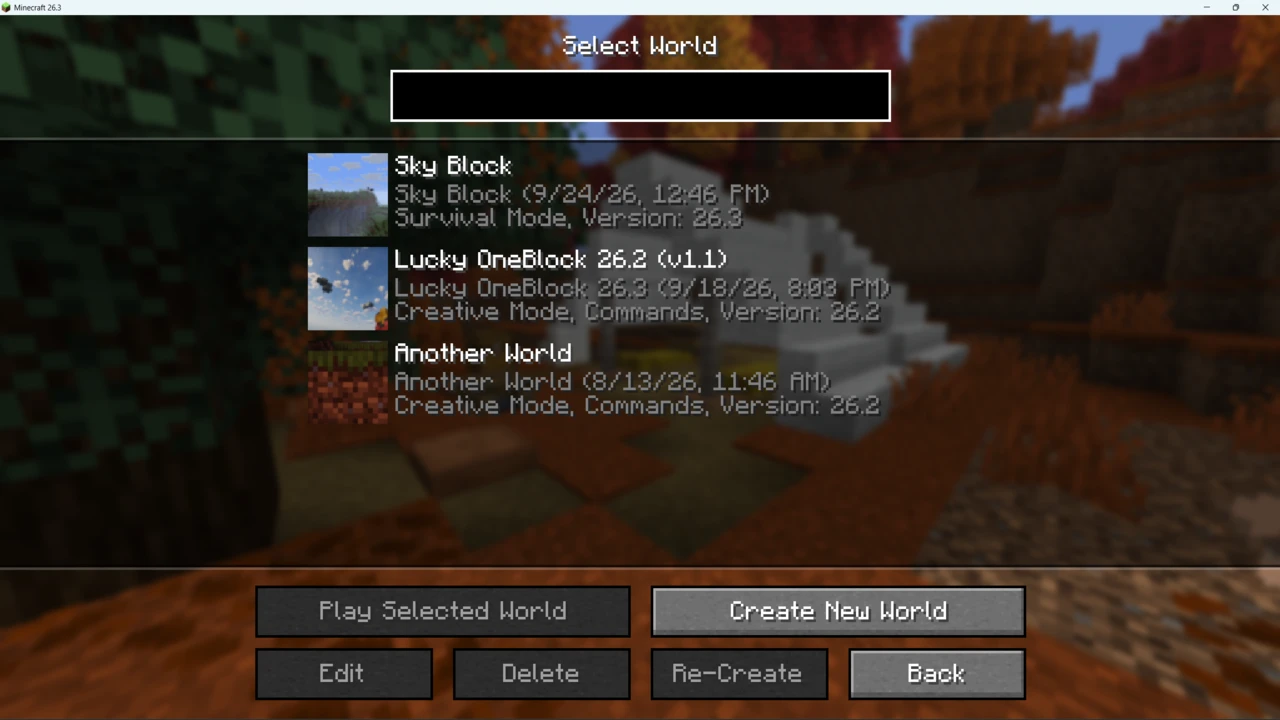
Playing a map creates changes in your local copy, so keep the original download as a clean backup. Opening a map in a newer Minecraft version than it was made for also upgrades the world, and the archive lets you start again from a clean copy.
Which folder is the world? The level.dat test
Most failed installs come down to one extra folder.
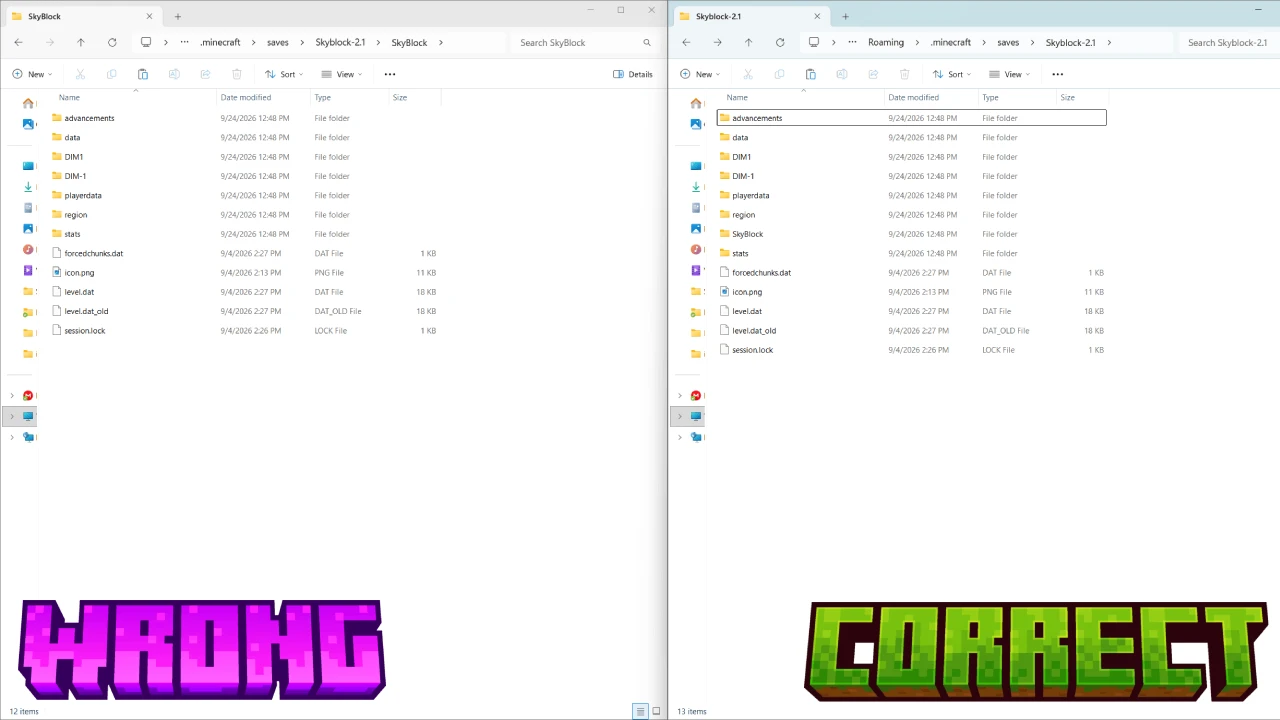
Creators often zip a folder that contains the world, and extracting adds another layer named after the archive. Minecraft treats each folder directly inside saves as a world and recognises it by its level.dat, so a world buried one level deeper is simply not listed:
- Not listed:
saves/SkyBlock-2.1/SkyBlock/level.dat - Listed:
saves/SkyBlock/level.dat
Move the inner folder up into saves and delete the empty wrapper. If a download holds several folders with their own level.dat, such as separate versions or translations, read the included notes and copy the one you want. No level.dat anywhere means the download is incomplete or is not a Java world.
Launcher profiles and modpack instances
A saves folder belongs to a game directory, and you may have several. The official launcher lets an installation use its own game directory, which is common for maps that need an older Minecraft version. The CurseForge app, Modrinth App and Prism Launcher give every profile or instance its own folder with its own saves, so a map copied into .minecraft/saves will not appear in any of them. Open the folder from the launcher that starts the game you want to play. How launchers set those instances up is covered in installing modpacks.
Installing a map on Bedrock Edition
Bedrock does the copying for you. Open a .mcworld file and Minecraft starts, imports it and confirms when it is done. The map then sits in your Worlds list.
- Windows: double-click the
.mcworld. - Android, iPhone and iPad: open the file from your downloads or the Files app and choose Minecraft.
- Consoles: you generally cannot open a downloaded
.mcworlddirectly on Xbox, PlayStation or Switch, so maps for consoles are typically provided through the Minecraft Marketplace. Parkour Spiral is one map whose Bedrock release is published there instead of as a download.
Some Bedrock worlds arrive as a .zip. If the archive has level.dat and a db folder at its top level, rename it to .mcworld and open it.
When an import fails, players keep reporting the same cause: someone zipped the world's parent folder instead of its contents. If you are repackaging a world yourself, zip the files next to level.dat, then rename the result. That is a community fix rather than documented behaviour, but it is the same rule as on Java.
Maps that ship datapacks, resource packs or mods
Datapacks. Command-driven maps usually carry their datapacks inside the world's datapacks folder, and they load with the world. If a creator supplies one separately, select the world in Singleplayer, press Edit, then Open World Folder, and put it in datapacks. Run /reload if the world is already open.
Resource packs. Some maps include or require a resource pack. Follow the creator's instructions for where that pack belongs, then enable it under Options, Resource Packs. If the pack is supplied separately, our guide to installing texture packs covers the standard process.
Mods. Install the loader the map names (Fabric, Forge or NeoForge) for the Minecraft version it lists, add the mods, then copy the world into that installation's saves. How to Install Mods in Minecraft covers the loader side. Unstable SMP Final Law Battle Simulator shows why it matters: the world opens in vanilla, but its bots need Carpet on Fabric, so without them it is empty.
On Bedrock, packs a map depends on normally travel inside the .mcworld.
Common problems when a map will not appear or load
The map is not in the Singleplayer list
Check in order: is the world still zipped, does the folder in saves have level.dat directly inside it, and is it the saves folder of the installation you launched? Then restart Minecraft.
It loads, but commands or contraptions misbehave
A version mismatch is the usual cause, since maps built on commands and redstone depend on the release they were made for. If Minecraft warns that the world was last played in a newer version, the map is ahead of your game. Either way, create an installation at the map's listed version under Installations, New installation, rather than changing the one you normally play.
The game crashes when you open the map
Most often a required mod or loader is missing, or the versions disagree. Reread the map's requirements. If mods are involved, fixing mods that are not working covers reading the crash report.
Where to get maps safely
Start with the creator's own site, then established hosts such as CurseForge and Planet Minecraft, where each map has a named author and a version history. Sites that re-upload other people's maps behind their own download buttons are where outdated and tampered files turn up.
No map needs an installer, so an .exe, .msi or .bat offered as one is a red flag. A virus scan is sensible but does not prove a file is clean. The maps on Bravith list each file against the Minecraft version it targets in their Downloads section, and each row leads to the creator's own release.
FAQ
Where is the Minecraft saves folder?
On Java it is the saves folder inside .minecraft, or inside the instance folder if you use another launcher. Bedrock keeps worlds in minecraftWorlds instead.
Why is my Minecraft map not showing up?
Usually the world is nested one folder too deep, still zipped, or in another installation's saves. Fix that, then restart the game.
Do I need to unzip a Minecraft map?
On Java, yes. Unlike a resource pack, a world has to be extracted. A Bedrock .mcworld is opened as it is.
What is level.dat?
The file holding a world's core settings, such as its name, seed and game rules. Never delete it or move it away from the rest of the world.
Can I play a Java map on Bedrock, or a Bedrock world on Java?
Not directly. Converters such as Chunker can translate the terrain, but command and redstone maps may not behave the same, because the editions handle them differently.
Where do I put a map in a CurseForge or Modrinth instance?
In that instance's own saves folder, opened from the launcher's folder option for that instance.