
When your Minecraft mods are not working, the cause is nearly always a mismatch rather than a broken game. A mod is built against one Minecraft version and one mod loader, some need other mods present to run, and all of them have to sit in the folder the instance you actually launch reads from. Miss one and you get a mod that never appears, an error screen, or a crash before the title screen.
Working out which of the three you are looking at saves most of the work, and the checks below are ordered accordingly, cheapest first. Java Edition throughout.
Before you start
Have these to hand
- Your exact Minecraft version. As far as a mod is concerned, 1.20.1 and 1.20.2 are different games.
- Which loader you run, and its version. Fabric, Forge, NeoForge or Quilt.
- The mod's project page, which lists the versions, loaders and dependencies it supports.
- The instance you launch. If your launcher keeps several, only one has your mods in it.
- A clear symptom. Crashing on startup, missing from the mods list, and loading but doing nothing are three separate problems.
Quick checks that catch most cases
- The file is still a
.jar, sitting directly inmodsrather than extracted or inside a subfolder. - Only one copy of each mod. An older
.jarleft behind is a classic startup crash. - You launched the modded profile or instance, not plain vanilla Minecraft.
- The build matches your Minecraft version and your loader, not the closest thing on the download list.
- Everything the project page marks as required is installed alongside it.
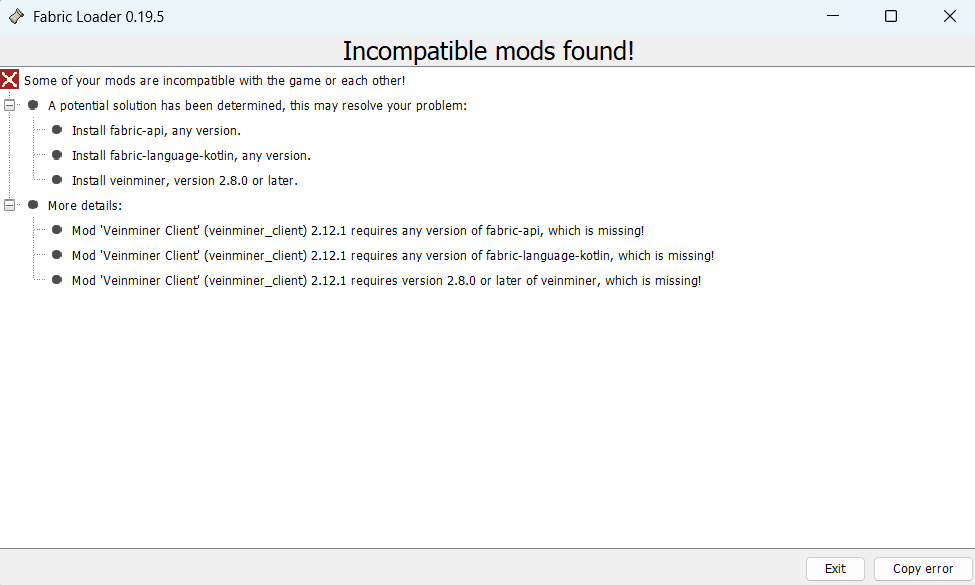
If the game is already showing an error screen, read that before changing anything. Fabric in particular tends to name the mod at fault and the version it wanted.
Check the versions line up
Several version numbers are involved here and they get conflated constantly: your Minecraft version, the mod's own version, the loader, the loader's version, and the version of anything the mod depends on. A mod file is compiled for one Minecraft version, so the newest release of a mod is the right download only if it lists the version you play.
Updates are the usual trigger. Moving from 1.21 to 1.21.1 does not carry your mods across, and some authors take weeks to publish a new build. Where a project page lists a range, say 1.20.1 to 1.20.4, the author has said that range works. Where it lists one version, that is the only one.
Make sure the mod matches your loader
Fabric, Forge, NeoForge and Quilt are separate ecosystems. A Fabric mod will not load on Forge, and dropping it in produces no helpful message, just a file that is silently ignored. Most projects publish a separate download per loader, so the loader tag matters as much as the version number.
NeoForge began as a fork of Forge, and on 1.20.1 it can still load Forge mods. From 1.20.2 onward the two diverged and their mods are not interchangeable, so download the file tagged for the loader you installed.
Quilt runs most Fabric mods, using Quilted Fabric API in place of Fabric API. The reverse does not hold, and a mod published only for Quilt will not run on Fabric.
Install the dependencies the mod asks for
A dependency is just another mod that yours needs in order to run. Authors lean on shared libraries instead of writing their own animation systems or config screens, so the library has to be sitting there too.
A missing one normally announces itself. "Requires version X of Y, which is missing" names the library and the version wanted; "but only version Z is present" means it is installed at a version too old to satisfy the requirement. Both are fixed by fetching that dependency for your Minecraft version and loader.
Project pages mark dependencies required or optional, so install what is required and leave the rest. Fabric Loader and Fabric API get confused constantly. The loader is the thing that runs mods at all. Fabric API is itself a mod in your mods folder, and many though not all Fabric projects depend on it.
Confirm you are editing the right mods folder
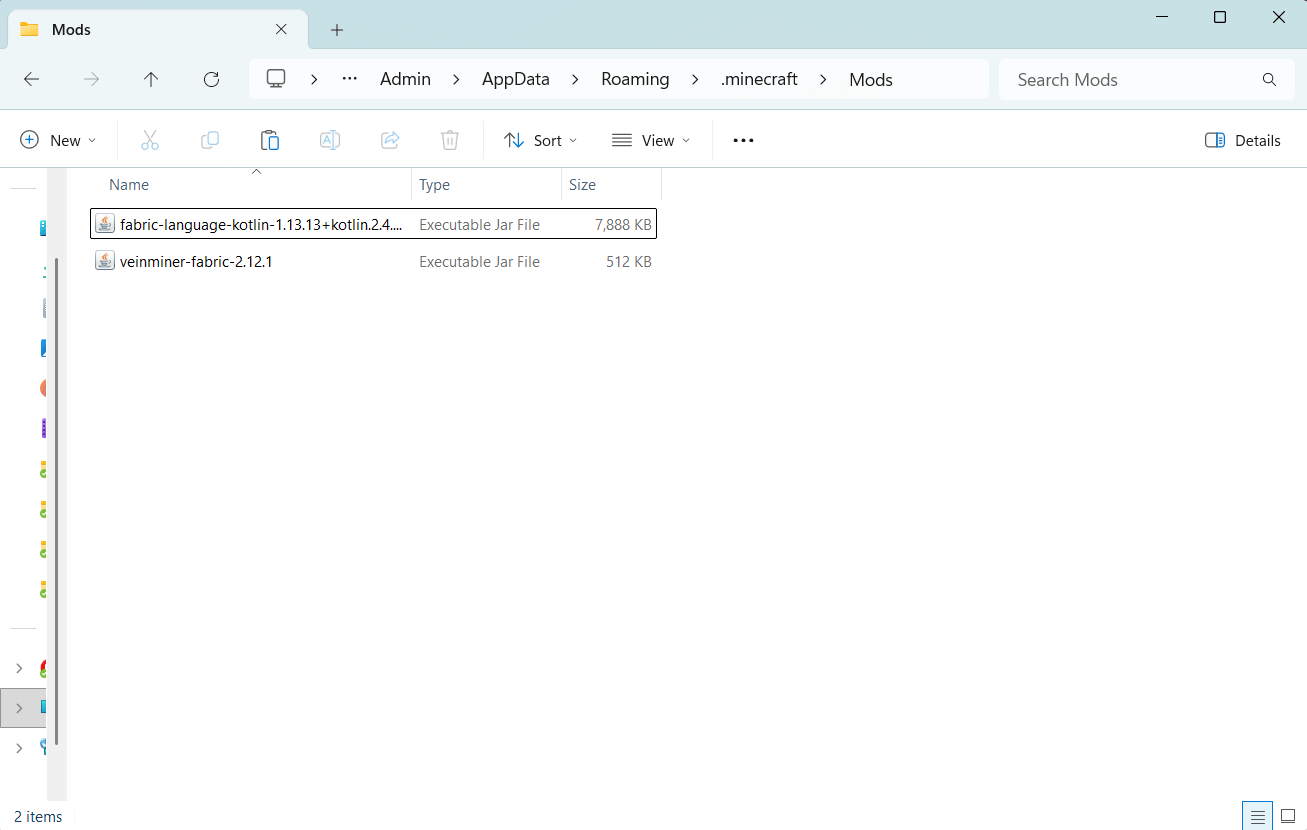
"I put it in the mods folder" and "I put it in the mods folder this instance reads" are different claims. Prism Launcher, the CurseForge app and the Modrinth app each give an instance its own directory, so installing into one setup and playing another is an easy mistake. The official launcher's .minecraft/mods matters only if that is what you launch.
Rather than working out paths, use the launcher's own control: Prism has a Folder button on the instance, and the CurseForge and Modrinth apps open one directly. Check the .jar is loose in mods, not a level deeper. Our mod installation guide covers the setup from the loader onward.
Read the error before removing anything
When the game does tell you something, it is usually specific enough to act on:
- Incompatible mod set. The loader stopped before the game started, and the lines underneath say why.
- Requires version X of Y, which is missing. A dependency is not installed.
- Requires version X of Y, but only version Z is present. Wrong version of that dependency.
- Requires Minecraft version X. The mod targets a different game version.
- Duplicate mod. Two copies of the same mod are in the folder.
- Mixin apply for mod X failed. The mod could not patch the game, usually a version mismatch or another mod rewriting the same code.
- NoSuchMethodError or NoClassDefFoundError. The same problems arriving as a crash rather than a tidy message.
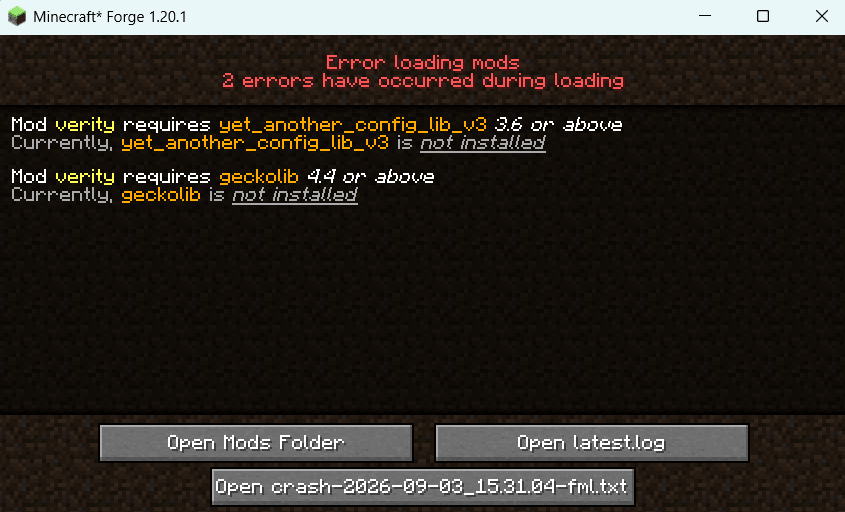
For a crash with no error screen, open logs/latest.log or the newest file in crash-reports, both inside that instance folder. Look for the first Caused by line rather than the last line or the whole stack trace, then for a mod name near it. That line is also the best thing to paste into a search.
Narrow down a mod conflict
Two mods can each be installed perfectly and still refuse to work together, usually because both rewrite the same part of the game. When trouble starts right after you added something, remove that first.
For a big pack, halve the list rather than working through it a mod at a time. Back the folder up, move out half the mods and launch. Whichever half still fails holds the problem, so repeat on that one. A hundred mods narrows to one in roughly seven launches. Keep dependencies with the mods that need them, or you will just create missing-dependency errors on top of the real one.
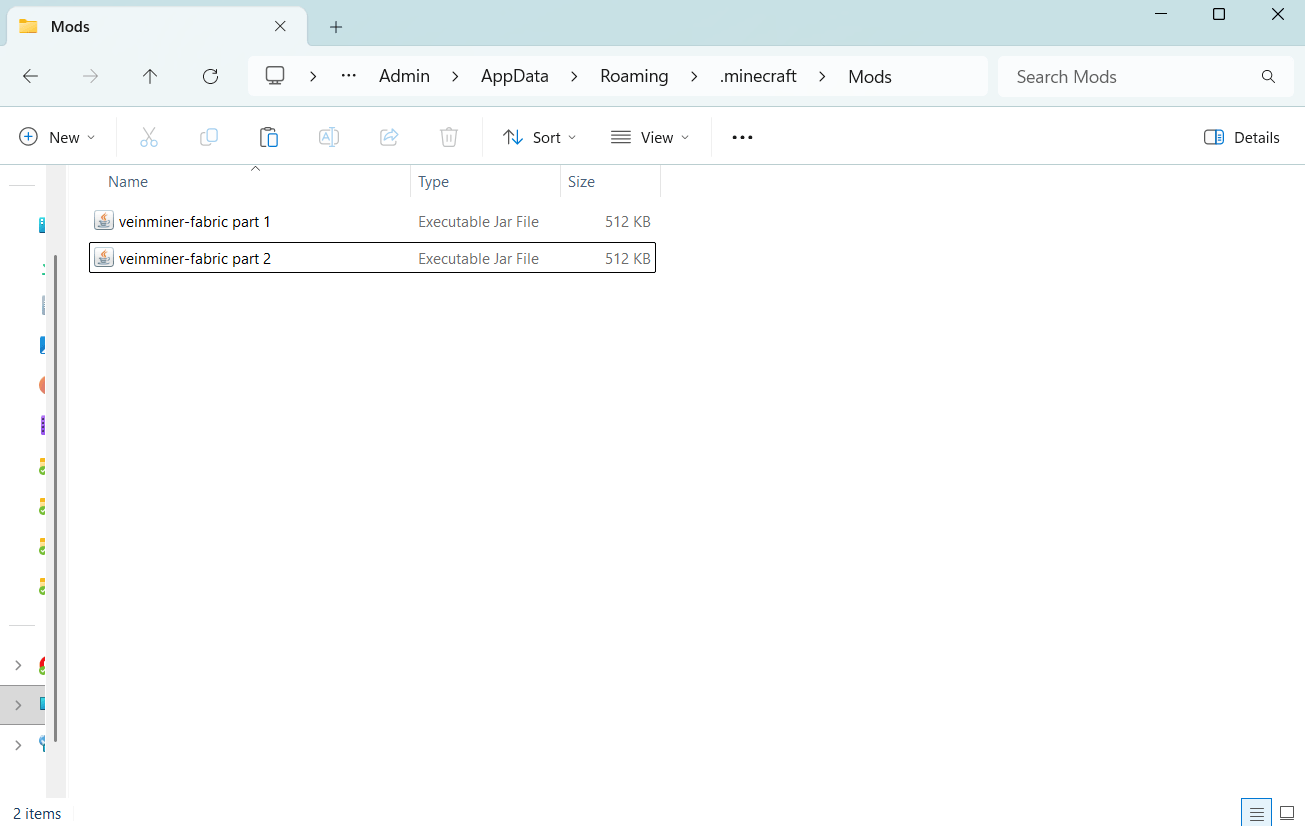
When a mod works alone but falls over in your pack, build a fresh instance on the same version and loader with that mod, its dependencies and nothing else. That tells you which side the fault is on.
Client-side, server-side and mods that need both
Mods declare which side they run on. Minimaps, HUD tweaks and visual changes are usually client-only. Some optimisation and administration mods are server-only. Anything adding blocks, items, mobs or dimensions generally has to be on the server and on every client, at matching versions.
A client-only mod on a dedicated server tends to crash it at startup, often citing an invalid dist DEDICATED_SERVER. Going the other way is quieter: a server-side mod on your client normally just does nothing. Modrinth and CurseForge state the environment a mod expects, so check that field rather than inferring it.
When the mod loads but the game runs badly
A mod that appears in the mods list and does what it advertises has loaded correctly. Low frame rate, stuttering and slow world generation are a separate problem with separate fixes. More memory is not the general answer people treat it as: it helps when the logs show an OutOfMemoryError, and over-allocating causes problems of its own, so a sensible allocation beats a large one. For frame rate, a rendering mod such as Sodium on Fabric raises the baseline more reliably.
FAQ
Why are my Minecraft mods not working?
Usually a version or loader mismatch, a missing dependency, or a file sitting in a mods folder the instance you launch does not read.
What does "incompatible mod set" mean?
Fabric's loader found a problem before the game started. The lines below that heading name the mod and what it needed.
Do I need Fabric API for every Fabric mod?
No. Many list it as a required dependency and will not load without it, but some do not use it. The project page tells you.
Can Forge mods run on NeoForge?
On 1.20.1, yes. From 1.20.2 onward the two are separate, so you need the file tagged for the loader you installed.
Why did my mods stop working after a Minecraft update?
Each mod needs a build for the version you updated to, and until one exists it will not load.