
The short answer to how to install modpacks in Minecraft is to let a launcher build the pack for you, because the file you download is usually not a folder full of mod files. It is a recipe: one Minecraft version, one mod loader, an exact list of mod files and the pack author's own configuration. The launcher reads that recipe, fetches every piece and sets up a separate copy of the game to run it in. Once that chain makes sense, installing a pack takes a few clicks and most failures explain themselves.
Modpacks belong to Java Edition. Bedrock Edition has no Fabric, Forge or NeoForge, so a Java pack cannot run there. Bedrock's nearest equivalents are add-ons and Marketplace content.
What is inside a modpack file
Download a pack outside a launcher and you get a small archive, often a few megabytes for something that installs hundreds of mods. That size gives the game away. Both big platforms describe the mods by reference instead of bundling every .jar:
- Modrinth (
.mrpack): a zip containingmodrinth.index.json, which names the Minecraft version and loader, then lists every file with its download address, destination, checksums and whether the client, the server or both need it. - CurseForge (
.zip): amanifest.jsonnaming the Minecraft version and loader, which points to each mod by its CurseForge project and file.
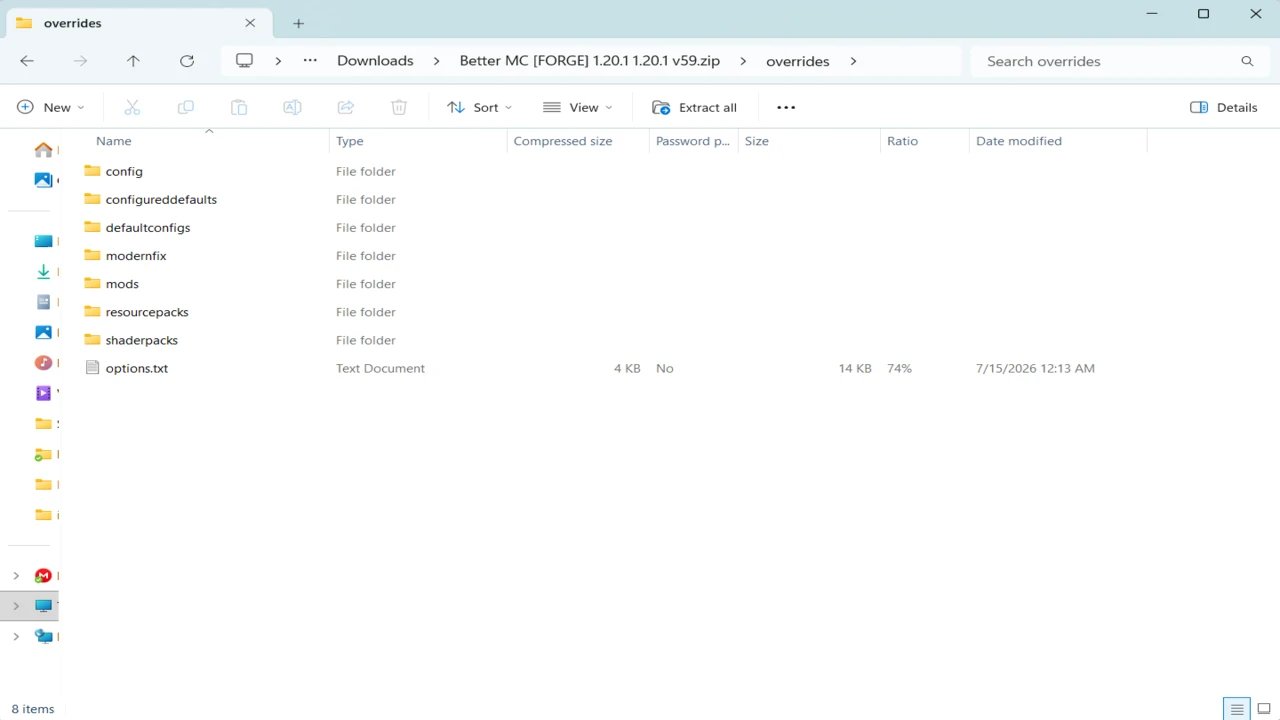
Both formats also carry an overrides folder for everything that is not a downloadable mod: configuration files, scripts, default settings and similar. The overrides are where a pack's balance and polish live, and they are the easiest part to lose when someone rebuilds a pack by hand from its mod list. DeceasedCraft is a good illustration. Its developers ask players to install it through a proper launcher, because the pack's client configs are needed to prevent key binding conflicts between its mods.
How a launcher turns the pack into a game
Four things must agree before a modpack reaches the title screen: the Minecraft version, the loader build, the mods and the Java runtime. The pack fixes the first three. Each release of All the Mods 10, for example, pins Minecraft 1.21.1 and one specific NeoForge build, and its mods are built against that pair. The launcher installs that loader build as part of the pack, so there is no need to run a Forge, NeoForge or Fabric installer yourself first. The loader matters because each mod is compiled for a specific one: a NeoForge pack will not start on Fabric even with every correct mod present.
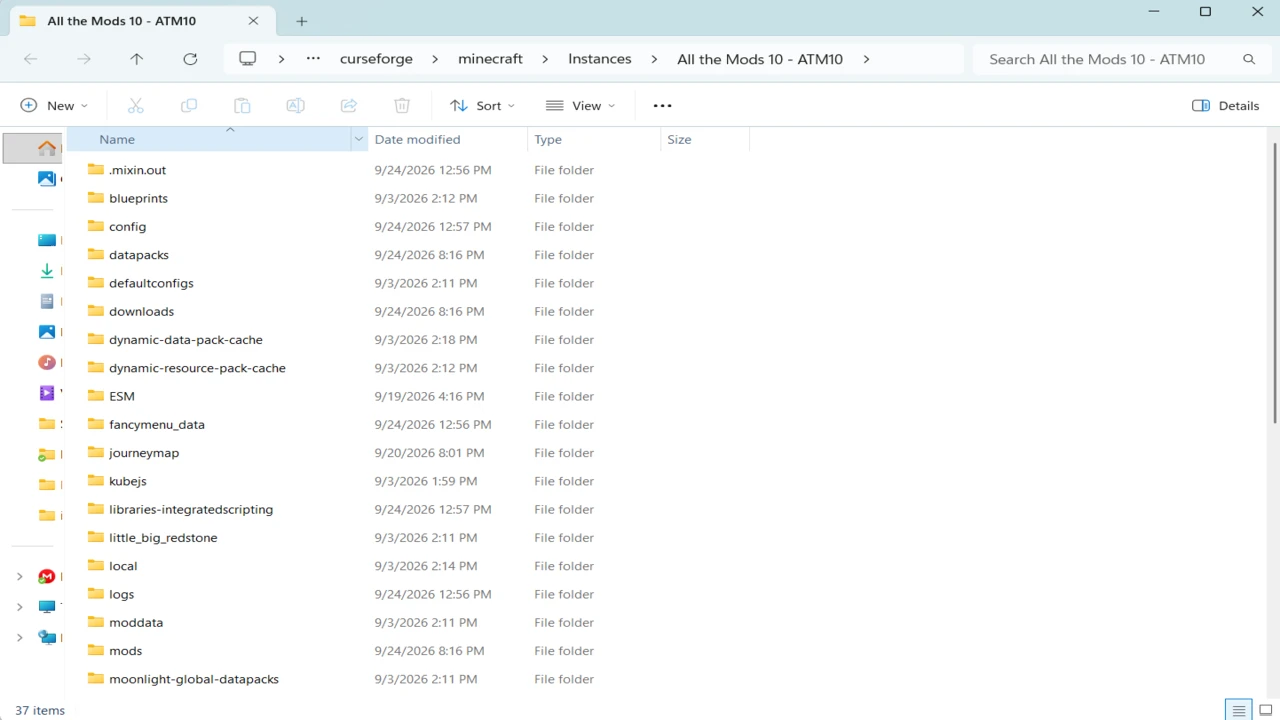
Then comes the instance. A launcher gives every pack its own directory holding its own mods, config, saves and options. Packs built for different Minecraft versions can sit side by side without mixing their mods and configs with each other or with your vanilla game. Deleting an instance removes the pack cleanly, along with the worlds saved inside it, so copy out any saves you want to keep first. The catch is that anything placed in the default .minecraft folder is invisible to that instance, so open an instance's folders from inside the launcher.
Java follows the Minecraft version. A 1.12.2 pack expects Java 8, while Minecraft 26.1 and later require Java 25. The dedicated modpack launchers normally supply a suitable runtime without asking, so Java only becomes your job when you point an instance at a manual installation or run a server.
Which launcher to use
Where the pack is published settles most of this.
- CurseForge app: installs CurseForge packs directly. Its Import option accepts only zips that follow CurseForge's own export structure, so it is not the tool for an
.mrpack. - Modrinth App: installs packs from Modrinth and can build an instance from a downloaded
.mrpack. - Prism Launcher: a free third-party launcher that browses CurseForge, Modrinth, ATLauncher and Technic packs in one window, imports
.zipand.mrpackfiles, and can import a pack you already installed in the FTB App. - Official Minecraft Launcher: has no modpack support. It will run a loader profile, but you would be assembling the pack by hand.
If a pack's own page names a launcher, start with that one.
How to install a modpack
Pick the exact pack and version
On the pack's official page, note its Minecraft version, its loader and any memory the author recommends. Some names cover several packs: Better MC is published as separate generations, such as BMC4 for 1.20.1 on Forge and BMC5 for 1.21.1 on NeoForge. Joining friends? Match the pack version they run, not just its name. For the packs on Bravith, the Downloads section, such as Better MC's download list, lists each release against its Minecraft version and loader.
Install it from inside the launcher
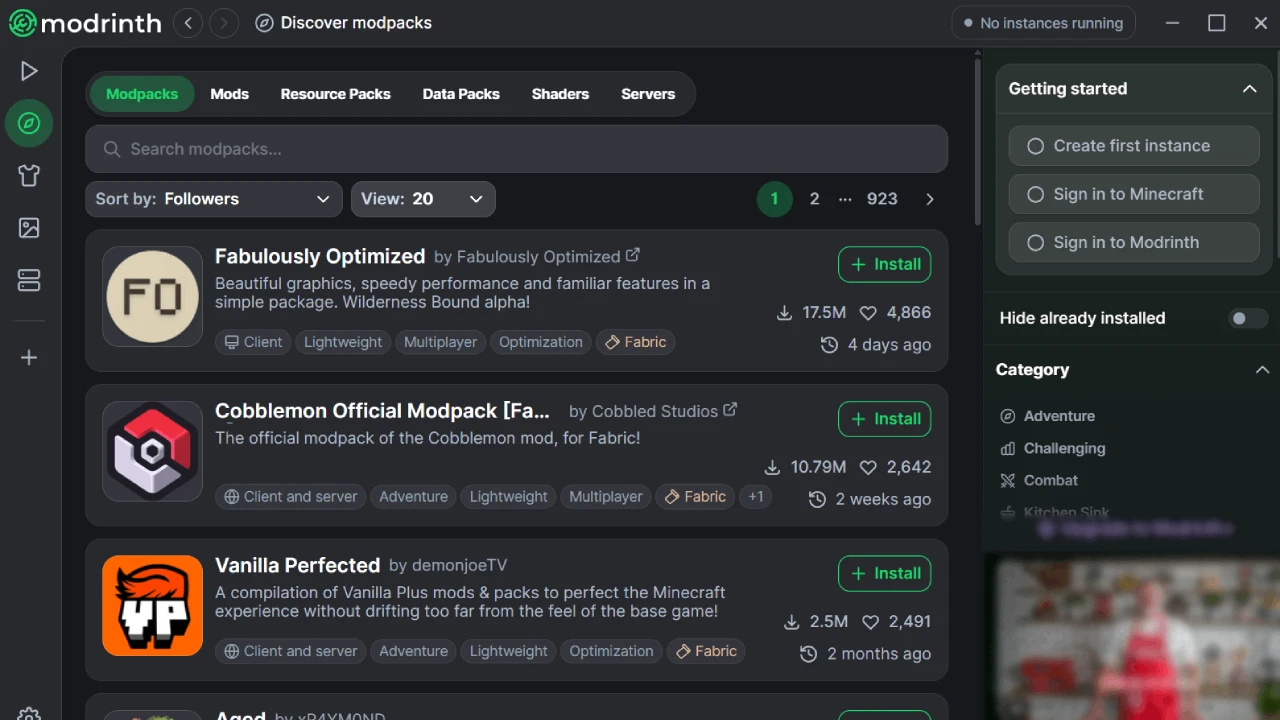
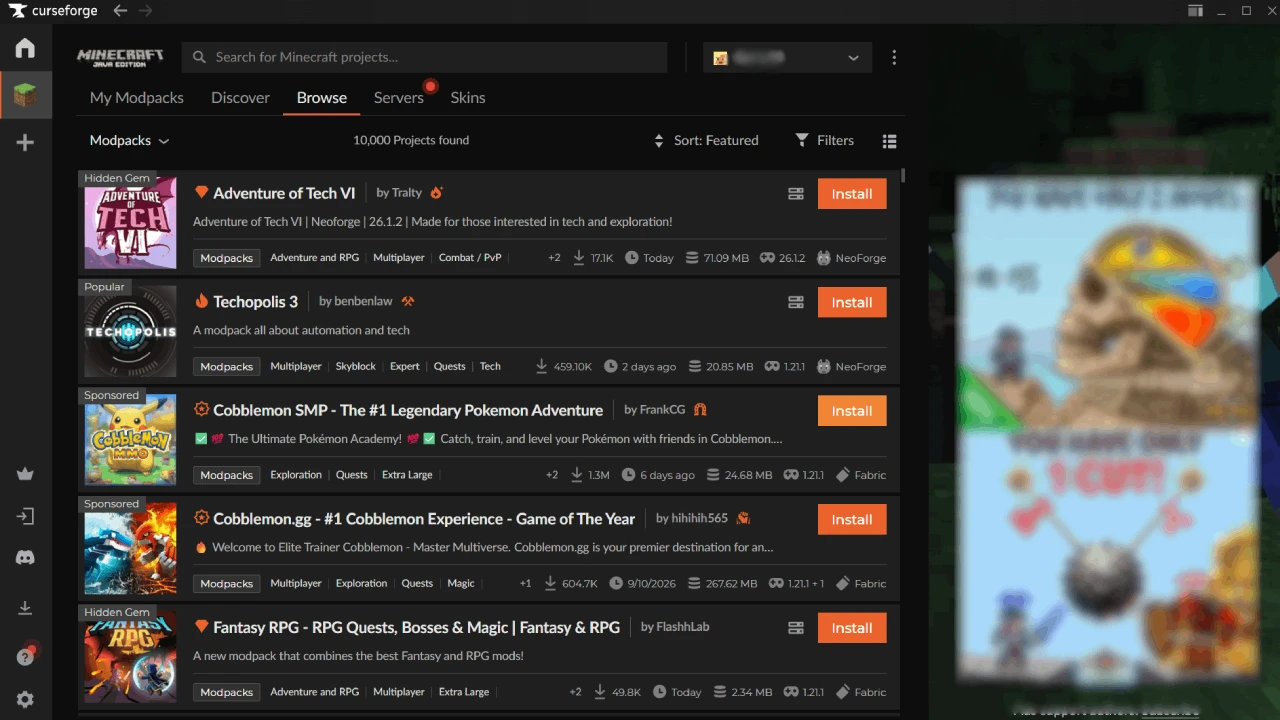
In the CurseForge app, open Browse, choose Modpacks, find the pack and press Install. It then appears under My Modpacks. In the Modrinth App, search for the pack and install it. In Prism Launcher, click Add Instance, choose the platform in the sidebar, then the pack and its version. The first install downloads everything, so a large pack takes a while.
Or import a file you already have
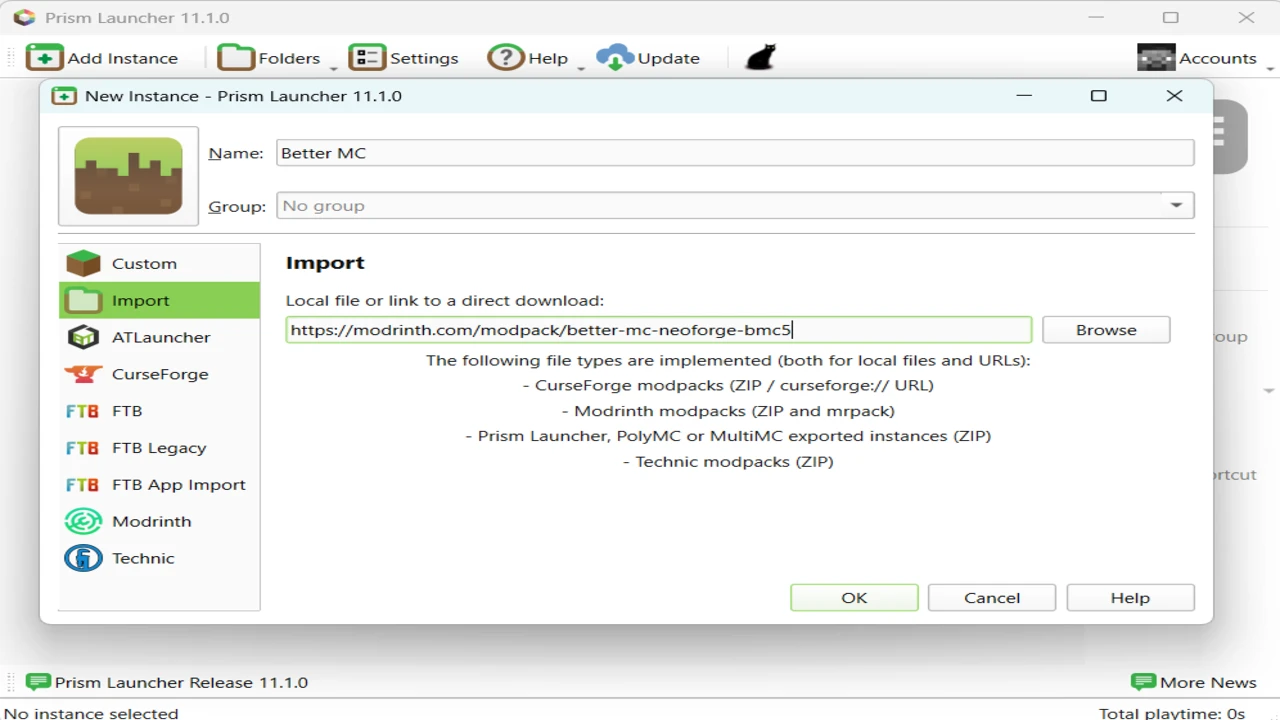
A CurseForge export goes into the CurseForge app through Import, then Choose .zip file. An .mrpack goes into the Modrinth App as a new instance from file. Prism takes either through Add Instance, then Import. Leave the archive zipped, because the launcher reads it as it is.
Set the memory before the first launch
Every launcher has a memory setting, either globally or per instance. Use the figure the pack recommends. Handing a pack most of your system RAM leaves too little for everything else on your computer and does not make the game faster. Our guide to allocating more RAM to Minecraft explains the trade-off.
Launch once and leave it alone
Expect the first start to be slow while hundreds of mods load. Get to the main menu and into a world before adding or removing anything, so you know the pack itself works.
CurseForge lets authors block third-party launchers from downloading their files. When Prism meets one of those, it lists the affected mods with links, and once you download them it collects them from your Downloads folder. Fetch those files from the linked CurseForge pages, never from a mirror.
Why copying a mods folder is not the same thing
A friend's mods folder dropped into your own game looks like a shortcut, and it usually fails. It arrives without the exact loader build and without the overrides, the configs and scripts that tune the pack. The same goes for rebuilding a pack from its mod list. Where a manual copy is unavoidable, copy the whole instance directory and run it on the same loader build, not just the jars. For adding a single mod to your own setup, our guide to installing Minecraft mods covers adding one jar by hand, the job a modpack launcher does for you hundreds of times over.
Playing a modpack on a server
A server needs the same pack version on the same loader as every player, minus the mods that only change what one player sees, such as rendering and interface mods. Those typically cannot load on a dedicated server. The .mrpack format marks each file for the client, the server or both, so a server install can leave the client-only ones out. Many CurseForge packs publish separate server files, and Better MC and All the Mods 10 list theirs in their Downloads sections. Use those rather than uploading your client instance.
Common problems installing a modpack
The launcher rejects the file
The CurseForge app reports an "Invalid file" error for anything outside its own export format, and it does not read .mrpack files. Open the file in the launcher that matches its format, or in Prism. Also check you downloaded the client pack, not the server files.
The install stops or leaves mods missing
Usually a mod blocked from third-party downloads, or a connection that dropped mid-install. Retry, download any listed files by hand, and never fill a gap with a similar-looking jar from elsewhere.
The pack crashes before the main menu
If you added, removed or updated a mod, undo that first. Check the memory setting and the Java version the instance uses, then read the newest file in the instance's crash-reports folder. Our guide to fixing mods that are not working walks through reading one, and Forge packs have their own common failures.
You cannot join a friend's server
Compare pack versions on both sides. A server one release behind may reject players over a single changed mod.
Modpack installation FAQ
Can I install Java modpacks on Bedrock Edition?
No. Java modpacks need a Java mod loader, which Bedrock cannot run. Bedrock uses add-ons and Marketplace content instead.
Do I need to install Forge, NeoForge or Fabric first?
Not when you install through a modpack launcher. It installs the exact loader build the pack pins, and a different build you installed yourself would not be used.
What is an .mrpack file and how do I open it?
It is Modrinth's modpack format. Import it into the Modrinth App or Prism Launcher rather than unzipping it. ATLauncher can play Modrinth packs too.
How much RAM should a modpack get?
Whatever the pack's author recommends. Requirements vary widely between a light pack and one with hundreds of mods, so no single number fits every pack.
Can I add my own mods to a modpack?
Yes, in that instance's mods folder, built for the same Minecraft version and loader. Keep a note of them: a pack update may conflict with them, and a server needs any mod that runs on both sides.
How do I update a modpack without losing my world?
Back up the instance's saves folder first, then update through the launcher that installed the pack. A major update can remove a mod your world uses, which can delete whatever that mod added to the world.
Are modpacks safe to download?
Stick to the official project page on CurseForge or Modrinth, or the pack's own site. The CurseForge app flags files from outside CurseForge in a shared pack and lets you install only the verified ones.
Why does my modpack take so long to start?
Every mod has to load and register its content, so a large pack spends much longer on its loading screen than vanilla. A long wait is normal, especially on the first start, and the bar can look stuck for a while. A crash, or loading that has plainly stopped progressing, is what needs troubleshooting.