About Unstable SMP Final Law Battle Simulator
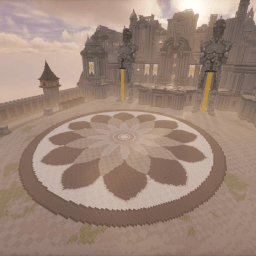
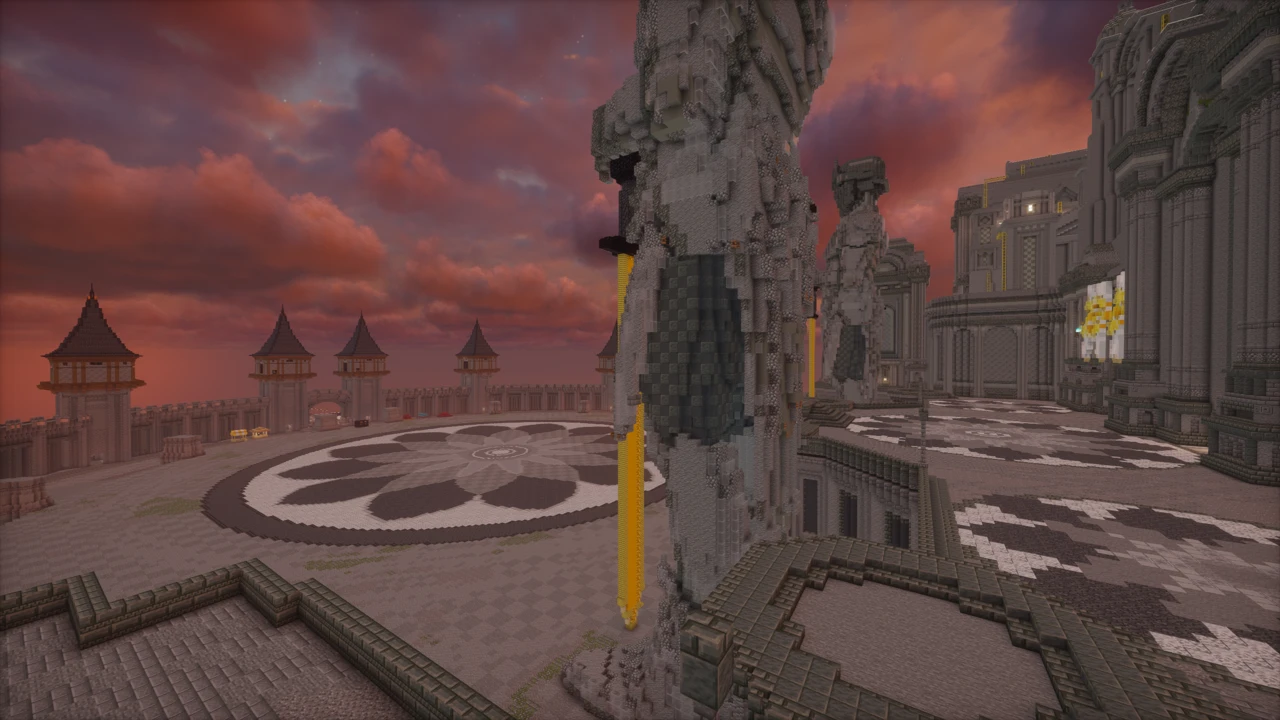
Unstable SMP Final Law Battle Simulator restages the final fight against the LAW army with a few hundred Carpet bots swinging back at you. GworldList, who publishes this series as CarpetPVPMaps, built it so the battle can be run from either side: hold the line with Wemmbu, FlameFrags, ParrotX2 and SpokeIsHere, or take the field for LAW and see whether the outcome holds up.
The world itself is an ordinary Minecraft save with no loader of its own. What it stages is not: the opposing army is made of Carpet bots, and those come from three companion mods you install alongside the map. That split is where most people come unstuck.
The fight it puts you in
Combatants arrive in two escalating waves (diamond armour first, netherite second), and the lobby lets you set the scale before anything starts. Depending on those settings, somewhere between 50 and 325 simulated players spawn in. On the LAW side the names you would expect are all present: LettuceK with the mace, TheGODofWar and SargeLAW.
There is no scripted victory screen waiting at the end. This is a sandbox for restaging a fight, not a campaign with an ending, so the natural way to use it is to change the bot count or swap sides and run it again. Treat a wipe as a result rather than a failure.
Three mods, three separate jobs
None of these is required to open the world. All three are required for anything to fight you in it, and knowing what each one does turns a broken install into a five-second diagnosis.
Fabric API is the shared library nearly every Fabric mod builds against. Without it the others simply will not load, so a launch that fails outright usually starts here.
Carpet is what makes the map possible at all. The bots are fake players, and Carpet is the mod that spawns and drives them. Skip it and the world still loads perfectly. You just walk into an empty battlefield with nothing to fight. Wide-open silence where an army should be is the signature of a missing Carpet install, not a corrupted download.
Modify Player Data is the one people leave out, because its absence produces a far subtler failure. It lets the map write the player-entity data that LettuceK's elytra-and-mace routine depends on. Without it everything else runs: bots spawn, waves arrive, the fight happens. LettuceK just never launches into the airborne mace attacks he is known for, which reads as a disappointing boss rather than a missing dependency.
Alternate Current, Sodium and Lithium are the creator's recommended additions. They are optimisation mods rather than requirements: the map runs without them, it simply runs worse.
Why the version window is a single release wide
Version matching is the part of this setup that goes wrong most often. The scripted behaviour, LettuceK's mace and elytra routine and the orbital strikes among it, is tied to the game version the build was made for, and a mismatch shows up as a feature quietly not firing rather than as an error. Take the version named on the row you download and build the profile around that one.
Two nearby listings cause most of the confusion. The sequel, 2v1000, publishes its own version support, and the Unstable SMP Simulator modpack on Modrinth publishes a range describing the bundle as a whole. Neither figure describes this map, so read the version off the build you are actually installing rather than off something next to it.
Some reupload sites advertise the map as 1.20.1. That contradicts the creator directly, and building an install to that spec guarantees it will not work.
Calling down an orbital strike
Two commands hand you artillery, and both are built into the map rather than bolted on with a datapack. Running /trigger nuke gives you a fishing rod that drops roughly ten layers of TNT wherever you cast it, the option for flattening a section of the field. /trigger stab is the narrower one, punching a column straight down to bedrock and killing whatever occupies it.
Both belong to the group of features that quietly stop functioning when the world is opened on a version it was not built against, so a strike command that does nothing is usually a version symptom rather than a syntax mistake.
Bot count is a tick problem, not a frame problem
Large battles produce two completely different kinds of slowdown, and treating them as one thing is why so much optimisation advice fails.
Frame rate is your graphics card drawing the scene. When it drops, the picture stutters but the fight still responds normally to your input. Sodium and a lower render distance are the levers here.
Tick rate is the game simulating the world, and this is what a few hundred bots actually stress. Every bot runs pathfinding, target selection and combat logic on the same tick budget. When that budget runs out the whole world enters slow motion: bots glide instead of stepping, hits land late, damage arrives after the swing. Lithium and a reduced simulation distance target this side. More frames will not touch it.
The distinction matters because the fixes do not overlap. If the image is choppy but combat feels sharp, that is frames. If combat feels like it is happening underwater no matter how smooth the picture looks, that is ticks. The one control that helps both is the bot count in the lobby, which is the honest first move on hardware that is struggling.
The original, not the 2v1000 sequel
Both maps come from the same creator and are easy to mix up in search results. This one is the original LAW finale: the full army, the two-wave structure, LettuceK on the mace. The 2v1000 simulator is a separate follow-up in which Wemmbu and FlameFrags face a thousand opponents on a purpose-built battlefield, with reworked bot AI and upgrades to those two characters specifically.
Neither is a replacement for the other. Pick this one to restage the original battle; pick the sequel for the newer scenario. Just do not read the sequel's version listing as though it described this one.
Which download is the real one
The creator distributes through Patreon, and that post is the primary source. A page on MinecraftMaps is the creator's own listed alternative, so it is the reasonable second choice. Everything else is a reupload.
The concern with mirrors here is less about malware than about stale information. Several carry version tags that do not match what the creator published, and building an install to a mirror's figure will cost you an evening. The file circulating as v5.0 appears to be the current build, though that comes from mirror filenames rather than a version number the creator publishes prominently, so treat it as a strong indication rather than a guarantee. If you would rather not assemble the mod list by hand, the Unstable SMP Simulator modpack bundles this map with the creator's others in a preconfigured Fabric setup.
How to Download Unstable SMP Final Law Battle Simulator for Minecraft
Open the Downloads section on this page and note the Minecraft version on the map's row. Click Download and it takes you to the creator's Patreon post, where the world file is published. The MinecraftMaps page the creator lists is the alternative. Avoid the general reupload sites: several still advertise the map for 1.20.1, which the creator's own instructions contradict.
How to Install Unstable SMP Final Law Battle Simulator in Minecraft
Set up the profile the bots need
The map is a plain world and will open in vanilla Minecraft, but it will be empty. The bots need Carpet, and Carpet needs Fabric, so that is what this profile is for. Check the Minecraft version on the row you took from the Download section, install Fabric Loader for that exact version, and let the launcher add its profile. Run the profile once and quit, since it creates the mods folder you are about to fill.
If your installation has already moved on, make this a separate profile rather than changing an existing one, so your other worlds stay where they are.
Add the mods before the world
Three files are mandatory, and all three go in mods as .jar files without unzipping anything: Fabric API, Carpet and Modify Player Data. Download each one for the same Minecraft version as the map: a mod compiled for a different version will refuse to load and take the launch down with it.
Alternate Current, Sodium and Lithium are worth adding at the same time. They are the creator's recommended optimisation set rather than dependencies, so the map works without them, but a battlefield of this size is exactly the situation they exist for. SkinChanger turns up in some tutorials and is genuinely optional. Skipping it changes nothing mechanical.
Put the world in place
Unzip the download and look inside before moving anything. What belongs in saves is the world folder itself, the one containing level.dat, not the archive and not a wrapper directory holding it. Dropping the wrong layer in is the usual reason a map never appears in the world list. On Windows, %appdata%\.minecraft\saves is the destination. If the mods run in a separate Prism or CurseForge instance, that instance has its own saves folder, as installing Minecraft maps explains.
First launch
Load the world from that Fabric profile and give it a moment. Bots do not all appear the instant you spawn. With a large count configured, expect to wait around a minute while they load, which is normal rather than a sign of a bad install.
If nothing at all spawns after that, Carpet is missing or did not load. If the battle runs but LettuceK never takes off with the mace, Modify Player Data is the file that did not make it. If the orbital strike commands do nothing, check that the profile really is on the version the map was built for.