About Simple Voice Chat
Simple Voice Chat is a proximity voice chat for Minecraft: Java Edition, made by Max Henkel (henkelmax). Players who stand near each other can talk, voices get quieter with distance and come from the direction of the speaker, and groups let friends keep talking from opposite ends of the world. It needs no Discord or Mumble. It does need the server's cooperation, though: the mod or plugin has to run on the server with a UDP port open, and the project's FAQ answers "Voice chat not connected" first with a port that was never opened.
Why the server is part of it
Voice does not travel directly between players. It goes through a voice server built into the mod, running alongside the Minecraft server and using the game's own knowledge of who is where. That is why a server without Simple Voice Chat cannot carry voice even when every player has the mod, and why the voice server cannot run on its own. It is also why only the server needs an open port. Players never touch their routers.
Platforms mix freely. A player on Fabric can talk to a player on NeoForge through a Paper server running the plugin, because every mod and plugin edition speaks the same protocol. Matching versions are still recommended. Players without the mod can join a server that has it and simply hear nothing, unless the admin turns on force_voice_chat, which removes them from the server. Singleplayer and LAN worlds work too, since the client can start its own voice server.
Talking: push to talk, voice activation and whispering
V opens the voice chat menu, with settings, groups, mute, a switch that turns voice chat off entirely, recording and a button to hide the icons. The first time you connect, a setup screen walks through the activation type, the push-to-talk key, your microphone and your speaker. The push-to-talk step matters: in current versions push to talk has no key until you choose one, so a guide that names a fixed default key is out of date. Push to talk is the default activation type. Switching to voice activation opens a threshold slider, -50 dB by default, and an automatic voice activity detection option.
Of the other key bindings, only three have defaults: M mutes your microphone, N turns voice chat off entirely and H hides the icons. Whisper, the group screen, recording, the settings screen and volume adjustment start unbound. All of them sit in a Voice Chat category in Controls.
The audio settings cover more than most players expect. Noise suppression uses RNNoise, a neural-network denoiser, and is on by default. Microphone amplification boosts a quiet mic, and a test mode plays your own voice back. Individual players can be made louder or quieter, and 3D audio can be set to normal, reduced or off. Whispering halves the range: 24 blocks against the normal 48, both set by the server.
Icons show who is talking or whispering above their heads, while a microphone symbol with a line through it means muted. A plug icon means your client could not connect to the voice server, which is where troubleshooting starts.
Groups
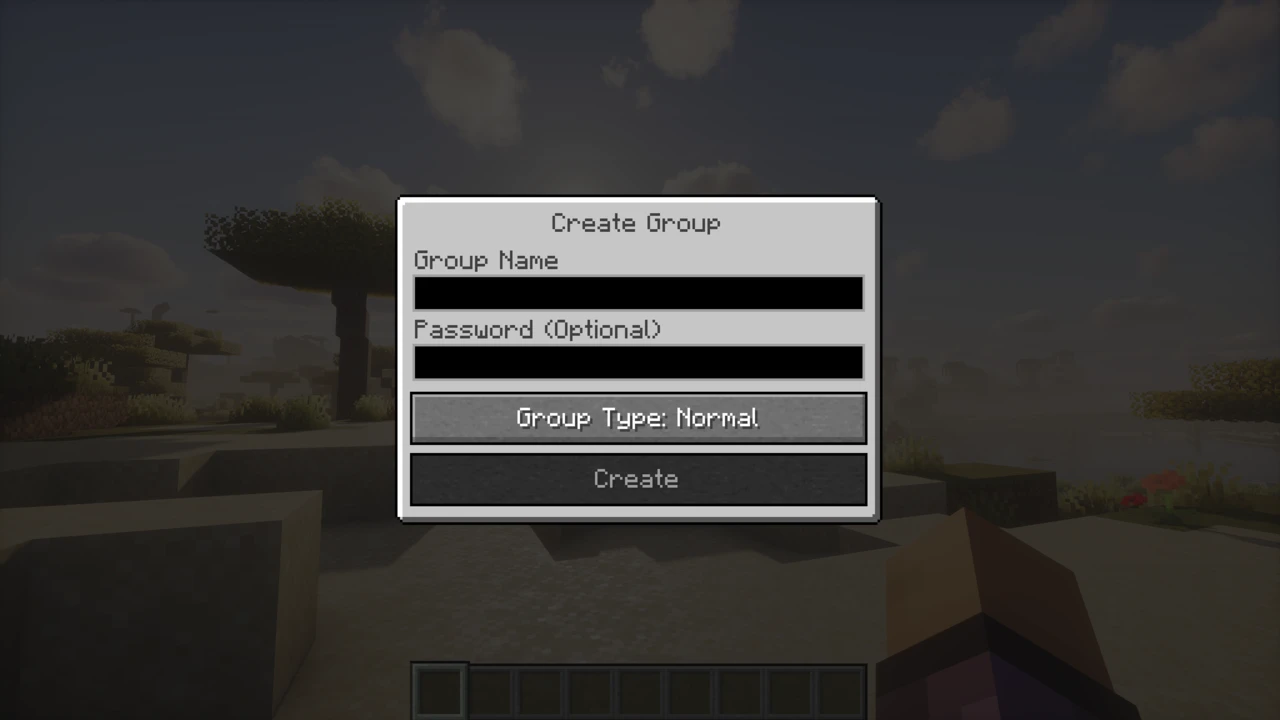
Groups carry voice regardless of distance. Type a name, add an optional password and create the group. Other players join from the group menu or by invitation, sent with /voicechat invite followed by a player name, or from the social interactions screen. Members appear as heads in the corner of the screen, outlined while they speak, and players outside the group see an icon next to your head. Leaving the group returns you to proximity chat, and a group you forgot to leave is a common reason nearby players cannot hear you.
Setting up a server
Install the edition matching the server: the mod on a Fabric, NeoForge, Forge or Quilt server, or the plugin on Paper, Purpur, Folia, Spigot or Bukkit. Start the server once to create voicechat-server.properties, found in config/voicechat/ for mods and plugins/voicechat/ for the plugin. The settings that matter most:
port, 24454 by default. Audio always travels over UDP, so this port must be open for UDP in the firewall and forwarded on a home router. With Docker, map it as 24454:24454/udp.bind_address, left blank to use the server-ip from server.properties. A wrong value crashes the server with "Failed to bind to address".voice_host, the address clients should use for voice when it differs from the Minecraft address.max_voice_distance and whisper_distance, 48 and 24 blocks, plus enable_groups, allow_recording and force_voice_chat.
Rented servers are where setups go wrong, because many hosts need special steps beyond opening a port. The project's wiki keeps guides for individual hosts and asks you not to follow a guide written for a different one. ngrok cannot carry UDP at all. The FAQ lists tunnelling services such as playit.gg as not officially supported, although the wiki's host list does include a playit.gg guide.
Behind Velocity or BungeeCord/Waterfall, the proxy runs the Simple Voice Chat proxy plugin and every backend server still runs the mod or plugin. Only the proxy needs an open UDP port, by default the same number as its Minecraft port (25577 on Velocity). Each backend on the same machine needs a different voice port, and their voice_host settings are ignored, because the proxy routes voice to the right server by itself. The project's proxy setup guide walks through it.
Permissions
Four permission nodes control access: voicechat.listen, voicechat.speak and voicechat.groups, granted to everyone by default, and voicechat.admin, granted to operators and needed for commands such as /voicechat test. Fabric servers use the Fabric permissions API (LuckPerms works through it), NeoForge and Forge use their own permission APIs, and Bukkit-based servers use Bukkit permissions. Hybrid servers that load mods and plugins together are not supported.
Recording, replays and addons
The recording button in the V menu saves voice audio with a separate track for each player, which makes editing a video far easier. Servers can forbid it with allow_recording. For replays, Flashback records voice chat by itself, and ReplayMod users need the separate Replay Voice Chat mod.
Anything beyond the core feature set lives in addons built on the mod's API, which the project lists on its addons page, and the base mod deliberately does not add integrations with other mods itself. Sculk sensors, for example, do not react to voice unless an addon makes them. Vanish plugins are supported from version 2.6.0 on Minecraft 1.18.2 and newer.
What it does not cover
There is no Bedrock Edition version, and the FAQ calls one impossible for technical reasons. Realms cannot run it, and custom clients such as Lunar or Feather are not supported. On privacy, the project describes the voice stream as encrypted (the feature list says AES) and states plainly that it does not guarantee its security, so treat it as game chat rather than a secure channel.
Simple Voice Chat has two halves: the mod on every player's client and the mod or plugin on the server. Both come from the same download table.
How to Download Simple Voice Chat for Minecraft
Use the filters in the Simple Voice Chat Downloads section to pick your Minecraft version and platform. Players take the row for their loader: Fabric, NeoForge, Forge or Quilt. Server owners take either the same mod row or the plugin row, marked Paper (Bukkit plugin), which also runs on Purpur, Folia, Spigot and Bukkit. Each row's Download button opens the matching file on Modrinth.
For Minecraft 26.3 the mod files are currently betas, as they are for a few 1.21 releases, while 26.2 and most older versions have stable releases. The Bukkit plugin is one stable file covering 1.16 to 26.3, plus 1.12.x and 1.8.8. The Velocity and BungeeCord/Waterfall proxy plugins are not in this table: the project's proxy setup page covers them, and their newest builds are alphas.
How to Install Simple Voice Chat in Minecraft
Players
- Install your loader, such as Fabric or NeoForge, and put the Simple Voice Chat jar in
mods. The current Fabric build does not require Fabric API. Mod Menu and Cloth Config are optional and give a nicer settings screen.
- Join the server and finish the short setup that appears. It asks for your microphone, speaker and activation type, and for a push-to-talk key, which has no default.
Server
- Put the mod in the server's
mods folder, or the plugin in plugins, and start the server once.
- Open UDP port 24454, or the port set in
voicechat-server.properties, in the firewall and the router. On a rented server, follow the wiki's guide for that host.
- Restart the server after any config change. Edits made while it runs can be overwritten when it stops.
Checking the connection
With both halves in place, speaking shows an icon beside your head and theirs. A plug icon means the client reached the Minecraft server but not the voice port: check the port, the protocol (UDP, not TCP) and any DDoS protection on the host. If others cannot hear you, pick the right microphone under Select Microphone and try the microphone test. On macOS, the game also needs microphone permission from the system. For crashes on start, see mods that are not working.