About Sodium
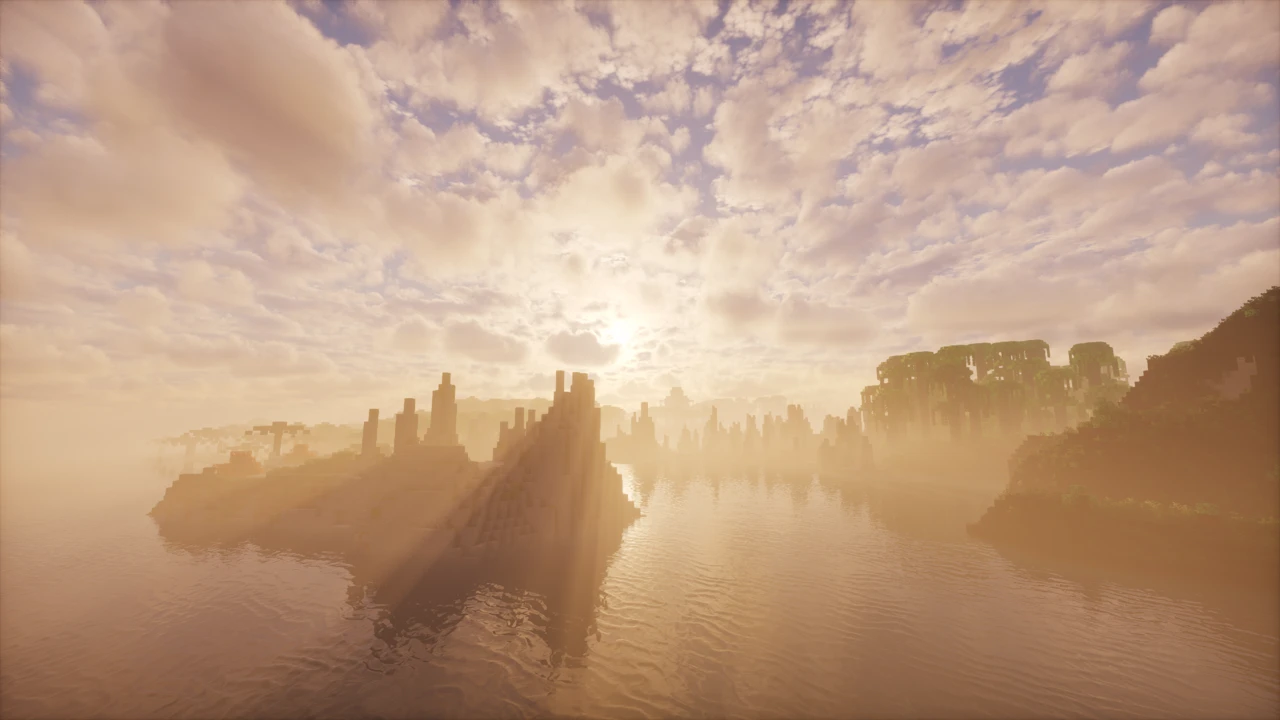
Sodium is a performance mod for Minecraft: Java Edition. It swaps the game's rendering engine for a much faster one, which means higher frame rates and far less of the stuttering vanilla Minecraft is known for. The game looks exactly the same: same textures, same style, just running better. It's made by CaffeineMC and has become one of the default choices for anyone modding Java for performance.
Rendering is all Sodium does. It won't add items, change mob behavior, or affect anything server-side. Keeping its job that narrow is a big part of why it gets along with other mods, which isn't always true of mods that rewrite rendering.
What Sodium does
Vanilla Minecraft draws the world in a way that hasn't aged well, and plenty of machines run worse than they should because of it. Sodium rebuilds how chunks are rendered so the game asks less of your CPU and GPU. You feel it as smoother movement, fewer hitches when terrain loads in, and a higher frame rate overall.
How much you gain depends on your hardware and settings, and there's no single figure that fits every setup. Along the way, Sodium also fixes several rendering bugs that have sat in vanilla for years, though that's more of a bonus than the reason most people install it.
Main features
- A rewritten rendering engine, which is the core of the mod: better frame rates and less micro-stutter.
- A reworked Video Settings screen with more detailed control over graphics quality, chunk rendering, and performance options.
- Automatic setup. Sodium turns on whatever optimizations your system can handle, and most people never need to open the settings.
- Solid compatibility with other mods, including large mod lists.
- Improved culling in the 0.9.x releases, which skips drawing parts of the world you can't currently see.
- Experimental Vulkan support in recent builds, switchable under the Graphics API option if you'd rather try it over OpenGL.
Minecraft versions and loaders
Fabric, NeoForge, and Quilt are all supported. Fabric is the lightweight one and the loader the project points new users toward. NeoForge came later: it's been supported since Sodium 0.6.0, and only on Minecraft 1.21 and newer.
There's no Forge version. A Forge modpack can't run Sodium, so you'd need a different mod for rendering improvements there.
Version coverage is wide, from 1.16.3 up to 26.3. Each build targets specific Minecraft versions, so grab the one that matches the version you're playing.
Dependencies
Sodium doesn't need Fabric API. You can run it completely on its own and still get the full performance boost. Almost every other Fabric mod does need Fabric API, though, so you'll end up installing it anyway once you're running more than a couple of mods.
Some older guides tell you to install a mod called Indium. You can ignore that now. Indium was a compatibility workaround for older Sodium versions, and Sodium has handled that internally since 0.6.0. Current versions don't work with Indium at all.
Shaders and Iris
Sodium can't load shaders by itself. Iris is the mod that adds shader support, built specifically to run on top of Sodium. It reads the usual OptiFine-format shader packs as well as packs made for Iris directly. The Iris download already includes a matching build of Sodium, so in many cases you can just install Iris and skip downloading Sodium separately.
Sodium and OptiFine won't run together: both want control of rendering. If you used OptiFine for shaders in the past, Sodium plus Iris is the modern equivalent. Keep them on matching versions, because a mismatch between Sodium and Iris will usually stop the game from launching.
Using Sodium with other performance mods
Sodium handles rendering and leaves the rest of the game alone, which makes it a natural fit next to mods that speed up other areas. Lithium is the one you'll see recommended alongside it most often: it optimizes game logic like physics, mob AI, and world ticks, none of which Sodium touches. Plenty of people run both, and neither interferes with the rest of your mods. More Culling sits closer in, since it also works on rendering, but it changes what counts as invisible rather than how the renderer draws, and the two are built to run together. Two more cover the entity side: Entity Culling skips mobs and block entities hidden behind walls, and ImmediatelyFast makes the entities, text and HUD you can see cheaper to draw.
Multiplayer
Everything Sodium does happens on the client. Servers don't need it installed, and it works on nearly any server you join. It changes how your own game renders the world, not how the game plays.
Hardware requirements
For official support you need a desktop graphics card with current drivers that handle OpenGL 4.5 or newer, which covers most GPUs from the past ten years or so. Sodium doesn't support setups running through OpenGL translation layers. Many Android devices and some Windows-on-ARM machines fall into that category, and they'll usually run badly or crash. When Sodium crashes or renders something wrong, update your graphics drivers first, since outdated drivers are behind most of these issues.
How to Download Sodium for Minecraft
Two things decide which file you want: your Minecraft version and your loader. A Sodium build only runs on the version it was made for, so check your version first, then pick the Fabric or NeoForge file to match.
If shaders are the main thing you're after, download Iris instead. It comes with a matching Sodium build, so you don't need both.
Once you know which file you need, open the Download section on this page and narrow it by Minecraft version and loader. The matching row hands you the official CaffeineMC release, so you are not left working out which of the files on a project page fits your setup.
How to Install Sodium in Minecraft
You need a mod loader in place before Sodium will run. Fabric is the simpler choice and works with your existing worlds and most servers, while NeoForge is available on Minecraft 1.21 and newer. If you've never installed a mod before, our guide to installing Minecraft mods walks through the whole process.
Installing Sodium on Fabric
- Install Fabric Loader for your Minecraft version using its official installer.
- Open the Minecraft launcher and run the Fabric profile once. That creates your mods folder.
- Put the Sodium .jar file into .minecraft/mods.
- Running other mods too? Add Fabric API to the same folder.
- Launch the game and open Options → Video Settings. Sodium's new settings screen means it's installed and working.
Installing Sodium on NeoForge
- Install NeoForge for your Minecraft version (1.21 or newer).
- Run the NeoForge profile once to create the mods folder.
- Drop the NeoForge build of Sodium into .minecraft/mods.
- Start the game to confirm it loads.
Adding shaders
For shaders, install Iris as well, or install only Iris, since it bundles Sodium. Keep the two on matching versions. Shader packs (.zip files) go in .minecraft/shaderpacks, and you switch between them under Video Settings → Shader Packs.
If something goes wrong
A crash on launch or broken-looking graphics almost always traces back to drivers, so update your GPU drivers first. After that, check that your Sodium build matches your Minecraft version, and that any add-ons like Iris are built for the same Sodium version.
If the game will not start at all, our guide to mods that will not load covers version and loader mismatches.