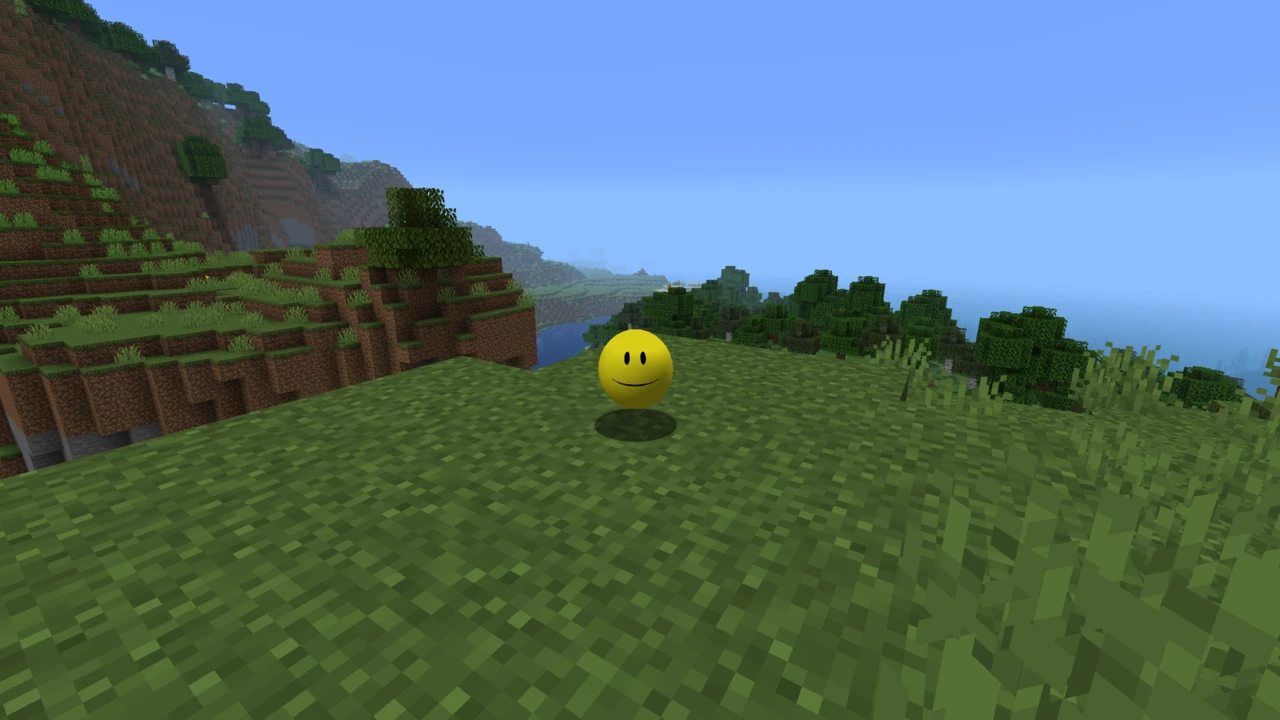
Verity JE is a horror mod for Minecraft: Java Edition that adds Verity, a talking yellow companion powered by a real AI model, along with a hostile Demon and gameplay changes like extreme darkness. It's an official adaptation of ThatMob's "Something" ARG series, and it needs an AI connection set up before Verity will respond.
Verity JE brings the yellow sphere from ThatMob's "Something" ARG series into Minecraft: Java Edition. Verity talks to you, answers questions, and offers to help, and then things start going wrong. It's built by VarmiteYT as an official adaptation, made with explicit permission from ThatMob.
Here's the thing that separates this from every other horror mod: Verity's dialogue isn't scripted. The mod connects to a real AI model, so Verity actually responds to whatever you type or say. That's the appeal, and it's also the catch: the mod won't work until you set up that AI connection yourself. More on that below, because it's the single biggest reason people install this mod and think it's broken.
What Verity does
Verity arrives in his own animated box. Break it open and he's yours, a small yellow ball who acts like a personal assistant. Ask him about ores, about where to go, about anything really, and he'll answer. The developer's own pitch is "Ask me anything, I know everything."
He's helpful at first. The mod's description is upfront that he's made "to assist you for the best, and for the worst": treat him badly and he takes it personally.
The Demon
There's a monster in your world. The mod calls it the Demon, and Verity seems to know more about it than he lets on. According to the developer, Verity can spawn it or cause it to appear. That relationship between the friendly assistant and the thing hunting you is the core of the horror here.
The Demon model from version 5 onward was made by RoseRocket, and Verity's textures come from @muhfanaccount.
Gameplay changes
This isn't a mod you drop into an existing survival world without noticing. It changes how the game feels:
Extreme darkness: the heavy darkness seen in ThatMob's video, which completely changes how you move around at night
A flashlight: because of the above, you'll need it
Other changes the developer describes as things that "vastly affect normal gameplay"
The AI setup requirement
Verity runs on a large language model hosted by Groq. The mod itself doesn't include the AI. It connects out to that service, which means you need an account and an API key before Verity can say anything.
The CurseForge page carries a warning about this in bold, and it's worth repeating: installing the JAR is only half the job. Drop the mod in your folder without doing the setup and the game will load fine, Verity will appear, and he'll sit there silently. That's not a broken install. That's a missing connection.
VarmiteYT has published a setup tutorial covering the process. It's linked from both official project pages and from the installation guide below.
What this means for you
Two practical points before you commit to this mod.
First, anything you say to Verity gets sent to an outside AI service to generate his reply. That's how the mod works, and there's no way around it. Not a reason to avoid it, but worth knowing, especially if younger players are involved.
Second, your API key is yours. Keep it out of anything you share: modpacks, server files, screenshots. It's tied to your account.
Language support
The AI understands all languages, so you can chat with Verity in whatever you speak. The speech features are narrower: the developer says Speech-to-Text and Text-to-Speech have only been tested in English. They may work elsewhere, but that hasn't been confirmed.
That is the build this page covers and the one in the download table. It is the branch the project has pushed furthest, and its version numbering is well ahead of anything else the mod has shipped.
Set your launcher to 1.20.1 and install Forge for it. Anything else in your library stays where it is. A separate profile costs nothing and keeps this mod's requirements out of your other worlds.
Singleplayer and multiplayer
The mod is listed for both client and server, so it works in your own worlds and on a server. For multiplayer, everyone needs the mod installed, and everyone should be on the same build, because mismatched versions between players and the server cause problems before you even load in.
What Verity JE doesn't support
Clearing up the things people most often assume:
No Fabric version. Forge and NeoForge only. There's no Quilt build either.
No current Minecraft release. The build here is 1.20.1. If you're on something modern like 26.2, there's nothing to install yet.
Not the Bedrock addon. A separate Verity addon exists for Bedrock Edition, made by someone else entirely. Verity JE is Java only, and the two aren't interchangeable.
Not open source. The mod is released under All Rights Reserved, so redistribution and modpack inclusion need permission from the developer.
You may also run into GitHub repositories claiming to host Verity JE. None are linked from the official project pages, and their descriptions don't match what the mod actually does. Stick to CurseForge and Modrinth.
How to Download Verity JE Mod for Minecraft
Verity JE is published in two official places: CurseForge and Modrinth. Both are run by the developer. Everything else (mirror sites, GitHub repos with similar names, "free download" pages) isn't official, and at least a couple of them describe a completely different mod.
Before downloading, work out which build you need:
Minecraft 1.20.1 → the Forge build, which is the release in the download table on this page.
A couple of things to watch for. The mod updates often, so grab the current file rather than one you saved weeks ago. CurseForge also hides beta and alpha files by default. If you see a version number higher than the listed release, it's a test build, not the recommended download. Stick with the release unless you know why you want otherwise.
Both official listings carry the 1.20.1 Forge build. Open the Verity JE Downloads section on this page and click Download on that row to go straight to it.
How to Install Verity JE Mod in Minecraft
Installing Verity JE is two jobs: putting the mod in place, then connecting the AI. Skip the second and the mod loads but does nothing. If you haven't installed Minecraft mods before, our guide to installing Minecraft mods covers the basics first.
Installing on Forge (Minecraft 1.20.1)
Install Forge for Minecraft 1.20.1 and run it once from the launcher so the profile and folders get created.
Close the game.
Open your mods folder: %appdata%\.minecraft\mods on Windows, ~/Library/Application Support/minecraft/mods on macOS, ~/.minecraft/mods on Linux.
Put the Verity JE .jar file for 1.20.1 Forge into that folder.
Launch Minecraft using the Forge profile.
Installing on NeoForge (Minecraft 1.21.1)
Install NeoForge for Minecraft 1.21.1 and run it once to generate the profile.
Close the game and open your mods folder.
Add the Verity JE .jar built for 1.21.1 NeoForge. Don't use the Forge file here, because they're not interchangeable.
Start the game through the NeoForge profile.
Setting up the AI connection
This step is required. Verity's replies come from an AI model hosted by Groq, so the mod needs an account and API key from that service before he'll respond to anything.
VarmiteYT has made a video tutorial walking through the setup, and it's the source to follow: it's linked from both the CurseForge and Modrinth pages, and it's kept current with the mod. We'd rather point you there than guess at steps that might have changed since the last update.
One tip: get the AI connection working in a fresh test world before you bring a world you care about into a modded instance. That way you're troubleshooting setup, not risking a save.
Checking that it's working
Two separate checks, because they can fail independently.
To confirm the mod loaded, open the Mods list from the title screen and look for Verity JE. You should also notice the gameplay changes right away, because the darkness is hard to miss.
To confirm the AI is connected, find Verity's box, open it, and talk to him. A reply means everything's working. Silence means the connection isn't set up correctly, even though the mod itself is fine.
Common problems
Verity appears but never responds. The most common issue by far, and it's almost always the AI setup rather than the mod. Recheck your API key and connection settings against the tutorial.
Wrong loader. Forge files don't run on NeoForge and vice versa. Match the file to your setup.
Wrong Minecraft version. The build here is for 1.20.1. A profile on a newer release won't load the mod at all.
Multiplayer mismatch. If players are on different builds than the server, expect connection errors. Agree on one version and have everyone use it.
Older saved file. This mod updates frequently. A JAR from a few weeks ago may already be several versions behind.
If the mod never appears in the Mods list at all, our guide to mods that are not working covers loader and version mismatches in more detail.
Minecraft 1.20.1 with Forge. That is the build the project ships and the one in the download table here, so a launcher profile on any newer release will not load the mod at all. Pin a 1.20.1 profile rather than editing the one you normally play on.
Do you need an AI account to use Verity JE?
Yes. Verity's dialogue is generated by an AI model hosted by Groq, so you need an account and API key from that service. Without it the mod still loads, but Verity won't respond to anything you say.
Does Verity JE work on Fabric?
No. There's no Fabric build and no Quilt build. Your options are Forge on 1.20.1 or NeoForge on 1.21.1.
Can you play Verity JE on a multiplayer server?
Yes, it's listed for both client and server. Everyone needs the mod, and everyone needs the same build. Mixed versions between players and the server cause problems.
Is Verity JE scary?
It's built as a horror mod, so yes. There's a hostile Demon that hunts you, heavy darkness that limits what you can see, and an AI companion whose helpfulness doesn't last. Worth knowing before installing it for a younger player.
Cobblemon turns Minecraft into a Pokémon adventure without leaving your survival world. Wild Pokémon spawn across the biomes, you craft Poké Balls from apricorns to catch them, and battles follow the same rules competitive Pokémon players use. The ones you keep can be raised, evolved, ridden or left to roam in pastures, and friends can battle and trade on a shared server.
henkelmax's proximity voice chat for Minecraft: Java Edition. Nearby players hear each other with directional audio that fades with distance, and push to talk, voice activation, whispering and password-protected groups cover the rest. Voice runs through the server, so the server and every player need it installed.
Just Enough Items (JEI) is an item and recipe viewer by mezz. It lists every item in the game, vanilla and modded, in a searchable panel beside your inventory. One key shows the recipes that make an item, another shows what it is used for, and that includes machine recipes from mods that support JEI. Bookmarks and a cheat mode for testing round it out.