Zoomify

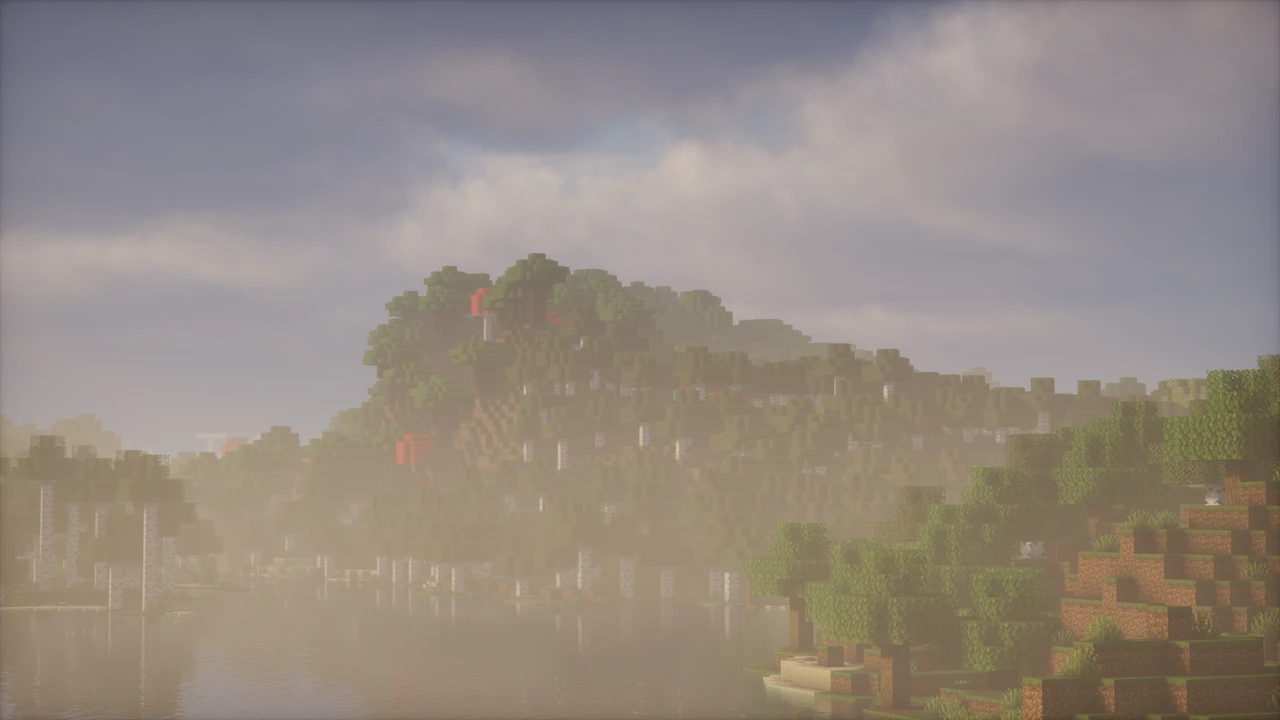
A client-side Fabric zoom mod by isXander that replaces OptiFine's fixed zoom with an adjustable one: scroll-wheel steps, timed easing curves, sensitivity that scales with magnification, spyglass rules and a separate slow zoom for recording.

66M+ Downloads by isXander

About Zoomify

Zoomify is a zoom mod for Fabric by isXander, built on the idea that nothing about a zoom should be fixed. Hold the key and the view eases in, scroll to push further, let go and it eases back out, and every part of that motion can be adjusted. isXander also makes YetAnotherConfigLib, which draws Zoomify's settings screen, and Controlify, the controller mod Zoomify integrates with.

What happens when you press C

With default settings, holding C divides your field of view by four, a 4× magnification. The change is not instant: the view takes one second to reach full zoom and half a second to return, on an ease-out curve that moves quickly at first and settles gently. While you hold the key, the scroll wheel adds up to ten further steps of magnification. Release it and those steps are forgotten, so the next zoom starts from the base level again.

Three quieter behaviours are what make it comfortable. Mouse sensitivity drops in proportion to the zoom, so a small hand movement does not fling the crosshair across a magnified view. View bobbing is scaled down the same way, which lets you walk while zoomed without the picture swinging. And your hand zooms along with the world unless you switch that off.

Zoomify is a camera effect and nothing more. It narrows the field of view on your screen. It does not load chunks further out, extend your render distance or reveal anything the game was not already drawing. Terrain past your render distance stays empty however far in you go.

The settings worth knowing

The options screen opens with the /zoomify client command or from Mod Menu. It is long, and most of it falls into four groups:

  • How far: Initial Zoom sets the base magnification. Enable Scroll Zoom, Scroll Step Count and Zoom Per Step control the wheel. Remember Zoom Steps keeps your scroll level between zooms, handy if you always want the same view.
  • How fast: zoom-in and zoom-out times are set separately, in seconds rather than an abstract speed value. Each direction also takes its own transition from fourteen options, from Instant and Linear through sine, quadratic, cubic and exponential ease-in and ease-out curves.
  • How it handles: Relative Sensitivity (100% by default) and Relative View Bobbing are the two that matter most. Cinematic Camera smooths mouse movement the way OptiFine's zoom does, and starts at zero.
  • How the key works: Zoom Key Behavior switches between Hold and Toggle. Keybind Scrolling adds separate zoom-in and zoom-out keys for players without a scroll wheel. Those keys are registered when the game starts, so expect a restart before they appear in Controls.

Presets, and why the OptiFine one feels flat

Three presets sit at the top of the settings. Default restores everything described above. The OptiFine preset makes both transitions instant, disables scroll zoom, sets relative sensitivity to zero and turns the cinematic camera fully on. That is Zoomify's own approximation of OptiFine's zoom, and a good demonstration of how much of Zoomify's usual feel comes from the easing. The OK Zoomer preset imitates that mod instead, with quarter-second transitions and half-strength sensitivity scaling.

That makes "Zoomify or OptiFine zoom" less a contest than a starting point: Zoomify can reproduce OptiFine's zoom and then go further. What it cannot do is run beside OptiFine. Zoomify declares OptiFabric, the usual way of loading OptiFine on Fabric, incompatible, and the game will refuse to start with both.

The spyglass rules

By default Zoomify pays no attention to the vanilla spyglass, so the two can be used together. The Zoom Behavior option in the settings' Spyglass group changes that with four modes: Combine (the default), Override (the spyglass uses Zoomify's zoom), Allow While Holding and Allow While Carrying. The last two turn zoom into something you have to earn, which fits survival worlds and servers where free zoom feels like a cheat. Overlay Visibility and Sound Behavior, in the same group, decide when the spyglass overlay is drawn over Zoomify's zoom and when its sounds play.

Secondary zoom is for recording

A second, independent zoom sits on F6. It toggles rather than holds and, by default, creeps in over ten seconds, hides the HUD, and pulls back out in one. That is a slow push-in for video, not a scouting tool. It multiplies with the main zoom if you use both at once, and if F6 clashes with a recording or streaming shortcut, rebind it.

Which Zoomify you are looking at

The name is not unique. isXander's Zoomify is the mod on this page, published on Modrinth and CurseForge from the isXander/Zoomify repository. A separate CurseForge project by another author, now called ZoomLens, still introduces itself as "previously known as Zoomify", some of its older files are literally named zoomify-…jar, and it also zooms on C. It ships Forge and NeoForge files as well as Fabric ones, and has no connection to isXander's mod. So a download offering Zoomify for Forge or NeoForge is not this project: isXander's Zoomify ships for Fabric, with Quilt tags on some older files and on none of the current ones.

Servers, controllers and other mods

Zoomify runs entirely on your client and never needs to be on a server. Whether a zoom mod is welcome is a question of each server's rules rather than anything technical, and some competitive servers do restrict them, so check before you join.

Controller players are covered through an integration with Controlify. Zoomify marks Controlify versions older than 2 as incompatible, and a recent Zoomify release fixed a crash when Controlify was present, so keep both current. Past OptiFabric, conflicts are rare. On older Minecraft versions the usual cause of a zoom that does nothing is the key itself, which the Installation tab covers.


Zoomify needs three libraries alongside it. On older Minecraft versions the most common reason it seems to do nothing is a key conflict, so the Controls check below matters as much as the files.

How to Download Zoomify for Minecraft

Open the Zoomify Downloads section on this page and pick the row for your Minecraft version. Clicking Download takes you on to that exact file on Modrinth. Zoomify then needs three libraries next to it, and all four files must be built for the same Minecraft version:

  • Zoomify, the file from the Downloads section.
  • Fabric API.
  • YetAnotherConfigLib (YACL), which draws the settings screen.
  • Fabric Language Kotlin, because Zoomify is written in Kotlin.

Mod Menu is optional. It only adds a settings button to the mod list, and the /zoomify command opens the same screen without it.

How to Install Zoomify in Minecraft

  1. Install Fabric Loader for your Minecraft version and launch the profile once.
  2. Put all four JARs in that instance's mods folder: %appdata%\.minecraft\mods on Windows by default, or the instance's own folder in launchers such as Prism.
  3. Launch, join a world and hold C.
The C key and your Minecraft version

Vanilla Minecraft also binds C, to Save Hotbar Activator, and Zoomify's own documentation warns that a vanilla keybind can override its zoom. That applies up to Minecraft 1.21.8, where a key bound to two actions only triggers one of them: open Options, Controls, Key Binds, look for red conflict text in the Zoomify category and rebind whichever action you use less. From 1.21.9, key binds that share a key work together and the overlap is marked in yellow instead, so zoom and the hotbar control both work and nothing needs changing.

If the zoom still does not work

  • The game will not start: logs/latest.log names the missing library, usually YACL or Fabric Language Kotlin, or a version mismatch.
  • Nothing happens on C and there is no conflict: check Zoom Behavior in the Spyglass group. Allow While Holding and Allow While Carrying block zoom unless you hold or carry a spyglass.
  • The zoom stays on: Zoom Key Behavior is set to Toggle. Press C again, or switch it back to Hold.
  • A crash naming OptiFabric or Controlify: Zoomify refuses to load with OptiFabric and needs Controlify 2 or newer.
  • You play on Forge or NeoForge: there is no official build for either, and files carrying the Zoomify name for those loaders belong to a different mod.

For loaders and the mods folder in general, the mod installation guide goes step by step, and mods that are not working covers a game that refuses to launch.

Download Zoomify

Release status VersionMinecraft version Platform / LoaderReleased Download
2.16.3+26.3Latest versionRelease 26.3 Fabric Download
2.16.3+26.2Release 26.2 Fabric Download
2.16.3+26.1Release 26.1.2–26.1 Fabric Download
2.15.2+1.21.11Release 1.21.11 Fabric Download
2.15.2+1.21.9Release 1.21.10–1.21.9 Fabric Download
2.15.2+1.21.6Release 1.21.8–1.21.6 Fabric Download
2.15.2+1.21.5Release 1.21.5–1.21.3 Fabric Download
2.14.6+1.21.3Release 1.21.2 Fabric Download
2.15.2+1.21.1Release 1.21.1–1.21 Fabric Download
2.15.2+1.20.6Release 1.20.6–1.20.5 Fabric Download
2.13.3Release 1.20.5 Quilt Download
2.15.2+1.20.4Release 1.20.4–1.20.3 Fabric Download
2.12.0Release 1.20.2 Fabric Download
2.15.2+1.20.1Release 1.20.1–1.20 Fabric Download
2.11.2Release 1.20.1–1.20 Quilt Download
2.9.4Release 1.19.4–1.19.3 Fabric, Quilt Download
2.9.0Release 1.19.2–1.19 Fabric, Quilt Download
1.6.0+build.2Release 1.18.2 Fabric, Quilt Download
1.1.0Release 1.18.1–1.18 Fabric Download

FAQ

What is the Zoomify keybind?

C, held, for the main zoom, and F6 as a toggle for the secondary zoom. Both can be changed under Options, Controls, Key Binds, in Zoomify's own category. Separate zoom-in and zoom-out keys also exist, but only after you enable Keybind Scrolling and restart the game.

Why does Zoomify not zoom when I press C?

On Minecraft 1.21.8 and older, usually a key conflict: vanilla also binds C, to Save Hotbar Activator, and only one of the two actions fires. Look for red conflict text in Controls and rebind one of them. From 1.21.9 both actions fire, so check the spyglass setting instead: Zoom Behavior set to Allow While Holding or Allow While Carrying blocks zoom without a spyglass.

How do I open the Zoomify settings?

Type /zoomify in chat, or use the settings button in Mod Menu if you have it installed. The command works without Mod Menu.

Can Zoomify zoom like OptiFine?

Yes. Pick the OptiFine preset at the top of the settings: instant transitions, no scroll zoom, no sensitivity scaling and the cinematic camera fully on. You can then change any of those individually.

Can I make Zoomify toggle instead of hold?

Yes. Set Zoom Key Behavior to Toggle and one press zooms in, the next zooms out. The secondary zoom on F6 always toggles.

Is there a Zoomify for Forge or NeoForge?

Not from isXander, whose Zoomify is a Fabric mod (some older files were also tagged for Quilt). A separate CurseForge mod by another author, now named ZoomLens, still describes itself as previously known as Zoomify, has older files named zoomify, and does ship Forge and NeoForge builds, but it is a different project.

What mods does Zoomify need?

Fabric API, YetAnotherConfigLib and Fabric Language Kotlin, each built for your Minecraft version. Mod Menu is optional.

Does zooming let me see further than my render distance?

No. Zoomify narrows your field of view, which magnifies what is already rendered. It does not load extra chunks, so terrain beyond your render distance stays blank however far you zoom.

Can I use Zoomify on servers?

It is client-side and never needs to be installed on the server. Whether a zoom mod is allowed is up to each server's rules, and some competitive servers restrict them, so check before joining.

Does Zoomify work with a controller?

Yes, through its integration with Controlify. Zoomify treats Controlify versions older than 2 as incompatible, so keep both mods current.

Related
Mod · Fabric / NeoForge

Simple Voice Chat

henkelmax's proximity voice chat for Minecraft: Java Edition. Nearby players hear each other with directional audio that fades with distance, and push to talk, voice activation, whispering and password-protected groups cover the rest. Voice runs through the server, so the server and every player need it installed.

Mod · NeoForge / Fabric

Just Enough Items (JEI)

Just Enough Items (JEI) is an item and recipe viewer by mezz. It lists every item in the game, vanilla and modded, in a searchable panel beside your inventory. One key shows the recipes that make an item, another shows what it is used for, and that includes machine recipes from mods that support JEI. Bookmarks and a cheat mode for testing round it out.

Mod · Forge / NeoForge

Xaero's World Map

xaero96's fullscreen map that draws itself from the chunks you explore, opened with M and panned like an online map. It keeps separate maps per world on the same server, has a cave mode for the Nether, and becomes a waypoint editor when Xaero's Minimap is installed.