
Minecraft Forge not working is not one problem. The installer can refuse to run, the Forge profile can be missing from the launcher, the game can close before the title screen, your mods can be ignored, or the loading bar can stop against a red error screen. Those failures share nothing but the name people give them.
So the first useful move is diagnostic: work out how far your setup gets before it breaks, because that one fact rules out most of the candidates. Java Edition throughout, since Forge has never existed for Bedrock.
Start by naming the symptom
Know these before you change anything
- The Minecraft version you are targeting. Every Forge build belongs to one game version.
- The Forge build number. It shows in the profile name and the first lines of the log.
- The launcher and instance you press play on. Not the one you installed into last week.
- The exact error text. Paraphrasing loses the part that identifies the fault.
The sections below run in the order things break, from the installer through to mod loading. Skip to the one that describes what you are seeing.
The installer runs but Forge never appears
A Forge installer is an ordinary .jar, so it runs only if Java owns that file type. When double-clicking opens an archive tool or does nothing at all, the association is at fault, not the download. Running java -jar forge-installer.jar from a terminal is better still, since it prints the reason it failed.
Installs that report success and leave nothing behind are a different story. The installer writes into whichever folder the Install client dialog shows, and the launcher sees the new profile only if it reads that same directory. Check the path before confirming, and close the launcher first, because a running launcher can rewrite launcher_profiles.json and lose the entry.
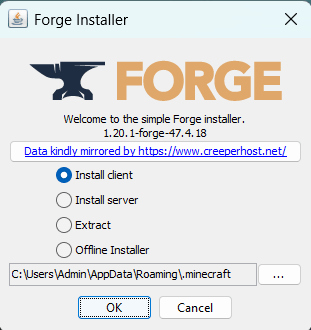
Launch the plain version once so its files exist before installing Forge against it, and check whether antivirus software that sandboxes unfamiliar programs has discarded the installer's writes. Setting Forge up from scratch rather than repairing it is covered in our mod installation guide.
Forge is installed but the game will not start
When the launcher flashes an exit code and drops you back to the profile list, two causes account for most of it: a Forge build that does not match the version being launched, and the wrong Java runtime.
Minecraft now numbers releases by year, drop and hotfix, so 26.1 and 26.2 follow the 1.21 line rather than continuing it. Forge lists builds per game version on files.minecraftforge.net, with separate Latest and Recommended entries. Take the one your pack targets.
Check Java properly rather than by reflex, because the requirement moves with the game version. Minecraft 1.16.5 and older run on Java 8, 1.17 through 1.20.4 need Java 17, 1.20.5 through the 1.21 releases need Java 21, and the 2026 versions from 26.1 onward need Java 25. The newest release will not satisfy an old pack. The official launcher supplies a runtime per version and usually gets this right, so genuine Java errors turn up mostly where a path was set by hand: third party launchers, servers, start scripts. An UnsupportedClassVersionError names the version a file was built for and is the clearest sign the runtime is wrong.
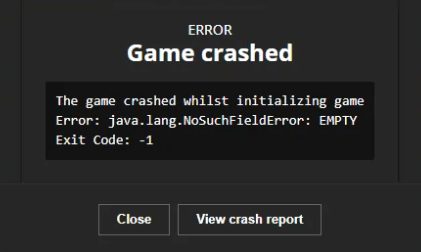
Before reinstalling anything, test Forge on its own:
Rename the mods folder
Call it mods-off. Nothing is deleted.
Launch the same Forge profile
Same version, same instance, no mods.
Read the result
The main menu means the loader and the runtime are fine, so the fault is in the mod layer. Still failing narrows it to the Forge build or Java.
Forge loads but your mods do not
Once clean Forge reaches the menu, put the mods back and let the game tell you what it found.
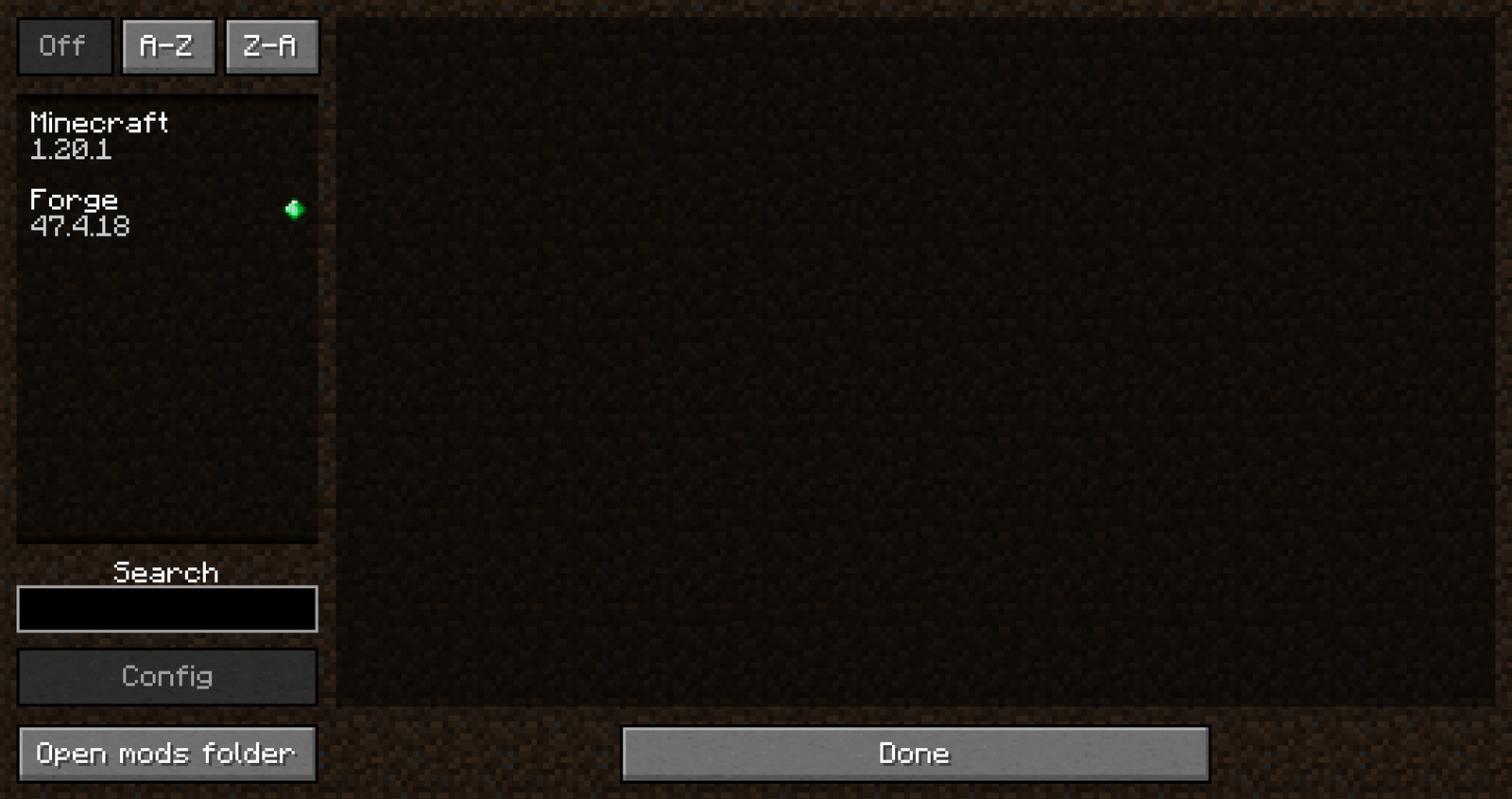
The mods list shows only Minecraft and Forge
Nothing was read. Either the files sit in a mods folder belonging to another instance, or they are Fabric or NeoForge builds, which Forge skips without complaint.
Missing required mod, or missing mandatory dependencies
Something asked for a library that is absent, or present at a version outside the range it accepts. The message names the mod ID and that range.
Mod failed to load correctly
That mod was compiled against a different Forge or Minecraft branch, or a second copy is in the folder. Check its project page for the build it expects.
Tracking one culprit through a large pack is its own job, and our guide to mods that will not load covers the halving method and dependency handling.
Forge works in one instance and not another
Every profile has a game directory, and that folder holds its mods, config, saves and logs. The CurseForge app, the Modrinth app and Prism Launcher give each instance its own, and the official launcher lets any profile point away from the default. A mod dropped into .minecraft/mods does nothing for a pack running from an instance folder elsewhere, which is the most common reason a setup that definitely has mods installed starts with none.
Rather than working the path out by hand, use the launcher's own control for opening the folder of the instance you press play on. When Forge behaves in one instance and not another, compare the loader, game version and build across the two.
Forge, NeoForge, and the loader your pack expects
NeoForge is a separate loader from Forge. Although NeoForge originated as a Forge fork, their APIs diverged as development moved beyond Minecraft 1.20.1. If a mod page lists Forge, use the Forge build; if it lists NeoForge, use the NeoForge build.
So read the loader tag on the mod or modpack page and install what it says. Switching to NeoForge because Forge is misbehaving only helps if the pack publishes a NeoForge version. To identify a file you have already downloaded, open the .jar: Forge mods carry mods.toml, NeoForge mods neoforge.mods.toml, and Fabric mods fabric.mod.json.
Reading the crash report
Crash reports go to crash-reports in the game directory, and logs/latest.log holds the run that produced them. Open the log first: its opening lines state the Minecraft version, the Forge build and the Java in use, which often answers the question before any stack trace.
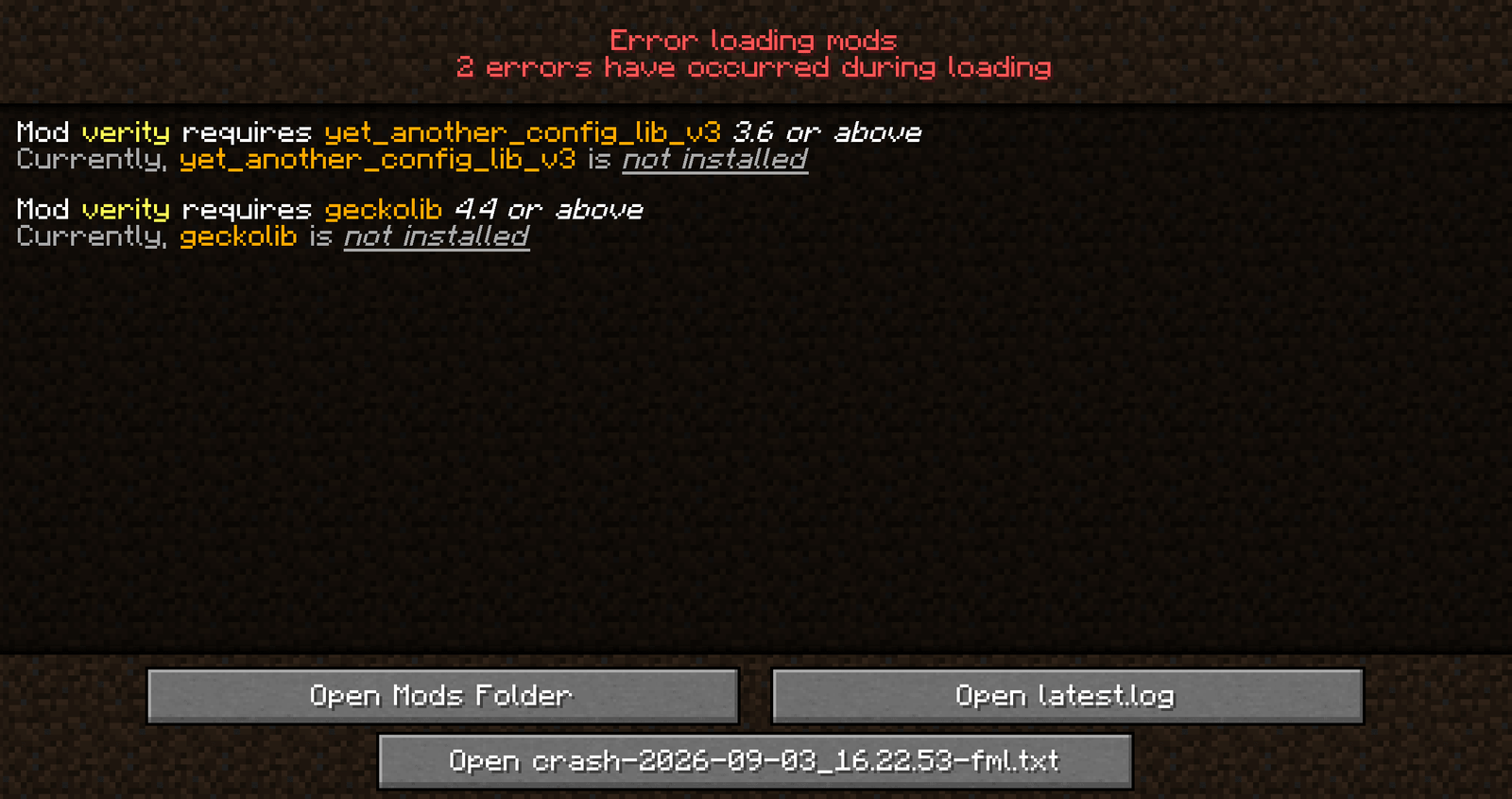
Then find the first Caused by line rather than the last line of the file, which is usually the outermost failure and several layers from whatever started it. A Suspected Mods section is a hint, not a verdict, since one mod can fall over because of another.
Common fixes that usually waste your time
Most Forge threads converge on the same suggestions. Each is right in a narrow case and useless outside it.
- Reinstall Forge. Repairs damaged libraries, and nothing else.
- Install the latest Java. Breaks older packs outright. Match the runtime to the game version.
- Give it more RAM. Fair once a log shows an OutOfMemoryError, though over-allocating causes its own problems, so a measured allocation beats a large one.
- Always run the newest Forge. Packs frequently pin an older build deliberately.
It takes your worlds, screenshots and configs with it. Copy the folder somewhere safe first, and try a fresh instance with a clean game directory before erasing anything.
FAQ
Why is Forge not showing up in the Minecraft launcher?
Usually the installer wrote into a different folder than the launcher reads, or the launcher was open while it ran. Close it, run the installer again, and confirm the path.
Why does the Forge installer do nothing when I double-click it?
.jar files are not associated with Java on that machine. Run it from a terminal with java -jar, which shows the error instead of failing silently.
What Java version does my Forge setup need?
It follows the Minecraft version: Java 8 for 1.16.5 and older, 17 for 1.17 through 1.20.4, 21 for 1.20.5 through the 1.21 releases, and 25 from 26.1 onward.
What does "Missing required mod" mean?
A mod needs another mod that is missing, or installed at a version it will not accept. The message gives the ID and the version range it wants.
Can I use Forge mods on NeoForge?
Not as a general rule. Forge and NeoForge are separate loaders, and compatibility depends on the specific Minecraft version and mod. Use the loader build listed by the mod author rather than assuming a Forge file will work on NeoForge.
Where is the mods folder for a CurseForge or Prism instance?
Inside that instance's own directory, not .minecraft. Both launchers will open it for you.