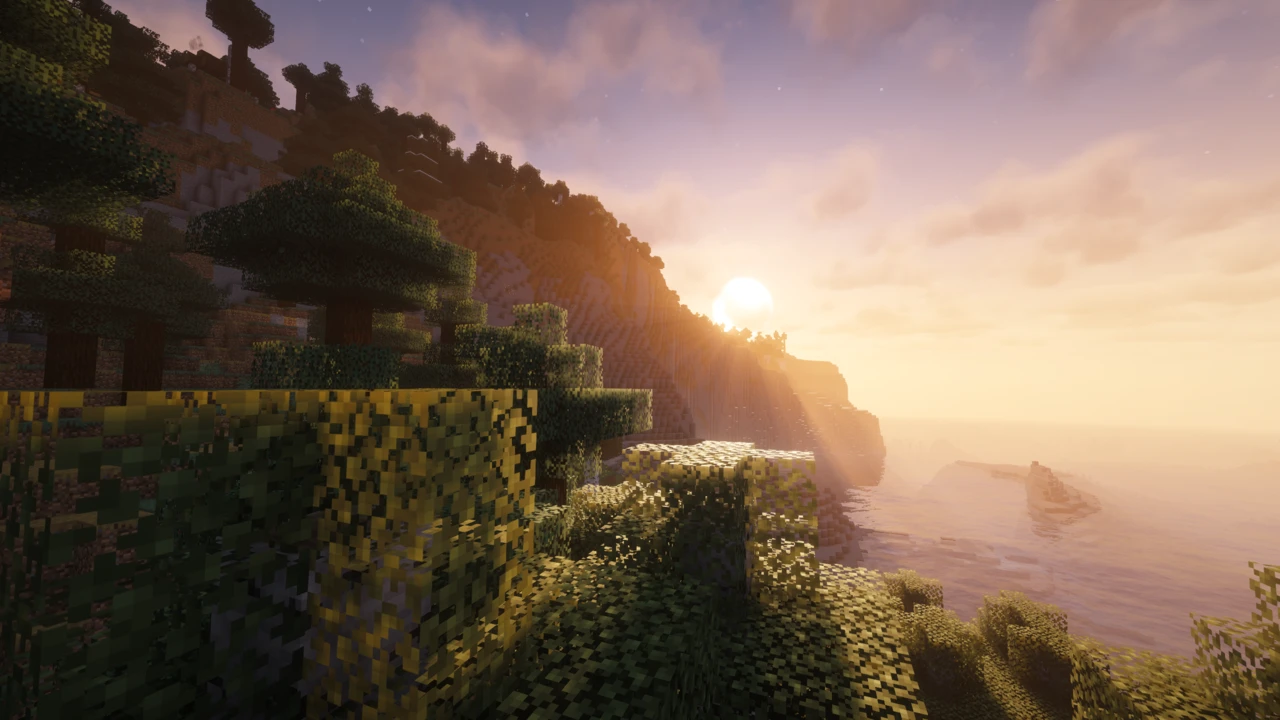
About MakeUp - Ultra Fast Shaders
MakeUp - Ultra Fast Shaders is a Minecraft: Java Edition shaderpack by XavierFST built on one premise: nearly every effect in it can be switched off. That reads like a convenience feature and is actually the entire design. The pack does not hand you a look and let you nudge it. It hands you parts, and expects you to decide which ones your graphics card can afford.
So the name describes what the pack can be, not what it is when you first load it. The gap between those two things is most of what separates people who find MakeUp genuinely quick from people who switch everything on and wonder why it isn't.
The name describes a setting, not a default
The developer's own framing is that MakeUp aims for the best quality-to-performance ratio by building a shader that adapts to whatever resources you have, with every effect optional so you only consume what you need. Read that closely and it is a conditional. Ultra Fast is a state the pack can reach, not a promise attached to the download.
That marks a real split from preset-driven packs. Sildur's Vibrant Shaders gives you Lite, Medium and High as curated bundles, while Complementary ships profiles tuned to stay visually coherent at each step. MakeUp gives you switches and holds no strong opinion about which combination you should run.
What you gain is a configuration no preset would offer: enhanced ambient occlusion and waving plants with shadows off entirely. What you lose is anything deciding on your behalf.
Shadows and depth of field are where your frames go
The developer singles out two effects by name: shadows and depth of field are resource-intensive, and removing them buys back performance while the result still looks good. That is more useful than generic advice to turn things down, because it tells you where to start.
Both are expensive for structural reasons. Shadows require the scene to be drawn a second time from the sun's point of view into a shadow map, so shadow distance and resolution multiply how much geometry is processed every frame, closer to rendering the world twice than to applying a filter. Depth of field adds passes of its own, blurring and recombining the image according to depth, which costs fill rate at whatever resolution you play at.
The rest of the list is cheaper, though not free. Volumetric clouds and volumetric light march samples through the air. Water reflection and refraction add screen-space work. Bloom, motion blur and chromatic aberration are post-processing passes over an already-finished frame, which is why switching them off rarely rescues a struggling setup: they were never the bottleneck.
Anti-aliasing is the odd one. MakeUp uses TAA, which reuses information from previous frames instead of supersampling the current one, making it far cheaper than brute-force approaches. Disabling it to claw back frames is usually a bad trade.
One file, from 1.12.2 to 26.2
The version coverage here is unusual enough to count as a practical feature. The current release is tagged for Minecraft 1.12.2 through 26.2 and everything in between, in a single ZIP. There is no version-matched file to choose and no way to grab the 1.20 build for a 1.21 world.
A large share of shader problems trace back to exactly that mismatch, and MakeUp removes it outright. An old world on an old version is not stranded on an ancient build either.
One nuance is worth knowing. The release metadata carries the 26.2 tag, which is the developer's published compatibility claim. The repository's README describes testing up to 26.1.x. Those are not contradictory (one records what is tagged as supported, the other what has actually been sat down with), but if you are on 26.2 and something looks off, that context belongs in your bug report.
Long-distance terrain actually works here
You would not expect a pack built for modest hardware to keep pace with LOD mods. This one does. Distant Horizons support arrived in version 9.0 and was refined in the releases just after it, and version 9.5 added support for Voxy, the newer LOD renderer. Both come from the project's own changelogs, not from community reports.
The qualification matters: this works under Iris. Distant Horizons hands the shader dedicated programs for drawing its simplified far terrain, and OptiFine has no equivalent mechanism, so an OptiFine setup renders that distant landscape without the pack's lighting on it. Support of this kind has to be written into a pack deliberately, which is why not every shaderpack lists it.
The pairing suits the same person the pack suits. Extending view distance with cheap LOD geometry while running a shader whose expensive parts you can switch off is a coherent way to get a large, good-looking world out of hardware that has no business producing one.
The loader floor: Iris 1.5.1, and OptiFine's own settings
MakeUp runs on Iris or OptiFine, and it is one of relatively few current packs that genuinely maintains both rather than treating OptiFine as legacy baggage.
On the Iris side there is a floor: from MakeUp 8.7 onward, Iris 1.5.1 or newer is required. In practice that only bites if you are deliberately running an old Iris to match an old Minecraft version, since current Iris releases are far past it. For that narrow case the pack's 8.6-series files still exist.
The OptiFine side carries an instruction that is easy to miss: leave OptiFine's built-in shader options at their default values, or you may see quality drop rather than improve. There is also a narrow hardware note: running OptiFine on Minecraft 1.16.x or older with an AMD or Intel GPU wants version 9.5a or newer, which restored compatibility that had broken for non-Nvidia cards in earlier releases.
Sodium is not a MakeUp requirement, though most Iris users will have it anyway: Iris is built as a Sodium extension and installs on that basis. Nothing in the pack asks for it directly.
What the recent 9.5 releases added, and what MakeUp still doesn't do
The current release, 9.5e from September 2026, is a narrow fix for pixel-locked shadows on translucent elements. The release before it, 9.5d, added AMD CAS image sharpening to the advanced post-processing options. Contrast-adaptive sharpening is a cheap way to recover apparent detail, and it pairs naturally with TAA, which softens an image slightly as the price of its stability.
The release history says something about how the project is run: dozens of small, frequent updates, mostly targeted fixes for particular blocks, entities and mod interactions: support for Ars Nouveau, Quark and Terralith blocks, a fix for copper torches rendering without their light.
What the pack does not do deserves equal billing. There is no path tracing and no ray tracing. PBR is not part of its feature set, so LabPBR or SEUS-style material resource packs contribute nothing here: the specular and normal map workflow other packs are built around simply isn't present. Reflections stop at water. Chasing realism means choosing a different pack, and that is a design decision rather than a gap.
Using it in a modpack, and the forks you will run into
MakeUp is published under the LGPL-3.0-or-later licence, which is uncommon among shaderpacks, where most are all rights reserved. The developer's own wording is permissive in plain language too: use it without restriction, fork it, modify it for any purpose, with credit and links back to the official pages requested when you do.
For a modpack author that settles the permission question before it is asked. It also explains something you will meet while searching: Aurora Astral, AuroraLite and E-LITE are independent edits built on MakeUp, not releases from this project.
How to Download MakeUp Ultra Fast Shaders for Minecraft
Open the MakeUp Downloads section on this page, which lists the current releases against the Minecraft versions they cover. Click Download on the one for your version and it takes you to the developer's Modrinth file. CurseForge belongs to the developer too. Anything else offering a MakeUp download is republishing a file it did not make.
Iris or OptiFine comes first
A shaderpack is not a mod, and Minecraft cannot load one unaided. Something has to sit underneath it, and MakeUp supports both of the usual candidates. If neither is set up yet, our shader installation guide covers that groundwork.
Iris is the default recommendation absent a reason to choose otherwise. It is actively developed, it runs on top of Sodium's rendering optimisations, and MakeUp's Distant Horizons and Voxy support depends on it. Any Iris from 1.5.1 upward will run the pack, a bar every current build clears easily.
OptiFine stays fully supported and remains the practical option on older Minecraft versions where Iris is not available. One rule if you go that way: leave OptiFine's built-in shader settings alone. They are meant to sit at their defaults while a pack is loaded.
How to Install MakeUp Ultra Fast Shaders in Minecraft
Leave the file as a ZIP. Unpacking it guarantees the pack never turns up, because the loader wants the archive itself and ignores a loose folder.
It belongs in the shaderpacks folder inside your Minecraft directory rather than mods. The game will take you there: under Options, Video Settings has a Shader Packs screen carrying a button that opens the folder directly. It creates the folder if it does not exist yet, which beats guessing at paths.
Once the file is sitting there, MakeUp shows up in the same list. Pick it, apply, and allow a moment: the first load compiles shaders and can stutter or seem to hang before it settles.
When the list comes up empty
- No packs listed at all. Make sure the loader is really running. An Iris installation means launching the Iris profile rather than vanilla, and on Fabric it means Sodium is present too.
- MakeUp alone is missing. Open the folder from that button and look at what is inside it. An unpacked folder will not register, and neither will a file that ended up among your mods.
- Black screen after selecting it. Update your graphics drivers from AMD, Intel or Nvidia directly. The versions shipped through Windows Update lag well behind.
- It loads, but performance is poor. Switch off shadows and depth of field before touching anything else, then bring render distance down, because every extra chunk costs more with a shader running.
If none of those is it, the shader troubleshooting guide goes further into crashes, GPU selection and mod conflicts.