About Better Leaves
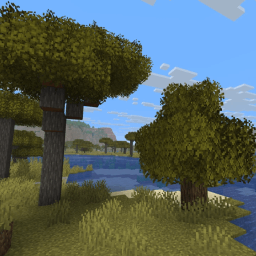
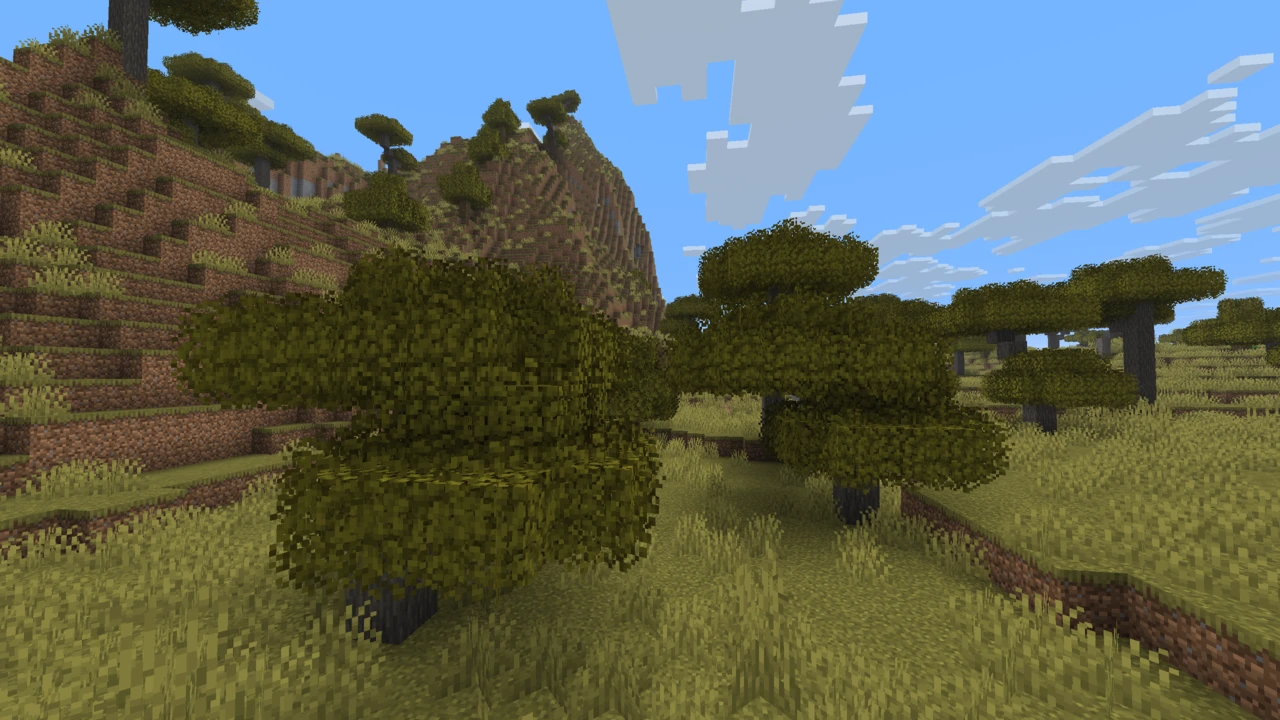
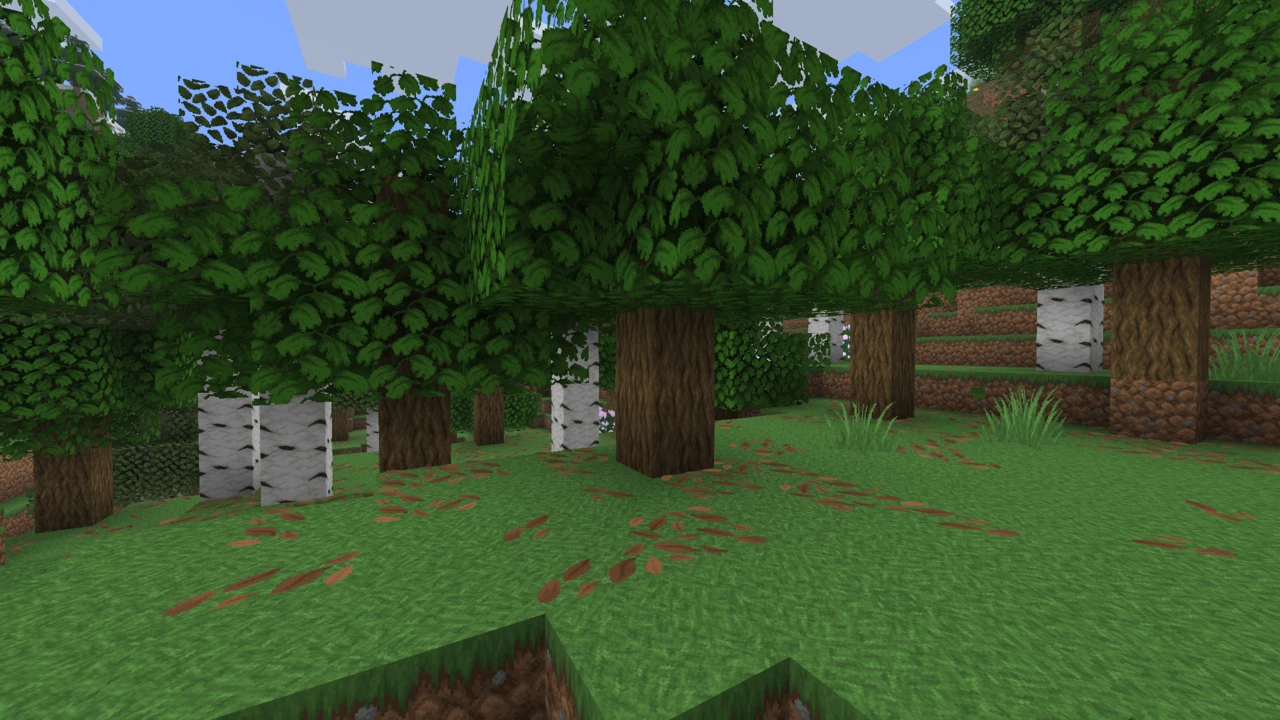
Better Leaves is Motschen's resource pack for Minecraft: Java Edition that turns every leaf block into a fuller, rounder clump of foliage, so a canopy stops reading as a stack of green cubes. It needs no mod and no OptiFine, and it covers the leaves of more than fifty mods as well as vanilla's own.
Which Better Leaves this is
Modrinth and CurseForge list the pack as Motschen's Better Leaves, while its files carry the plain name Better Leaves. Search results mix it with other projects:
- Better Leaves by PandaDEV: a separate, smaller resource pack with its own models, last updated in late 2025.
- Better Leaves by Zellior: a Fabric mod about moving through forests, unrelated to how leaves look.
- Leaf add-ons for other texture packs: Jerm's Better Leaves, plus leaf packs made for Bare Bones and Mizuno 16 Craft by other authors. These are independent projects, not editions of Motschen's pack.
Motschen does publish one official variant, a Programmer Art edition for players who use Minecraft's original textures. Everything on this page refers to Motschen's pack.
What it does to a leaf block
Each leaf block keeps its normal cube and gains two large flat planes set at angles through its middle, reaching well past the block's edges on every side. Those overhanging planes are what soften a tree's outline. They use the same leaf texture as the cube, so they carry the same gaps and speckle rather than a separate "bush" image.
The variety comes from tools vanilla already has. Every leaf type gets four different models, each usable at four rotations, and the game picks one of those sixteen combinations for each block, so neighboring leaves rarely line up the same way. Leaves that vanilla tints by biome, such as oak and jungle, still take that tint, so a swamp oak stays murky and jungle foliage stays bright. Because all of this uses standard block models and blockstate variants, nothing here depends on OptiFine, Continuity or any other mod.
Why version 9 changed how it handles textures
Up to version 8.1, Better Leaves shipped no textures at all. Its models borrowed whatever leaf texture the game already had, so it adapted to almost any texture pack automatically, at a rendering cost. Version 9.0 reversed that to cut rendering overhead. Motschen now generates a round texture for every leaf in advance, with the original texture in its center and the bushy fringe around it, and replaces the standard leaf texture with it. His README gives the reasoning: the models need far fewer elements, and one texture per leaf avoids the overhead of two per block in the texture atlas.
The trade-off is stated just as plainly: this version does not support texture packs with their own leaf textures. The block faces sample only the middle of that round texture, so if a pack further up the list replaces it with an ordinary square leaf texture, you can expect leaves that look magnified on the block faces and fringes that no longer match.
Using it with a texture pack that changes leaves
There are three workable routes.
- Use an edition built for that pack. Motschen's Programmer Art edition is the official example. For other packs, check whether the pack's author or community already offers a matching leaf add-on.
- Build your own. The pack's GitHub repository includes a Python script that reads a texture pack, or a mod's jar file, and generates a matching edition, and the MidnightDust wiki walks through it. Motschen has said he has only run the script on Linux, and an open report describes it producing an empty pack on Windows while the same input worked on Linux.
- Use version 8.1. It ships no leaf textures of its own, so it picks up whatever leaf texture your other packs provide. On the Minecraft versions it was released for, that keeps another pack's leaves, at the rendering cost version 9 was built to reduce.
Dense forests and Cull Leaves
Leaves were already one of the costlier things to draw, because vanilla does not hide the faces that neighboring leaf blocks share inside a tree. Better Leaves adds two planes per block with no culling of their own, so they are drawn even in leaf blocks buried deep inside a canopy, where nobody will ever see them. That is where the pack's performance cost comes from, and it grows with the number of leaf blocks in view, which makes dense forests such as jungles the heaviest case.
Motschen's answer is his own mod, Cull Leaves, a recreation of OptiFine's Smart Leaves that skips leaf faces nobody can see. He strongly recommends it alongside Sodium or Embeddium, and newer versions of the mod handle this pack specifically: Better Leaves ships a small Cull Leaves settings file that forces culling on and hides inner leaves, and Motschen has confirmed that newer Cull Leaves releases cull the crossing planes inside trees too. Cull Leaves is released for Fabric, Quilt and NeoForge, and for Forge on older versions, so check that it exists for your Minecraft version before planning around it.
Modded trees, shaders and snow
Mod support is explicit rather than automatic. The pack lists more than fifty mods, including Biomes O' Plenty, Oh The Biomes We've Gone, Regions Unexplored, The Twilight Forest, Quark, Cobblemon and The Aether, plus a set of Dynamic Trees add-ons. Leaves from a mod that is not on the list simply keep that mod's normal look. New support arrives through requests on the GitHub tracker, which holds a long queue of them.
The pack works under shaders, with one documented conflict. Foliage can look noticeably darker under Complementary Shaders. EminGT, Complementary's author, told Motschen the fix is the Very High or Ultra profile, or Real-Time Shadows at High or above in Performance Settings, and Motschen noted the problem is specific to Complementary.
One visual gap remains open on the tracker: where snow layers cover the ground, the fringe of a leaf block pokes up through them with no snow on it, which can look odd in snowy biomes.
Better Leaves is a plain resource pack. It installs through the Resource Packs screen, works in vanilla Minecraft: Java Edition, and needs no mod loader.
How to Download Better Leaves for Minecraft
- Minecraft 1.20 to 26.3: the current 9.x release, which also covers the poplar leaves added in 26.3.
- Minecraft 1.19.4: version 7.2.
- Minecraft 1.13 to 1.19.3: version 7.1.
- Programmer Art players: Motschen's separate Programmer Art edition instead of the main pack.
All three main-pack files are in the Better Leaves Downloads section on this page. Click Download on the one for your version: the current release opens on CurseForge, and Modrinth carries the same file.
How to Install Better Leaves in Minecraft
- Open Options, then Resource Packs, and click Open Pack Folder.
- Copy the ZIP in without extracting it, then return to the game.
- Move Better Leaves into the Selected column and click Done. The game reloads its textures, which takes a moment.
Pack order
Better Leaves supplies both the leaf models and the round textures they are shaped for, so both need to win. Put it above any texture pack whose leaves you are happy to replace with its vanilla-style bushy ones. Placed below a pack with its own leaf textures, the models end up with the wrong texture shape. If you want that pack's leaves, use a matching edition rather than looking for an order that works.
Optional: Cull Leaves
On Fabric, Quilt or NeoForge with Sodium, add Cull Leaves built for your exact Minecraft version. It should need no configuring, because Better Leaves carries its own Cull Leaves settings file. It is worth checking the mod's version list first, because it does not always reach a new Minecraft release as quickly as the pack.
Checking it worked
Look at the edge of any oak tree. The leaves should break the cube outline with a ragged fringe. Cube-shaped leaves mean the pack is not active, or a pack above it is replacing leaf models. If the pack does not appear in the list at all, see texture packs not working. General setup is covered in installing texture packs.