Bliss Shaders

Bliss Shaders is a fantasy-styled shaderpack for Minecraft: Java Edition by Xonk___, developed from Chocapic13's V9 shaders into a project with its own direction. It is built around scene variation, so lighting shifts noticeably with time of day, weather and biome instead of settling into one signature look, and it backs that with an unusually deep settings menu. The current release supports Distant Horizons and LabPBR resource packs, and runs on Iris.

13.6M+ Downloads by Xonk___

About Bliss Shaders

Bliss Shaders is a fantasy-styled pack for Minecraft: Java Edition by Xonk___, grown out of Chocapic13's V9 shaders into something with its own priorities. The one the author keeps returning to is variation: the aim, in their own words, is a scene where the lighting is not always the same whenever or wherever you are.

It is also a pack where the file you download matters more than usual. Bliss runs three parallel version tracks, and the most widely repeated advice about one of its headline features has been out of date for a while now.

Scene variation, and what it actually looks like

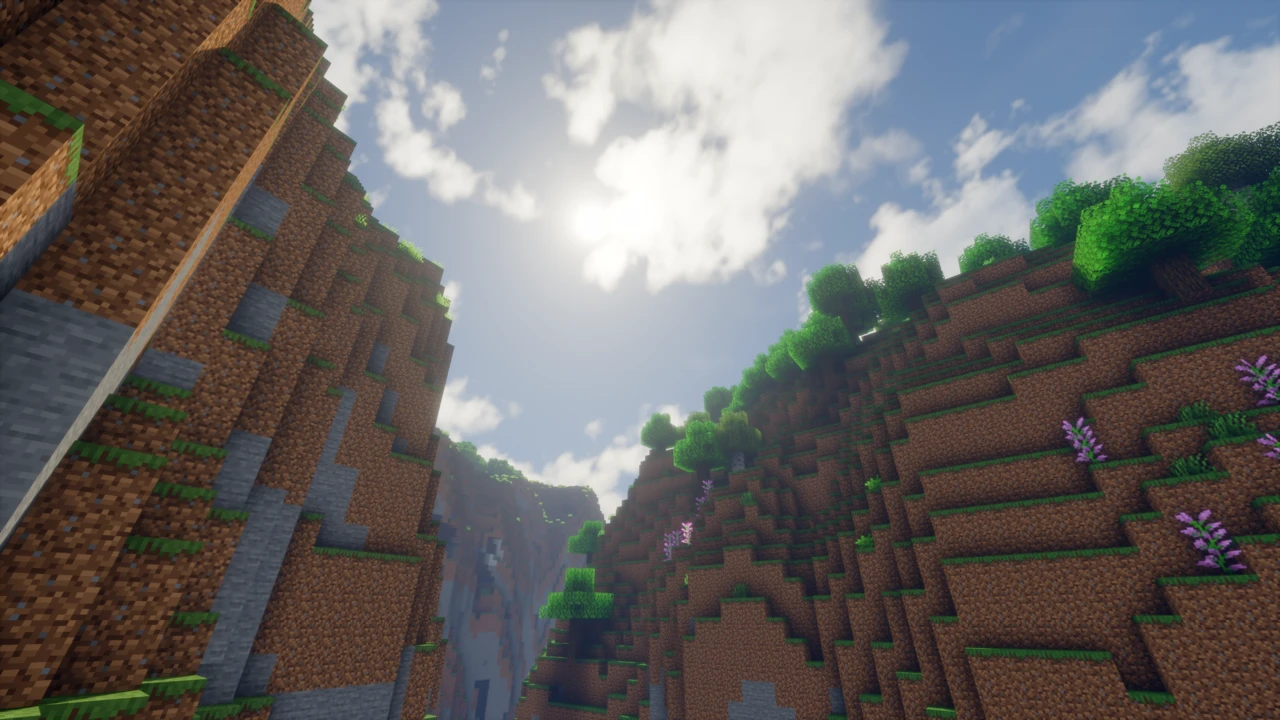
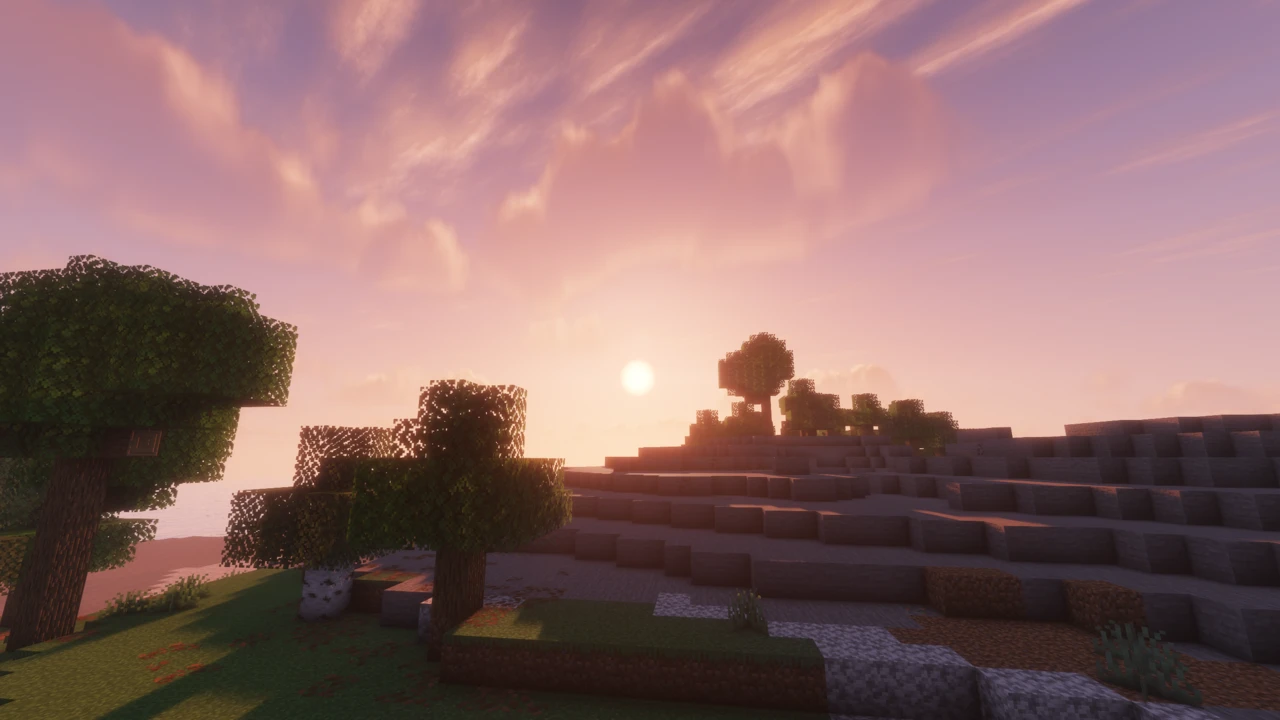
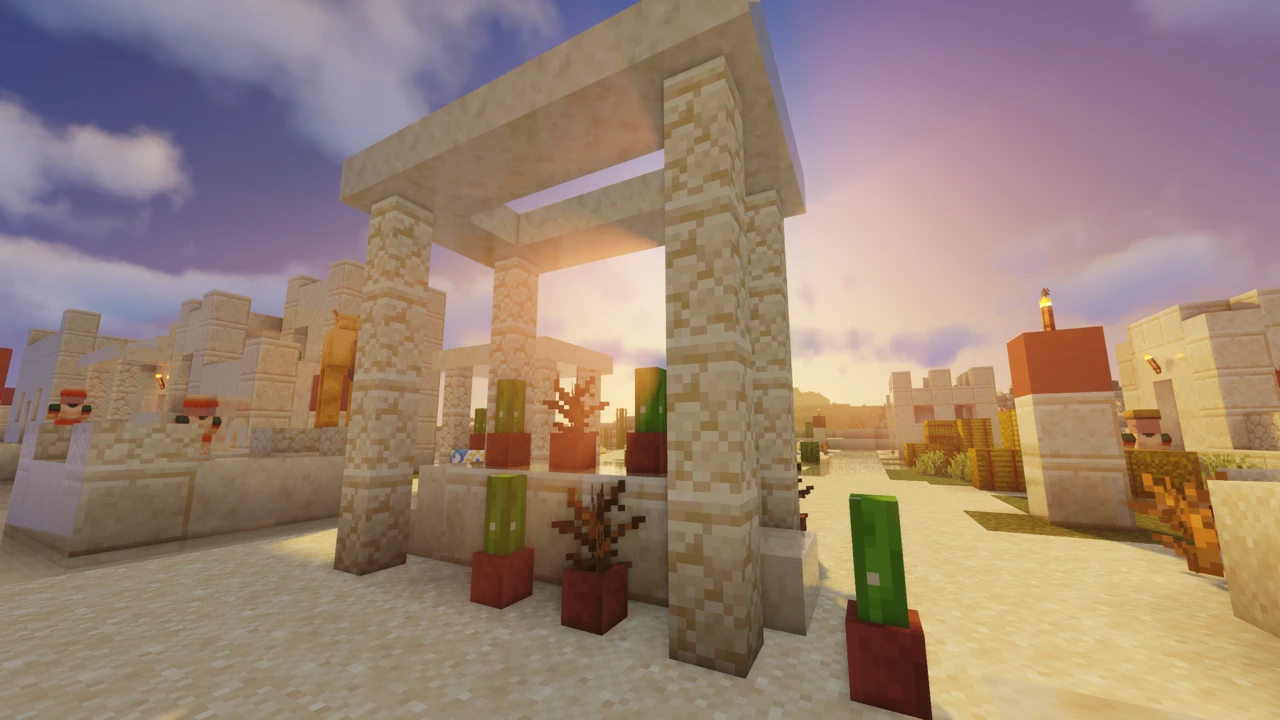
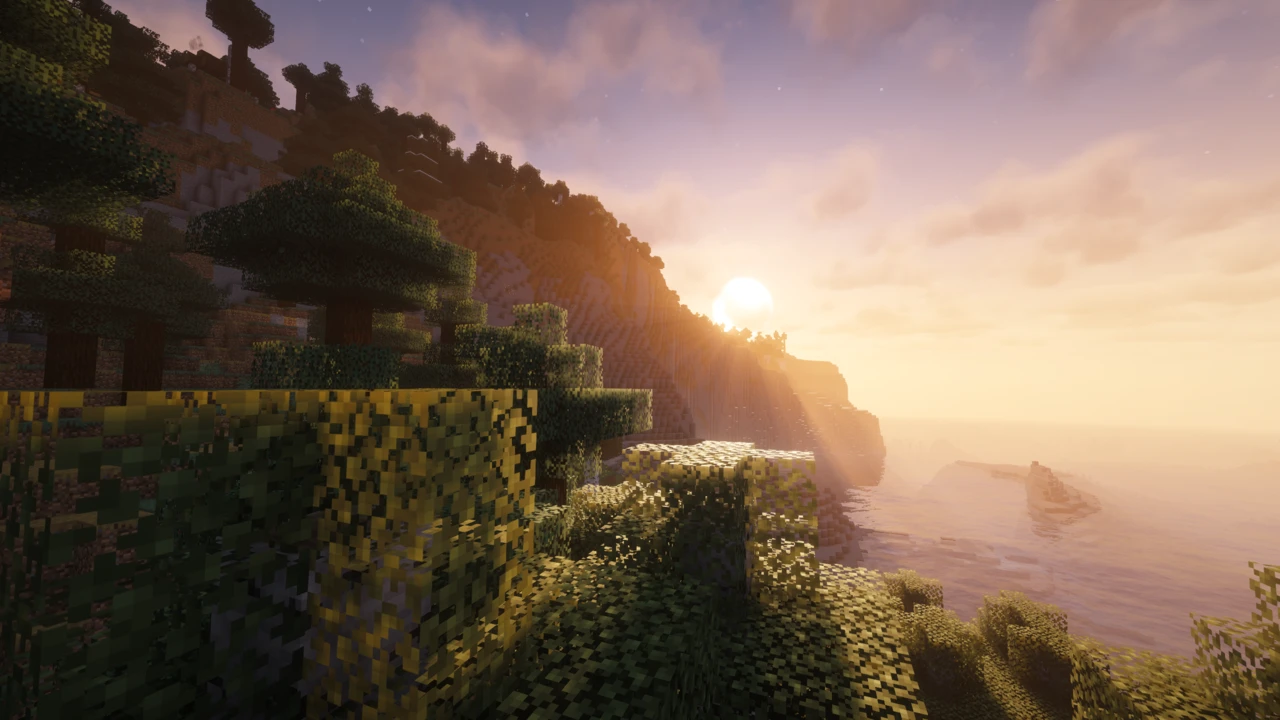
Most shaderpacks have a signature look you can identify from a screenshot. Bliss is built to resist that. Time of day, weather and biome are meant to pull the lighting in visibly different directions, so a wet afternoon in a swamp is not simply a dimmer version of a clear morning on a plain.

What that buys you is a world that keeps changing while you play in it, which suits long survival sessions more than it suits a single showcase shot. What it costs is predictability: if you want a look you can dial in once and forget, a pack with a stronger fixed identity will be less work.

The variation is not fixed in place either. Bliss leans heavily on its settings menu, and the author's stated shift was from adjusting the values Chocapic13 already exposed to adding new ones. Colored lighting is part of the current feature set, built on voxel floodfill work credited to a contributor rather than inherited from the base.

How much of this is Chocapic13?

The lineage is real and the project has never hidden it: the download is literally named for it, and the licence file in the repository still carries Chocapic13's copyright line. Bliss began as an edit of Chocapic13's V9.0 and V9.1.

Reducing it to that undersells what has happened since. The credits name separate contributors for a depth-of-field overhaul, the voxel colored lighting system, and fixes for light leaking through terrain, alongside ideas borrowed from other shader developers. That is a development history, not a settings tweak.

For anyone arriving from Chocapic13, the practical summary is that the rendering foundations will feel familiar while the visual intent has moved. The settings menu is the clearest evidence: it is where most of the independent work has gone.

Three download tracks, and which one you want

This trips people up, so it is worth being precise. The project publishes in three streams, and they are not equivalent:

  • Release builds are the ones on Modrinth and CurseForge. They ship when the code is stable enough and has accumulated enough changes to be worth packaging.
  • Stable builds live on a GitHub branch. Newer than Release, put out regularly for anyone who wants to test them, but not the bleeding edge.
  • Unstable builds are the absolute latest, pushed frequently, and described by the author as likely to carry bugs or missing features.

Almost everyone wants Release. The GitHub branches exist for people who want to help find problems, and treating Unstable as "the newest and therefore best version" is how you end up debugging someone else's work in progress.

Distant Horizons: the advice you will find is out of date

Search for this and you will be told that Bliss release builds cannot shade Distant Horizons terrain and that you need an in-development build. That was true once. It is not true now, and following it means installing an unstable build for no reason.

Support arrived in version 2.1.0 and has been in every release since, including the current one. The versions that genuinely lack it are 2.0.3 and 2.0.4, which is unambiguous if you look: both are titled with a plain warning that they have no Distant Horizons support. Those old files are still downloadable, which is exactly how people end up with flat, unshaded land in the distance and blame the shader.

One requirement does hold regardless of version. Distant Horizons shading runs through Iris, which provides the dedicated programs a pack implements to draw LOD terrain, water and shadows. OptiFine has no equivalent, so an OptiFine setup will render the distant terrain unlit no matter which Bliss version you install.

PBR, and why it can look like nothing happened

LabPBR is officially supported, and the project lists specular reflections, subsurface scattering and displacement mapping as part of what that support covers. In practice this is the feature people most often think is broken when it is simply not switched on.

The reason is that a shader cannot invent material data. LabPBR packs ship extra maps describing how each surface should reflect light and how much depth it should appear to have, and the shader reads them. Install Bliss without such a resource pack and the material options in its settings have nothing to work with, so enabling them changes nothing visible.

So the order matters: get a LabPBR-format resource pack applied first, confirm it is active and sitting above other packs in your list, then go into the shader's material settings. If surfaces still look flat afterwards, the usual cause is a pack that only covers part of the block set rather than a fault in the shader.

Loaders, versions and the Apple caveat

Iris is what the project asks for. OptiFine is described more cautiously (it might work), and that qualification is the developer's, not a hedge added here. Given the Distant Horizons situation and where shader development has gone generally, Iris is the sensible default unless something else in your setup forces otherwise.

Installing Iris puts Sodium in your mods folder, and it is easy to read that as something Bliss asked for. It did not. Iris is built on Sodium and ships alongside it, so the pack inherits it either way.

The current release covers Minecraft 1.17 through 26.2, which is unusually wide and means one download rather than a build per version. The one platform caveat worth knowing before you commit: Apple hardware has limited support, which the project attributes to the OpenGL versions available there. AMD, Intel and Nvidia are the supported vendors.

The settings that cost you most

No benchmarks have been published for this pack, and the author's own description of it as well performing is a developer claim rather than a measurement. Its Modrinth listing carries low, medium and high performance-impact tags at once, which is a fair reflection of how much the settings change the answer.

When frames are short, work through the settings that increase how much of the scene is being drawn before you start switching features off. Shadow distance and resolution come first, because both decide how much geometry gets drawn a second time for the shadow pass. Internal resolution comes next and is the bluntest lever available. Only after those should you reach for individual effects like depth of field or colored lighting, which cost real time but also carry a lot of what the pack looks like.

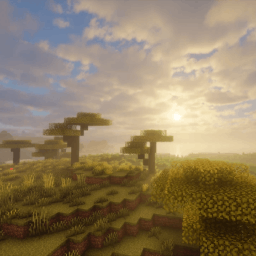
Choosing which file to download

Bliss needs Minecraft: Java Edition and a shader loader. The project names Iris as its requirement. OptiFine is the softer alternative and cannot shade Distant Horizons terrain at all, which makes Iris the better default.

Open the Download section on this page and take a Release build. The rows carry their version tags, so it is obvious there that anything numbered 2.0.x predates Distant Horizons support, and each one links to Xonk___'s own Modrinth file. CurseForge is the other official page. The shader is not licensed for redistribution, so copies hosted anywhere else are neither safe nor sanctioned.

If you have not added a shader loader to Minecraft before, start with our shader installation walkthrough.

Into the shaderpacks folder

  1. Get Iris running on your Minecraft version first, launching it a single time so the game builds out its directories.
  2. Download the current Release ZIP. Leave it zipped; unpacking it stops it loading.
  3. Open the shader selection screen from Video Settings in Minecraft's options, then click the button there that opens your shaderpacks folder. Tracking the directory down by hand goes wrong often on launchers that give each instance its own files.
  4. Drop the ZIP in and pick Bliss from the list. The first load pauses while shaders compile, which is normal.
  5. Open the shader settings and look around before changing anything. This pack has a lot of them, and knowing where the material and shadow sections are will save time later.

When something isn't right

  • Bliss is missing from the shader list. Check the folder contents with that in-game button: a shaderpack that has been unzipped will not register, and neither will one sitting in mods.
  • Black screen after selecting it. Give compilation a few seconds first. If it stays, check you have not got OptiFine sitting alongside Iris, and that the Iris and Sodium versions you installed were meant for each other.
  • Distant terrain is flat and unlit. Either you are on a 2.0.x build, which has no Distant Horizons support, or you are running OptiFine, which cannot shade it. Update to the current release and switch to Iris.
  • A PBR pack looks no different. Confirm the resource pack is actually a LabPBR one and is active above your other packs, then revisit the material settings.

Nothing here matching what you see? Our walkthrough for shaders that will not load covers black screens, missing menus and GPU selection in more depth.

Download Bliss Shaders

Release status VersionMinecraft version Shader loaderReleased Download
2.1.2Latest versionRelease 26.2–1.17 Iris, OptiFine Download

FAQ

Which Bliss download should I take?

The Release build, from Modrinth or CurseForge. The Stable and Unstable branches on GitHub are newer, but they exist for people who want to help find problems. Treating Unstable as simply the latest and therefore best version is how you end up debugging someone else's work in progress.

Does Bliss Shaders support Distant Horizons?

Yes, from version 2.1.0 onward, which includes the current release. Older 2.0.3 and 2.0.4 downloads do not, and say so in their titles. You no longer need an in-development build for it, despite what many guides still claim.

Does Bliss Shaders work with OptiFine?

The project says it might, which is a deliberately softer statement than its Iris recommendation. One firm limit: OptiFine cannot shade Distant Horizons terrain, so an OptiFine setup rules that combination out entirely.

Does Bliss Shaders need Sodium?

Not on its own account. Iris ships on top of Sodium, so installing Iris brings it along whether or not you asked for it. Nothing in the shaderpack itself declares a dependency on it.

What Minecraft versions does Bliss Shaders support?

One download spans 1.17 through 26.2, so there is no build to match against your exact game version. Older Bliss releases cover narrower ranges, which is worth checking if you end up on an archived file.

Does Bliss Shaders work on a Mac?

Only partly. The project describes Apple support as limited, blaming the OpenGL versions those machines expose, and names AMD, Intel and Nvidia as the graphics vendors it targets. Expect problems rather than a clean run.

Why does my PBR resource pack look no different?

Almost always because the pack is not in LabPBR format, or it is not applied above your other resource packs. The shader reads material maps from the pack; with no pack supplying them, turning on material options produces no visible change.

Is Bliss Shaders free, and where should I get it?

Yes. The Download section on this page lists the releases and links each one to the developer's own Modrinth file; CurseForge is the other official listing, and the source is kept on GitHub. The licence file in that repository is worth knowing about: a single copyright line, all rights reserved, granting nothing. It gives no one permission to redistribute the pack, which is reason enough to use the official listings rather than a mirror.

How does Bliss Shaders compare with BSL?

Different aims rather than better or worse. BSL is built around a consistent, widely recognisable look that stays put once configured. Bliss deliberately varies its lighting by conditions and gives you more settings to shape that, which is more to manage.

Related
Shader · Iris / OptiFine

Sildur's Vibrant Shaders

Sildur's Vibrant Shaders is a long-running shader pack for Minecraft, built around reworked lighting, water reflections, and weather effects. It ships in several presets from Lite to Extreme, so it scales from older laptops and Intel graphics up to dedicated GPUs. One current download covers the supported Minecraft versions, and it runs on both Iris and OptiFine.

Shader · Iris / OptiFine

Complementary Shaders

Complementary Shaders is a shader pack for Minecraft: Java Edition by EminGT, known for detailed lighting, water, and sky effects along with custom visuals for nearly every block in the game. It comes in two styles (Reimagined for a polished vanilla look and Unbound for something more realistic), which differ only in their default settings and can be freely customized either way. Quality profiles running from Potato to Ultra let you match it to your hardware.

Shader · Iris / OptiFine

MakeUp - Ultra Fast Shaders

MakeUp - Ultra Fast Shaders is a Minecraft: Java Edition shaderpack by XavierFST built around optional effects: almost everything it renders can be switched off, so how fast it runs depends on the configuration you build rather than on a preset someone chose for you. One download covers every supported Minecraft version on both Iris and OptiFine, and it supports Distant Horizons and Voxy under Iris.