About Insanity Shaders
Insanity Shaders is a horror shaderpack for Minecraft: Java Edition by ElocinDev, built on top of BSL and pointed somewhere BSL never goes. Published as Insanity Shader in the singular, though almost nobody searches for it that way, its design goal is not to make the game prettier. It is to make you unable to see.
That sounds like a small thing until you play with it. Night is not dim, it is dark, and a torch stops being decoration.
Darkness is the feature, not a side effect
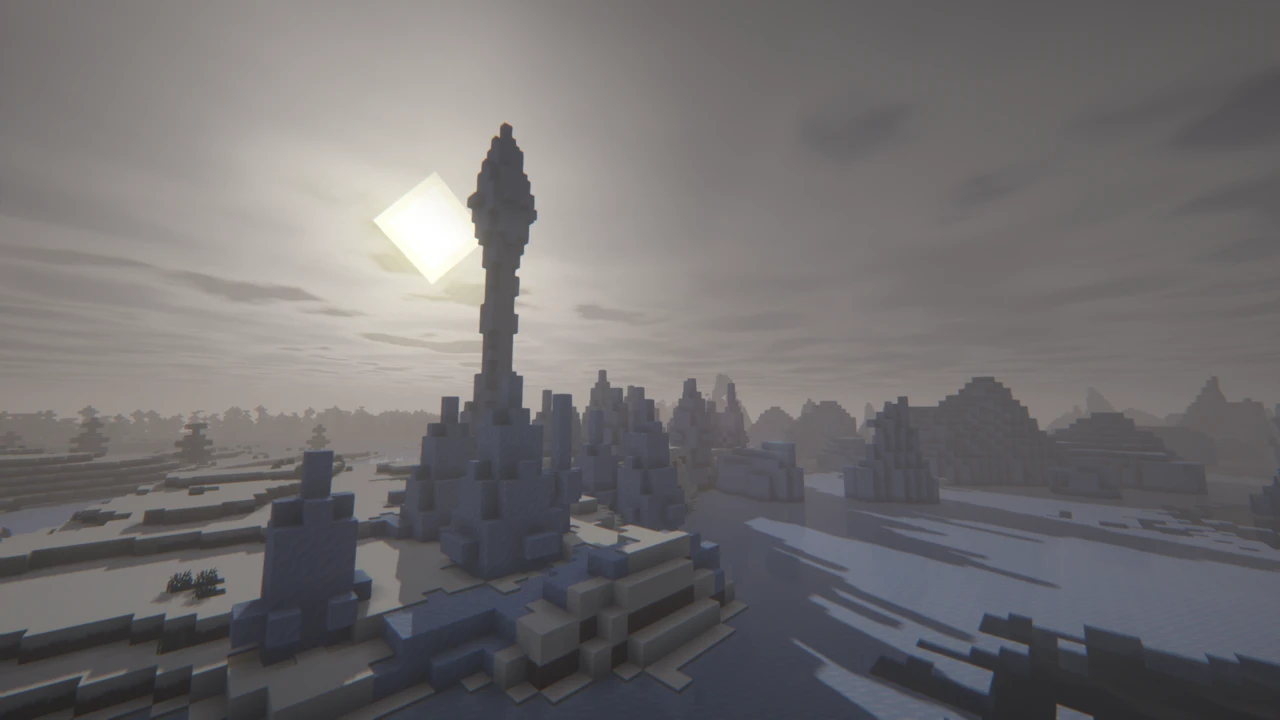
Most shaderpacks brighten Minecraft. This one takes light away and expects you to work around the absence. Nights are genuinely black rather than the navy-blue haze vanilla calls night, and the practical result is that light sources become equipment. You plan around them. Getting caught out at dusk a long way from a torch supply turns into an actual problem rather than a mild inconvenience.
The Nether and the End get harsher treatment still, both described by the developer as worse than the Overworld: dense red murk below, a thin void-lit gloom at the end of it. Weather feeds the same idea: fog-heavy mornings, heavy rain, a cold and drained colour palette that never quite lets the world look pleasant.
Whether that is a selling point depends entirely on what you want. For a horror modpack, or a survival world where you want the dark to mean something, it does a job no general-purpose pack does, and it pairs naturally with something like Verity JE that supplies the thing in the dark. If you mainly want your builds to look good in screenshots, this is the wrong tool and no amount of setting-tweaking will change its mind.
What it keeps from BSL, and what it changes
The pack is an edit of BSL Shaders by CaptTatsu, and the developer credits that openly rather than burying it. If you have used BSL, the rendering behaviour underneath will feel familiar: the shadow handling, the lighting model, the general shape of the settings menu all descend from it.
The changes sit on top: reworked clouds, a much heavier fog system, colour grading pushed cold and bleak, and a configuration menu the developer describes as extending past what BSL itself exposes. So the honest summary for anyone arriving from BSL is that this is not a different engine, it is the same engine aimed at a different mood, with more knobs to turn once you get there.
Turning the horror up, or down
The most common complaint about this pack is that it is too dark to play, and that is worth knowing before you decide it is broken. Nothing is malfunctioning. The settings menu is where you negotiate with it, and the pack ships a quick options screen so the main controls are not buried.
Two things are worth finding early. If the dark is beyond what you want, the brightness and fog controls are what pull it back. Reducing fog density in particular recovers a lot of visibility without undoing the look. And if you use a realistic or PBR texture pack, it will do nothing at all until you enable Advanced Materials under Materials and Reflections. That single toggle is the difference between a PBR pack working and appearing to be ignored, and it catches people out constantly.
One caveat on settings advice generally: the developer publishes no documentation beyond the store pages, so any guide confidently naming a list of quality profiles is guessing. Open the menu and look at what your version actually offers rather than trusting a name from elsewhere.
The last release was June 2024, and that matters here
Version 1.650 arrived on 13 June 2024 and is still the newest file on both official channels. Modrinth tags it for Minecraft 1.7.2 through 1.21.3, while CurseForge lists up to 1.21.1. Neither lists any 26.x version, and there has been no release in over two years.
Plenty of download sites will tell you otherwise. Treat that as unsourced: no official page says it, and a shaderpack appearing inside somebody's modpack is not a statement of support by anyone.
Shaderpacks do often survive Minecraft updates, because they talk to the shader loader rather than the game. But there is a specific reason to be more careful here than usual. The one change in that final release was a fix for a loading problem with Iris 1.7 on Minecraft 1.21. The pack's last recorded act was catching up to a loader that has moved on considerably since. Running it on a current Iris and a current Minecraft is genuinely untested ground, not a formality. It may work fine. Nobody has committed to it working, and nobody is going to fix it if it does not.
Iris, OptiFine and Oculus
All three are officially supported, which is less common than it sounds and mostly a consequence of the pack's age. Iris is the route the developer recommends and the one to use if you have a choice, particularly on newer versions where it is the only one still moving.
OptiFine is listed too, and Oculus covers Forge setups on the older Minecraft versions where that applies. The one rule that matters: pick one and install only that one. OptiFine and Iris both hook the same part of the renderer and running them together is a reliable way to produce a black screen or a crash.
Sodium is not something the pack requires, but you will end up with it regardless if you go the Iris route, since Iris is built on it. That is a fact about Iris rather than a dependency of this shader.
What actually costs you frames
The developer describes the pack as optimized for lower-end hardware, and its Modrinth listing carries the low performance-impact tag. Both are the author's own assessment. No benchmarks have been published, and a dark pack is not automatically a cheap one: the cost of a shader sits in shadow and lighting work, not in how bright the result looks.
If frames are short, the things to reach for first are the ones that scale with area rather than appearance. Shadow distance and shadow resolution are the usual biggest wins. Minecraft's own render distance matters more than people expect, because every chunk in view is also a chunk being shaded. Advanced Materials costs extra once a PBR pack is actually feeding it data, so if you turned it on to test and are not using such a pack, turn it back off.
Beyond that, test rather than trust. This pack has no published performance figures worth repeating, and any specific number you find quoted for it has been made up somewhere along the way.
How to Download Insanity Shaders for Minecraft
Minecraft: Java Edition and one shader loader. Iris is the developer's recommendation and the sensible default. OptiFine and Oculus are also supported, with Oculus covering Forge on the older versions. Install exactly one of them: two shader loaders in the same instance will fight.
Check your Minecraft version against the pack before anything else. The current v1.650 is tagged up to 1.21.3, and there is no build for 26.x. On a newer version you can still try it, but you are outside what the pack claims.
When the version checks out, open the Insanity Downloads section on this page and click Download on the release that covers your Minecraft version. Each row leads to the official Modrinth file, and CurseForge is the other official channel. The licence does not permit redistributing the files, so anywhere else is both unsafe and not allowed to have it.
If setting Iris up is itself new territory, the guide to installing Minecraft shaders covers that groundwork before you come back here.
How to Install Insanity Shaders in Minecraft
- Set up Iris for whichever Minecraft version you play, then start the game once. It needs that first run to lay down its directories.
- From the menu, follow Options into Video Settings and on to Shader Packs. A button there opens the folder for you. Use it rather than browsing to the path yourself, because launchers that isolate instances rarely keep it where you would guess.
- Put the ZIP in exactly as downloaded. Unzipping it will stop it working, and the mods folder is not where it goes.
- Select Insanity from the list. Give the first load a few seconds while shaders compile.
First run
Load a world at night before you judge anything, because daytime tells you almost nothing about this pack. Then open the shader settings and find two things: the brightness and fog controls, which are how you make it playable if the default is too much, and Advanced Materials under Materials and Reflections, which you only need if you run a PBR texture pack.
- Nothing called Insanity in the list. Two usual culprits: the archive got unpacked somewhere along the way, or it landed among your mods. Open the folder with that in-game button and see what is actually sitting there.
- Black screen when you select it. Give compilation a moment first. If it persists, check you have not got OptiFine and Iris installed together, and that your Iris and Sodium builds actually match.
- It loads but you cannot see anything. Working as intended. Turn up brightness and turn down fog.
- Your texture pack looks flat. Advanced Materials is off.
For anything beyond those, the shader troubleshooting guide works through crashes, GPU selection and frame rate.