About Dramatic Skys
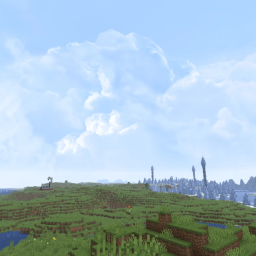
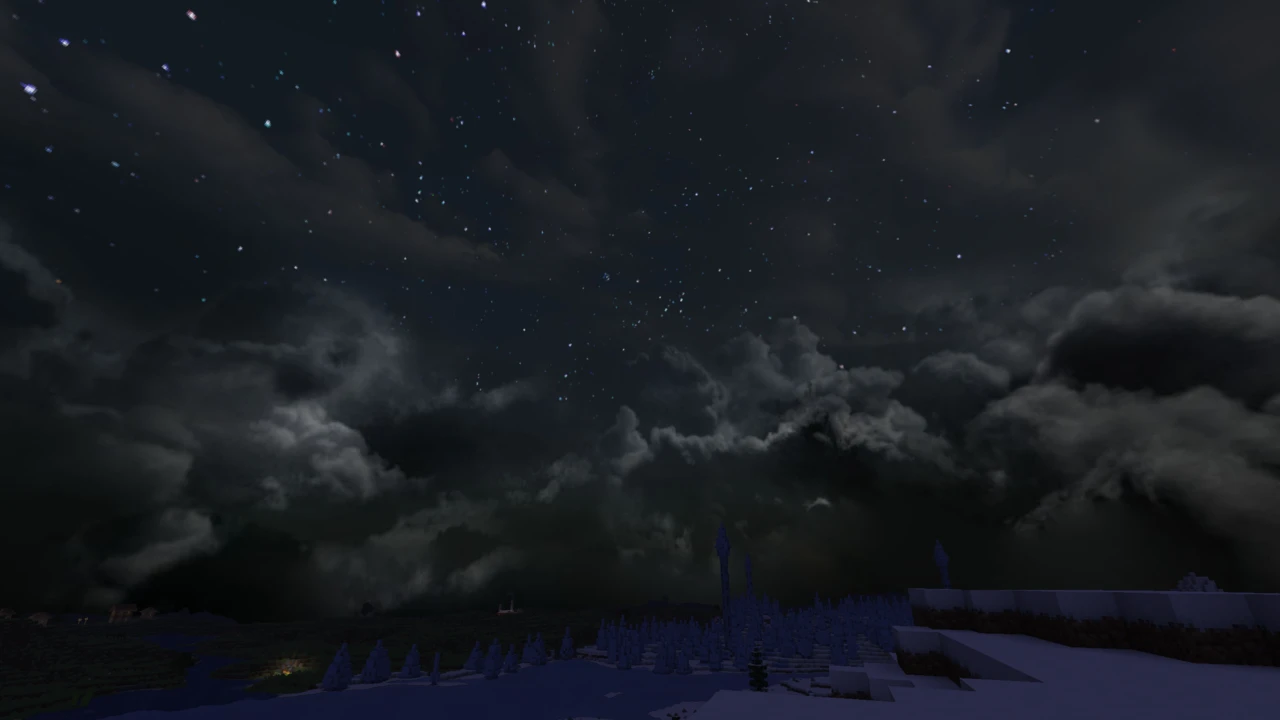
Dramatic Skys is a resource pack by thebaum64 (Christian Baum) that replaces Minecraft's flat, colour-graded sky with high-resolution painted skyboxes: a blue daytime sky with drifting cloud banks, orange sunsets and sunrises with a glowing sun flare, and a star-filled night. It is an add-on, meant to sit above whatever texture pack you already use, and it changes the sky only. It needs a mod that can draw custom skies, and the file offered on Modrinth and CurseForge is a Demo, so both points come first below.
What the free Demo contains
The download is labelled "Dramatic Skys Demo" on Modrinth and "Demo/Legacy" on CurseForge, and the author's Patreon offers a Dramatic Skys Beta to supporters. The project page's feature list (auroras, shooting stars, meteor showers, tornadoes, blood and blue moons, skies that vary by biome) describes the project as a whole and does not say which features are in which version.
The files inside the current Demo, version 1.5.3.36.6 from 18 September 2026, answer that for the free version. It contains one overworld sky cycle: a 3072 by 2048 daytime skybox, a night sky with stars, sunset and sunrise layers and a sun flare that fade in and out with the time of day, all set to clear weather. It also replaces the sun and the eight moon phases. At 13.3 MB, the ZIP is mostly those sky images. The author keeps it current: new Demo versions appeared in April, May, June and September 2026, each extending the version tags. There are no biome conditions, no weather-specific skies and no Nether or End skies in it. The author's own patron material lists different skies for each biome, animated auroras, shooting stars, an animated sun, tornadoes and skies that change with rain, storms and snow as features of the Beta.
None of that makes the Demo thin. It is a large, detailed skybox that changes how every hour of an overworld day looks. It is simply the fixed sky, not the biome-by-biome system the project page describes. Screenshots on the project pages come from the author and may show skies from the patron version.
How the sky changes through the day
The Demo builds its sky from layers that fade into one another on the game clock, which is how the transitions stay smooth. In the OptiFine-format files, where 6:00 is sunrise and 18:00 sunset on the game's own 24-hour clock, the daytime sky fades in between 5:40 and 6:20 and out between 17:40 and 18:20. A sunset layer and its sun flare take over from 17:40 until 19:40, the night sky and its stars fade in from 19:20 and hold until about 4:40, and a sunrise layer covers 4:20 to 6:20.
Because the layers overlap by a few in-game minutes, the sky cross-fades from one scene to the next instead of switching. Every layer rotates with the sun's path across the sky, so the painted clouds turn slowly overhead through the day. The Nuit version of the files uses the same timings, written in game ticks instead of clock times.
Why it needs a sky mod
Vanilla resource packs cannot replace the sky with an image. Custom skyboxes are an OptiFine feature that a few mods reproduce, and Dramatic Skys ships its sky in every format they read:
- OptiFine reads the pack's OptiFine sky files, with a legacy MCPatcher copy for very old versions.
- Skyboxify, a Fabric mod that loads OptiFine-format skies on Minecraft 1.21 and newer, reads the same files. It has builds up to 26.3.
- Nuit, formerly FabricSkyBoxes, has its own format, and the pack includes a full set of files for it. Nuit runs on Fabric, Quilt and NeoForge and also has builds up to 26.3.
- Celestial, for Fabric, Forge and NeoForge, has its own sky files in the pack too, but its newest version stops at Minecraft 1.21.1.
On a current Sodium and Iris setup, Nuit or Skyboxify is the natural choice, since OptiFine cannot join them. Without any sky mod, the pack still swaps the sun and moon textures and removes the vanilla clouds, but the painted sky does not appear.
Where the vanilla clouds went
The Demo replaces the game's cloud texture with a single fully transparent pixel, and its Celestial sky definition pushes clouds out of view as well. The clouds you see are painted into the skybox. "Clouds disappeared" is therefore the pack working as designed, not a bug.
If you want vanilla clouds back, another resource pack placed above Dramatic Skys that supplies its own cloud texture will override the transparent one, because the higher pack wins for any file both contain. The same rule covers the sun and moon.
Order, other packs and shaders
The author's instruction is to put Dramatic Skys above your other packs in the Selected list. Since it only touches sky, sun, moon and cloud files, it rarely conflicts with block or item packs. Two sky packs at once will fight, and the higher one decides.
Shaders are the bigger variable. Most shader packs draw their own sky, clouds and sun, so whether a resource-pack skybox shows through depends entirely on the shader pack and its settings. If the sky vanishes when shaders are on, the shader is drawing over it. Some packs make room for resource-pack skies: BSL has a skybox setting that decides whether a custom skybox is used, and Solas supports resource-pack skies on Iris, although its author notes they do not work with it on OptiFine.
The author describes the pack as performance friendly. It adds textures, not rendering work of its own, although its 3072-pixel daytime image is far larger than anything in the vanilla sky.
Not the same as the author's other sky packs
thebaum64 makes several sky packs with similar names, including Clear Skys, Cloudy Skys, Cosmic Skys, Dreamy Skys, Realistic Skys, Snowy Skys, Stormy Skys and Nebulous Skys, and lists them on Patreon as separate packs for supporters. Dramatic Skys is the one published for free on Modrinth and CurseForge. The spelling "Skys" is part of the name and worth keeping when you search for it. Copies on third-party download sites are not the author's release: the terms of use ask that the pack be downloaded only from its original pages.
Versions
One Demo file covers Minecraft 1.8 to 26.3, and its pack metadata declares a format range wide enough that current versions accept it as is. A separate, older Demo (1.5.3.19) is the one to use on 1.7.x. The author credits Hipshot for the base textures of the legacy skies. Questions go to the author's Discord, linked from the project pages.
Dramatic Skys takes two parts: the pack itself and a mod that draws custom skies. Set up the mod first.
How to Download Dramatic Skys for Minecraft
The Dramatic Skys Downloads section has only two rows, so choosing is quick. One Demo file covers 1.8 to 26.3, and a second row is for 1.7.x. Download takes you to the file on Modrinth, which arrives as a ZIP to use exactly as it is.
How to Install Dramatic Skys in Minecraft
1. Install a sky mod
- Fabric or Quilt: Nuit or Skyboxify (Minecraft 1.21 and newer for Skyboxify). Add it to the
mods folder of your Fabric profile.
- NeoForge: Nuit, which also has NeoForge builds, placed in the
mods folder.
- OptiFine: install OptiFine for your version. Custom Sky must be on, under Video Settings, then Quality.
- Minecraft 1.21.1 or older: Celestial is another option on Fabric, Forge or NeoForge.
Check that the sky mod has a build for your exact Minecraft version before downloading it.
2. Add the pack
- Start the game with the sky mod installed and open Options, then Resource Packs.
- Drop the ZIP into the
resourcepacks folder (the Open Pack Folder button takes you there) or drag it straight onto the screen.
- Move Dramatic Skys into the Selected list, above your other packs, and click Done.
3. Updating later
When a newer Demo comes out, remove the old ZIP from the Selected list and from the folder before adding the new one, so only one copy is active. If you play through a launcher with separate instances, such as Prism Launcher or the CurseForge app, the ZIP belongs in that instance's own resourcepacks folder, which Open Pack Folder always finds for you.
Checking the sky
Look up during the day, then wait for sunset or use /time set 12000 in a world with cheats. You should see painted clouds and a sun flare, not the flat vanilla gradient. If only the sun and moon changed, the sky mod is missing or not loading. If everything changed except while shaders are on, the shader pack is drawing its own sky. A pack missing from the list entirely is covered in texture packs not working, and the texture pack guide explains resource pack basics.